Yrn11
New here
-
Joined
-
Last visited
-
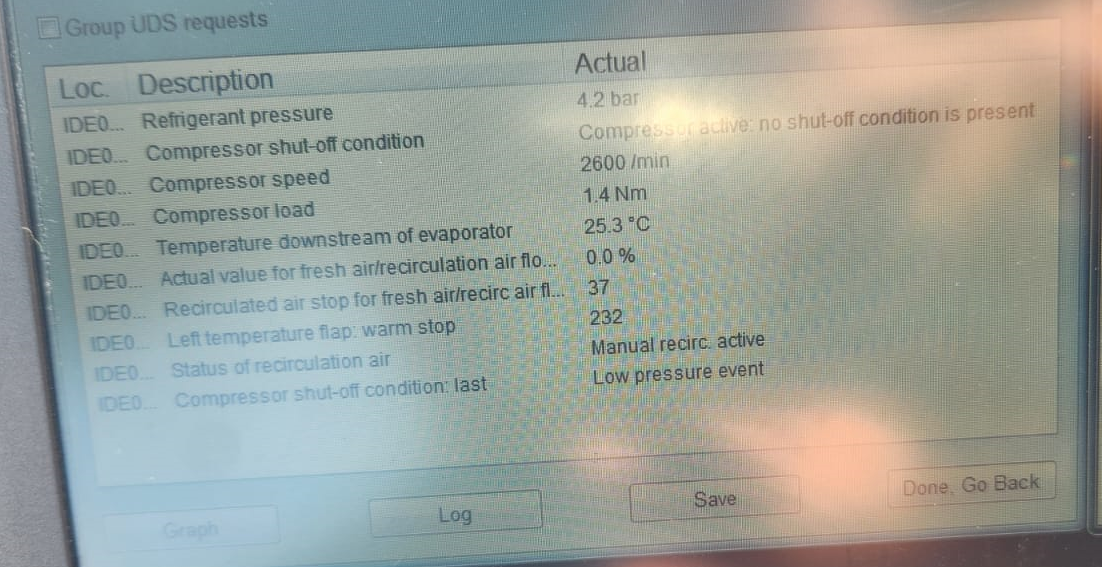
Thanks for your feedback. I was able to capture a snapshot of the A/C values while the issue was occurring. The problem only happens after prolonged highway driving. Once I slow down or stop, the system starts building pressure again and is able to cool properly. Do the values below suggest that the system is low on refrigerant and just needs a recharge?
-
Hi everyone, I have a 2016 Skoda Octavia 1.2 TSI with Climatronic, and I'm encountering a frustrating A/C issue. Problem:After driving at highway speeds (90 km/h or higher) for a prolonged time, the A/C stops cooling. The air coming from the vents is the same flow volume but no longer cold, although the system appears to still be "on." However, when I drive in city traffic or idle in a traffic jam, the A/C works perfectly and cools the cabin as expected. What I’ve Checked:No fault codes in the HVAC module (scanned with VCDS). Compressor load and refrigerant pressure look normal during regular operation. Cabin fan operates correctly. This happens repeatedly and under consistent conditions (e.g., highway driving after 45+ minutes). Once I slow down or stop, cooling resumes after a few minutes. Additional Notes:I Yet to read VCDS values after prolonged highway drive. Theories I'm Considering:Possible compressor control valve issue? Maybe the system is over-pressurizing at high RPM and disengages cooling temporarily? Faulty temperature sensor downstream of the evaporator? Airflow problem through the condenser at high speeds? I’d really appreciate any guidance, similar cases, or steps to narrow this down further. Thanks in advance!
-
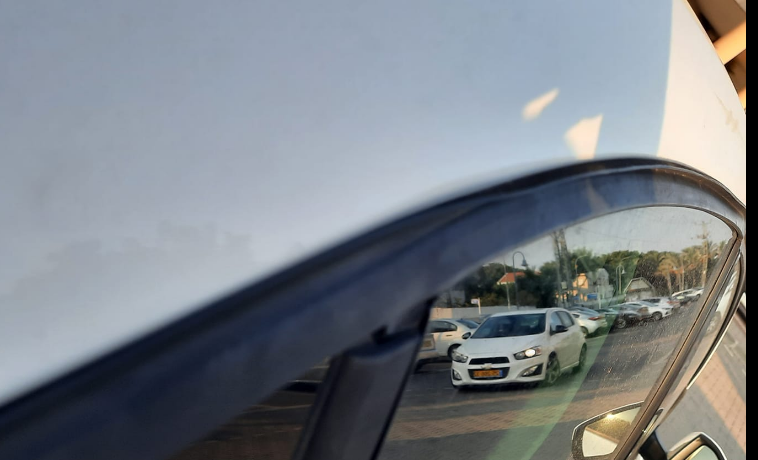
Hi, My rear left rubber window seal had worn out, is this something recognized by Skoda? (my car is out of warranty). It looks like window is pushing the rubber and forcing it out of it's place, can this be fixed? or it must be replaced?, anyone can recommend on replacement steps ? *attached a photo of the issue (this is not my car, but the issue is the same), i'll upload later today picture of my car