sickzoid
New here
-
Joined
-
Last visited
-
Sorry for bumping an old thread. I read through all the comments before pulling the plug on getting an external sub to replace my canton Sub as I love my EDM and DnB music. My door speakers are fine but I find the sub running out of head room when playing at loud volumes. Hooking up the sub to the high inputs has the ‘no output’ happen and DTCs that there is an open circuit and disables the sub channels. I went down to my local electronics store and picked up 3 different types of resistors to trick the amp - all did not work. I kept the sub connected and hot wired the external sub to the canton sub at the same time but still no output? (Doesn’t make sense…) Will getting a Lci or HELIX AAC.3 actually work? I don’t want to dump more money into this but really want it to work. Thanks! Octavia MK3 vRS 2018 Canton Audio
-
-
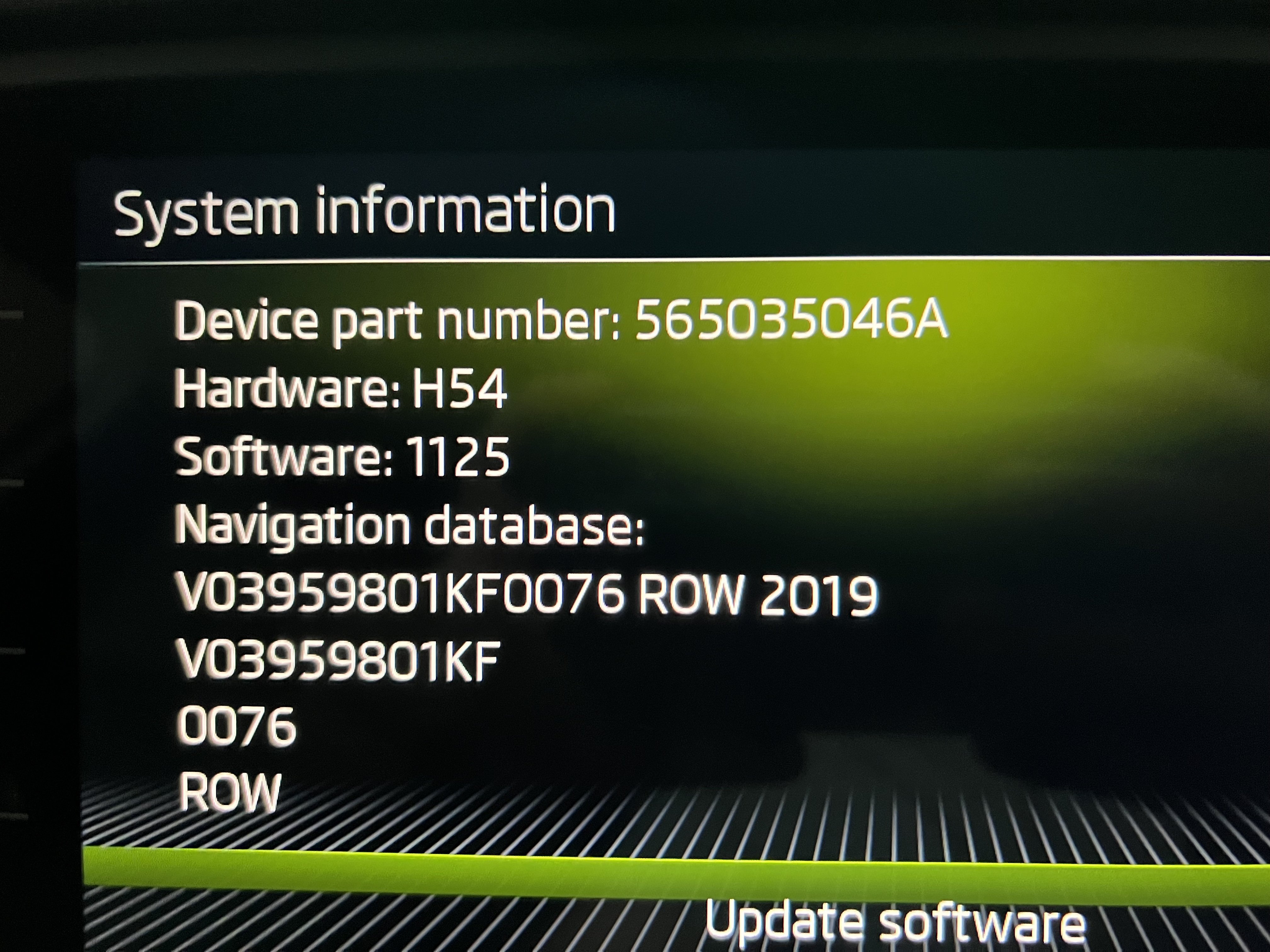
Can someone help me update my new Skoda? It looks like the firmware is out of date and I'm also missing WLAN/Hotspot settings + Skoda Connect on my RS but has the slot for the sim (which I plan on using). Skoda Octavia RS MY 18 135TDi I tried the Skoda site to even just update the maps as I'm running old 2019 maps and after spending an hour copying 28GB to an SD card to insert it shows "update on SD1" but then when it looks for it, no update 😞 It's driving me nuts. TIA