Trojlee
Finding my way
-
Joined
-
Last visited
Everything posted by Trojlee
-
-
What year came this option?
-
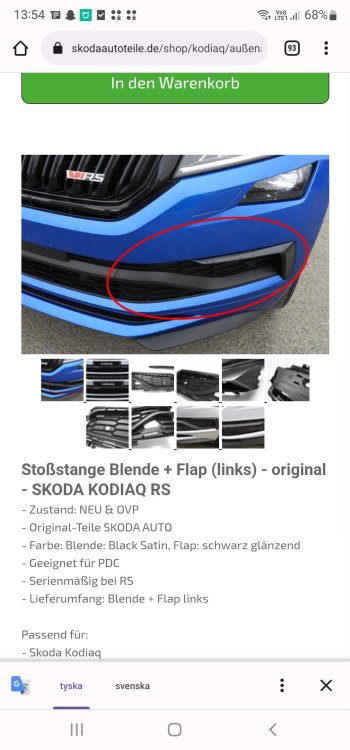
Anyone that have mounted this part?
-
Anybody? Is it hard to remove the original part?
-
Does this one fit a stock kodiaq then?
-
That was expensive😬.
-
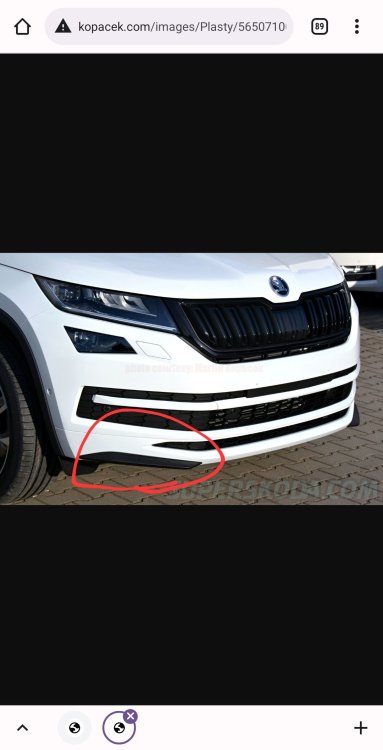
Is it possible to buy theese and mount on a stock kodiaq?
-
Thanxx...i will check with my local dealer
-
Thanx🙌
-
Is it possible to by that reflectiv strip? How is the mounting? Price?
-
Yes it's door mirror covers i ment. So it's different covers for cars with 360-camera? Anyone that have the instruction how i remove the covers?
-
OBDeleven fixed it👌 looks great with stripes on
-
Thanx, i will try that. 😀
-
I cant run that with obdeleven, what am i doing wrong? I have the led-headlights..
-
Anyone?
-
Thats nice👍
-
My stock kodiaq havent any "fake" exhaust but i think that the sport version looks nice...
-
Where could i buy a gloss black rearview mirror cover? Is there any differences between a car with rear view camera or without? Thanx
-
Something like this: http://www.kopacek.com/Skoda/KODIAQ/Kodiaq-original-Martinek-auto-exhaust-like-spoilers-RS-STYLE
-
Anyone that have put one on thestock kodiaq, pic? Ia it worth it?
-
Tackar😀
-
Hejsan. Har det runda märket bak.
-
Is there a subwoofer in sparewheel when you have canton system?
-
Is it easy to remove thenrear trunk skoda logo? I'm going to change front and rear logo to a black one. (Havent got the car yet). Can anyone help me and see if the front and back logo is 80mm or 90mm so i order the right black logos?
-
Is there any kit on the market that fits my kodiaq without mod. I have the canton speakers and they aint that great