SurlyBeast
New here
-
Joined
-
Last visited
-
I can’t find an online link, but our Tesco Extra does an own-brand flip-top flask/mug that fits our cup holder. Button flips lid open and the lid is out of the line of sight as you drink. Keeps my coffee hot enough for 4hr+. About a tenner.
-
Hi everybody Not my first post, but delighted to have bought our 2018 Superb III SE Technology TDI estate, back in June. Needed it to take over long distance duties from an ageing Ford Focus, and we’re pleased so far.
-
Pooling the feedback, it looks like that may be dependent on trim level - L&K vs SE Technology
-
Thank you all, that has been helpful.
-
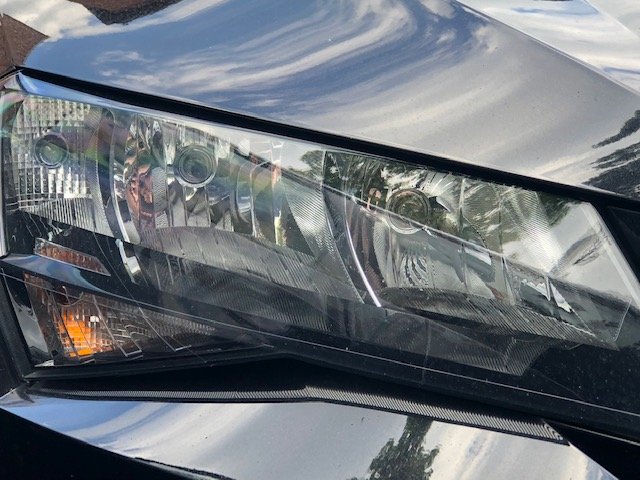
Hello board. New to this site; new to Skoda: just bought a used Superb III SE Technology TDI (2018). I'm trying to nail down what I need to do about headlamps when driving in France. I've seen various board comments about different types of headlamps, whether they adjust themselves, or through settings in the infotainment system, or something else... the solutions seem to vary but it seems I need to know what I've got. Even the Halfords beam converter checklist expects me to know the difference between "standard" and "projector + Xenon" headlights. Trouble is, I don't, and I'm not sure how to find out. The manual seems to cover a fair bit of ground between models without necessarily pointing out what I've actually got. What I do know is: I've got an Amundsen infotainment system (maps updated to 2022) In the Car settings section (Lights), I don't see anything about changing to the other side of the road 🤷♂️ the manual says something about going to a specialist garage 😠 model details above Here is an image of my offside headlamp cluster, in case that floats your boat: