




KyleLovesSkoda
New here
-
Joined
-
Last visited
Everything posted by KyleLovesSkoda
-
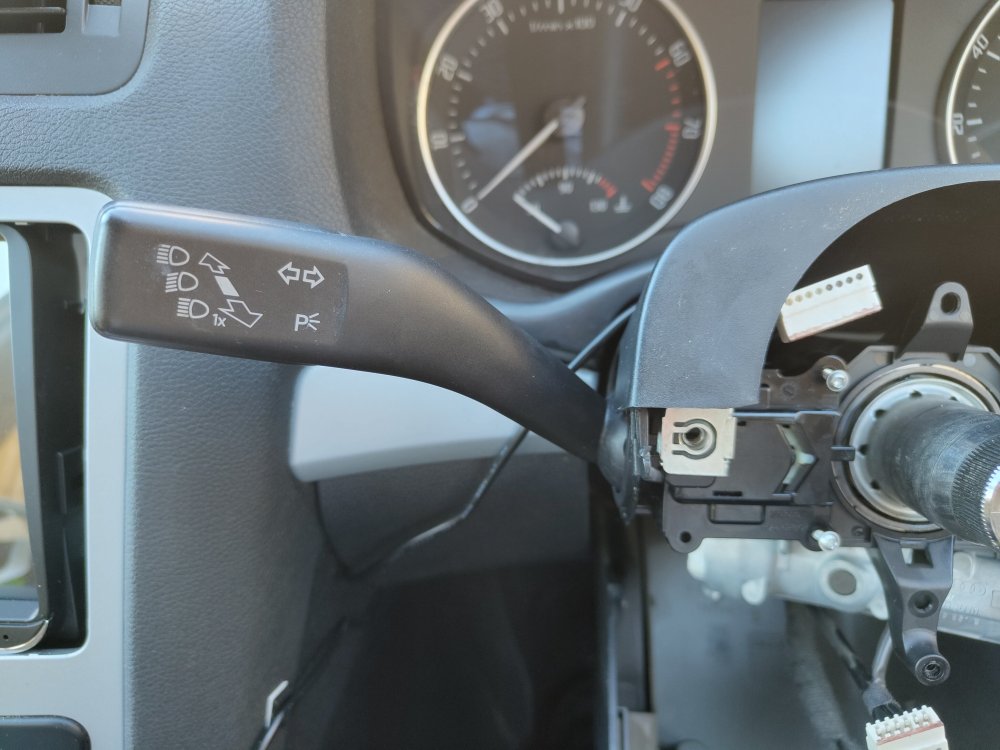
Hi, I am trying to find a cruise control stalk for my Skoda Octavia II facelift, I tried to go and fit this one: https://www.ebay.co.uk/itm/223784915305?mkcid=16&mkevt=1&mkrid=711-127632-2357-0&ssspo=Xy1Uc2-8RZG&sssrc=2349624&ssuid=DQH1gzgcQpa&var=&widget_ver=artemis&media=COPY But it doesn't seem the right shape compared the stalk I currently have, I have already checked my hardware for the control unit and I have midline, I can code it myself but I need to know which one I got to buy as I have been trying to find it for a long time, I believe my Skoda is completely base, so it has no extras. This is what my stalk looks like (image below) Any idea which one I need?
-
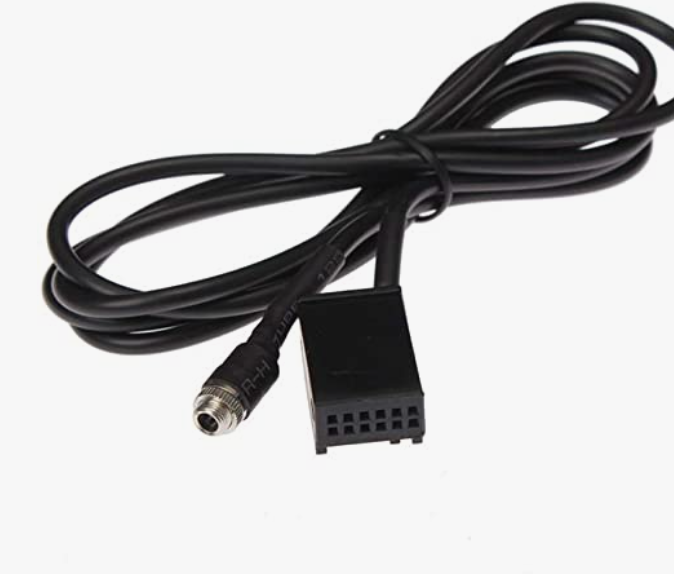
I have a Skoda Octavia without MDI or Aux (I don't have center armrest). I want to add aux to my car. I have Bolero stereo that has 6 cd changer and SD card built in, in the settings it doesn't have Aux at all. I have added this to my car: I'm guessing I need to code it in after that? I'm not sure whether it will work as everyone else adding aux has aux greyed out, but I don't it just isn't there at all. I have ordered a OBD11 so if anyone knows the code I need to add to make aux work, let me know. I'm not sure whether it's possible, is my only option replacing the whole stereo?
-
I live in Basingstoke and want my enable Big MPH display on my car, I wanted to know if there is anyone around to do it for me that would be great. I can pay you some money to do it for me. I have Carista so I tried to do it with that and changed the region to Australia but I can’t change the alt speed etc as I don’t have controls on my steering wheel so it can only be done through VCDS.
