scotteza
Finding my way
-
Joined
-
Last visited
-
Luckily I've got a jack and wrench spare, I'm going to keep them in the car from now on
-
Thanks for all the info everyone! Cazoo gave me the locking wheel but in a separate container, so it seems I’m all sorted 😁 can’t believe I didn’t notice the Velcro things attached to the side of the boot lol
-
Ok great, thanks for this info!
-
I've seen this "Erwin" tool mentioned a lot, is that the sort of place I can get that info? https://erwin.skoda-auto.cz/erwin/showHome.do
-
Thanks! 😂 maybe I'll be starting with buying a spare wheel, it feels weird not having one.
-
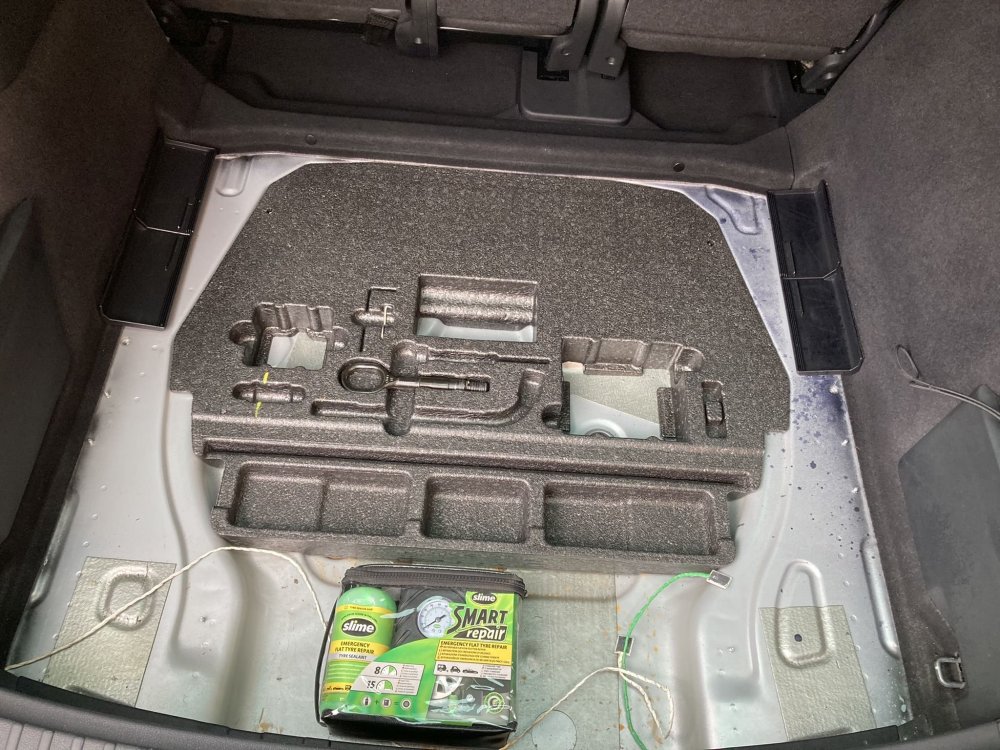
Gah! I pressed post by mistake 🤦♂️ This thing in the boot has lots of empty slots where I assume all sorts of useful gadgets and accessories should live. Does someone have a link, photo, or some info on what I was supposed to receive here, please? I assume the last owner just didn't put them back when they sold the car to Cazoo 🤷♂️
-
Howdy y'all! I just received my Kodiaq SE L from Cazoo, this is the exact one I bought: https://www.cazoo.co.uk/car-details/95516209-2403-5266-833b-daff784751f9/ I'm very pleased so far, but there are some bits missing e.g. the torch, umbrellas, and those velcro things that hold loose shopping down in the boot. I was wondering if anyone could help me with the attached image, please?
-
Howdy everyone, I just bought a 2018 Kodiaq for myself and my wife as our shared car. A bit of an upgrade from our 1.2 Corsa Here's the exact one that we bought: https://www.cazoo.co.uk/car-details/95516209-2403-5266-833b-daff784751f9/ This forum helped me a lot when I was Googling info during the purchase process, so thank you to everyone here!