




kama2
New here
-
Joined
-
Last visited
Everything posted by kama2
-
Follow the instructions:

-
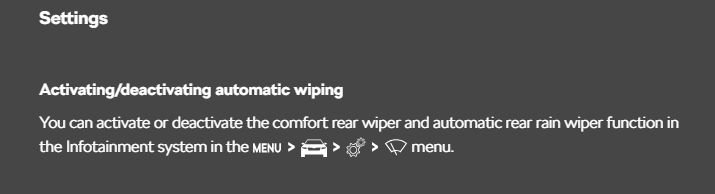
Hi, how to set this up is indicated in the car's manual:
 I myself purchased a subscription, since I don’t like to drive with a USB plugged in all the time, but I also purchased this option (just in case), the compartment closes and the USB flash drive is not visible: In both cases, the maps are updated only for the region where the car is moving, it is as it is.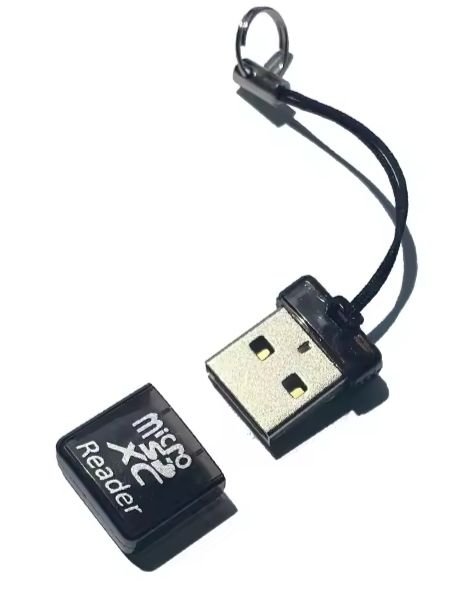
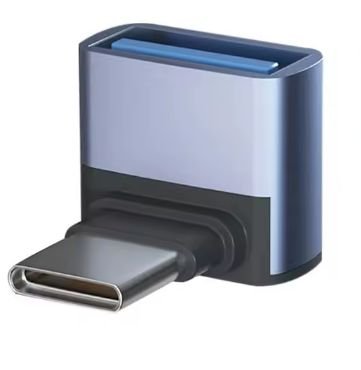 Hello, from the instructions for updating MIB3: INSTALLATION Insert the USB Flash Disc into the proper connector in the front part of the car. The vehicle uses the data on the USB disc while driving to update the required map regions. For proper updating, we recommend to leave the USB Flash Disc plugged into the vehicle connector each time you drive. However, this was already mentioned here at the beginning of the topic. Link: https://updateportal.skoda-auto.com/Download/Map-updates-mib3.pdf


Important Information
Welcome to BRISKODA. Please note the following important links Terms of Use. We have a comprehensive Privacy Policy. We have placed cookies on your device to help make this website better. You can adjust your cookie settings, otherwise we'll assume you're okay to continue.