




tyusaf
New here
-
Joined
-
Last visited
-
Just to let everyone know - the update went fine on my Bolero - took 30 mins at the end of the update it showed a screen like "connect your dealer diagnostic software", but there was an exit option. It rebooted again, and working fine. Thanks again to varooom for the firmware
-
Does the Fabia Bolero have an SD card slot? I can't find one anywhere and the manual isn't helpful - "not applicable to the Fabia model"
-
Yes, if it's just a USB update, that would be appreciated - won't have to touch it again for the next 3 years...
-
Thanks - and is it worth updating, or no real benefit? haven't had any problems so far with 2 phones and carplay, but i haven't upgraded to iOS 16 yet either
-
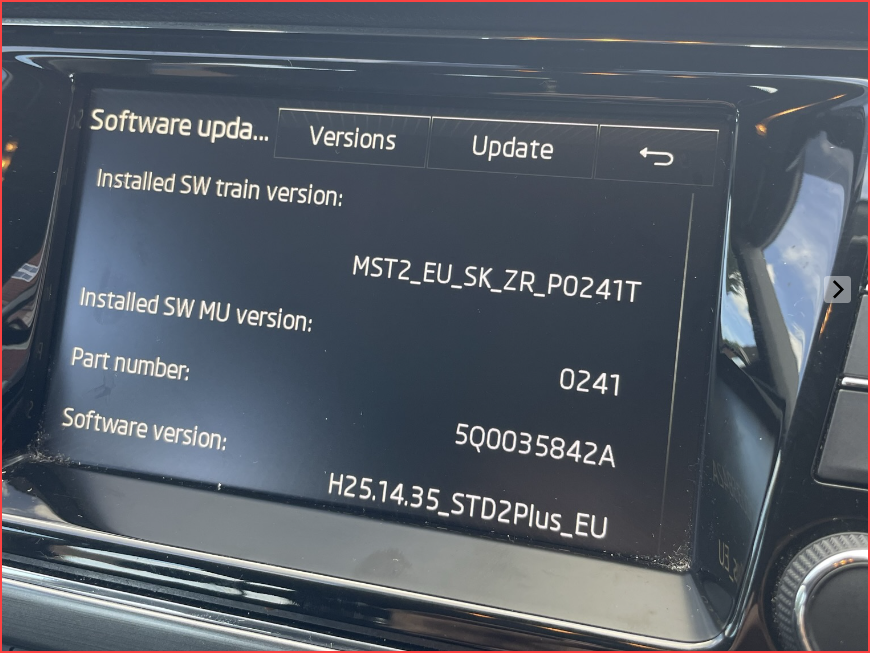
Hi everyone - first time Skoda owner - just signed up... I'm also looking to do all the updates on my car - I have the 2015 Bolero with Carplay - can someone point me to the firmware update files? I also have access to an official VCDS cable if that's what required Cheers System Information Device part: 5Q0035842A Hardware: H24 Software: 0241 Media Coded: 2101.0.0.8
