Altf917
New here
-
Joined
-
Last visited
Everything posted by Altf917
-
Just replace the 2 small relays with new original ones they are £2 each from skoda. Try simple cheap possible fix first. U never know
-
Ok mine had problems with the relay for the fuel pump . I see your one is the small relay nr4 . After i done the paperclip thing i went to skoda dealership and I paid £2 for one of those original one from them. Is worth getting a couple of them just in case. but again please check and double check to make sure that is the one . And DISCONNECT THE BATTERY before you mess around with them. nr 87 was one under the hood next to the battery on that fuse board . I had an issue with the relay there ticking very fast because it was bad that is why i mentioned it as well, so no need to touch that if yours is fine. i sold the car a month ago not because of these issue but because i upgraded to a 4x4. i do hope you get it sorted.
-
Hi u can use a regular paper clip ( looks like the one shown bellow where it says attached files for me it worked like a charm. But please note that it is just a temporary possible solution and i can not guarantee 100% it will work for someone else or i do not want to be blamed for any issues it may cause. I just thou It might help someone. Hope you get it sorted thank you
-
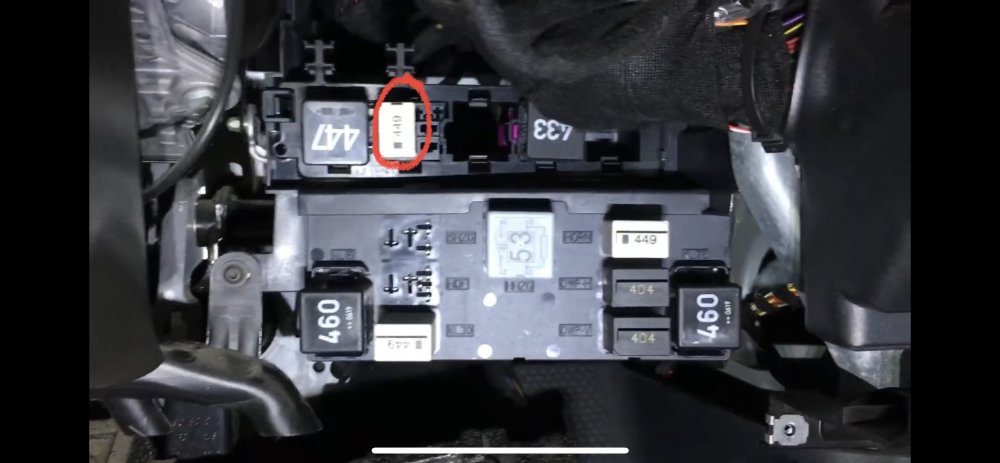
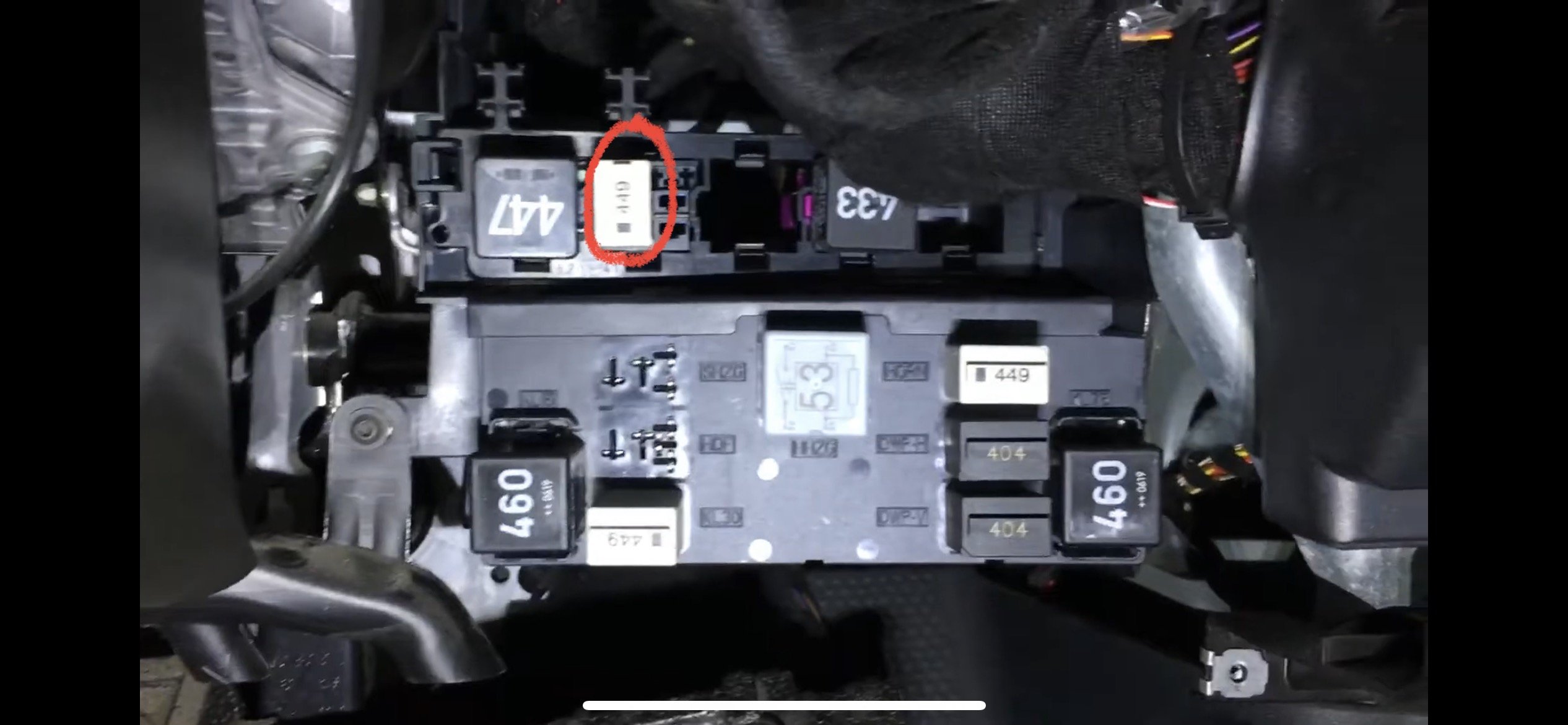
just in case someone still needs the answer: for right hand drive ( as it is in my case ) is under the steering wheel compartment and it is the second relay from left to right on the top row marked with red circle in the foto. On left hand drive might be the other way around meaning the 4th relay from left to right. On my car the relay was good but the actual socket was not . Sorted it with a u shaoed paper clip in socked 30 and 87 until i managed to fix the actual socket. One if the wires was loose at the back. hope this helps someone