LesG
Finding my way
-
Joined
-
Last visited
-
UPDATE The problem have finally been resolved, eventually a customer relations manager from Skoda UK got involved a very nice lady called Charlotte who spoke with the factory and the garage got some checks and software updates done and I can now become the Primary user and it would appear the update to 0306 has fixed the SOS fault. So just one remaining, still can’t manually upload missing DAB station logos. Thanks to everyone who gave advice and commented on this thread.
-
Update. I had a call from ŠKODA on Monday 27th the chap basically advised me to take it into a dealer and thought it might be cured by a software update. Contacted the local ŠKODA dealer took the car down was looked at by some guy who was apparently their go to guy for the system he agreed that yes indeed there was a problem that might be fixed by a software update that should also cure the sos error problem. So dropped it into them this morning for the update so we shall see. toot, it is the dealer at Myrekirk road but I didn’t buy the car from them got it from Arnold Clark Vauxhall in Stirling.
-
mistac thanks a lot I’m sure that will be helpful I’ll wait and see what the service partner says if they get in contact.
-
To all who replied to my request thanks very much for your help. I’m still getting problems so I sent an email to ŠKODA support detailing the problem along with screen shots the reply I got from them gave me a procedure to follow and a request for more photos. I followed the procedure still failed and sent the photos and a short video they requested got an email back on Thursday saying technical support have passed this onto a service partner? who will be in contact, I’m guessing this will a garage or dealer so will need to wait and see. I really loved my previous ŠKODA a my2017 Octavia but I am not so sure of this car over the last week have had that 📞 sos error thankfully both have been cleared by turning off power and leaving for about 10-20 mins, I get the feeling all these problems are related to the MIB3 infotainment unit.
-
Thanks CJJE how is that accessed?
-
If you use it’s built in sim don’t you need to have a data plan from some where? I had a look in the section of the menu about data and it said to need to be a primary user to select a data plan, kind of a catch 22 there.
-
Thanks there were no other users listed when I picked the car up. I already had a MySKODA account previous car was a 2017 Octavia deleted that and tried to add the Karoq get to the point of activating the vehicle but can’t seem to complete that as I’m having problems adding myself as primary user, I have been trying while the car is in the garage and is connected to my home Wi-Fi network.
-
How do I tell which MIB I have I assume I have MIB3 as there is no SD card slot and there are 2 USB-C ports below the climate controls?
-
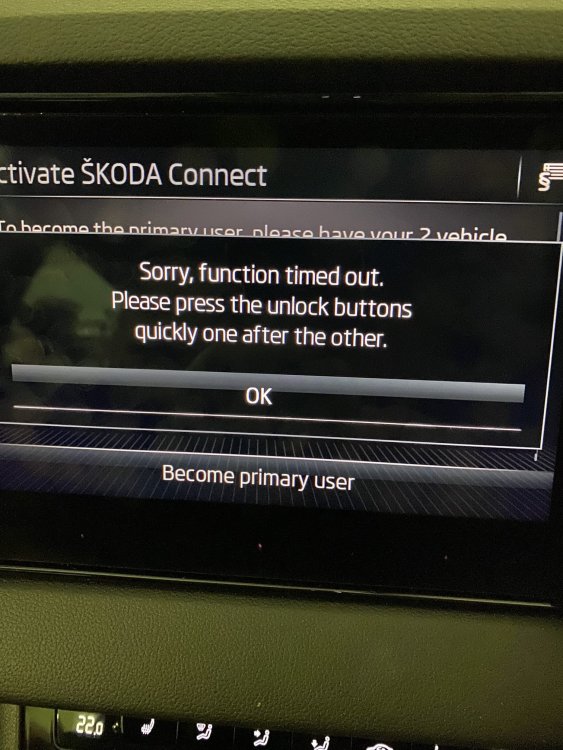
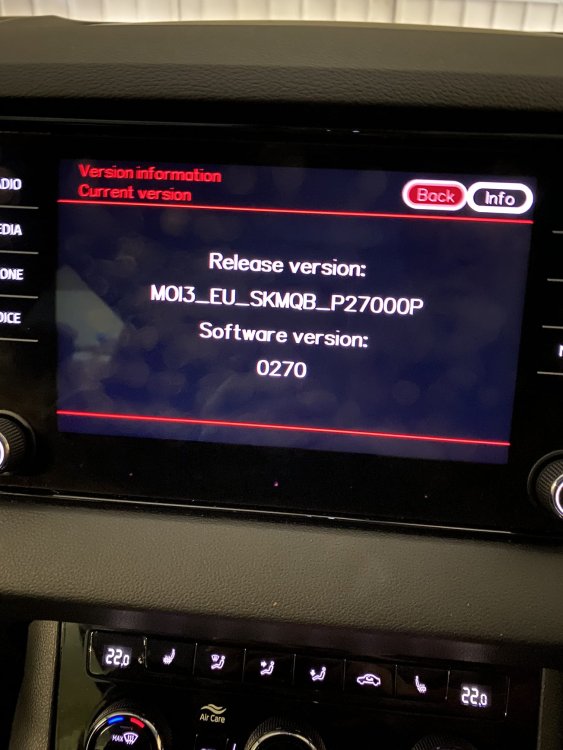
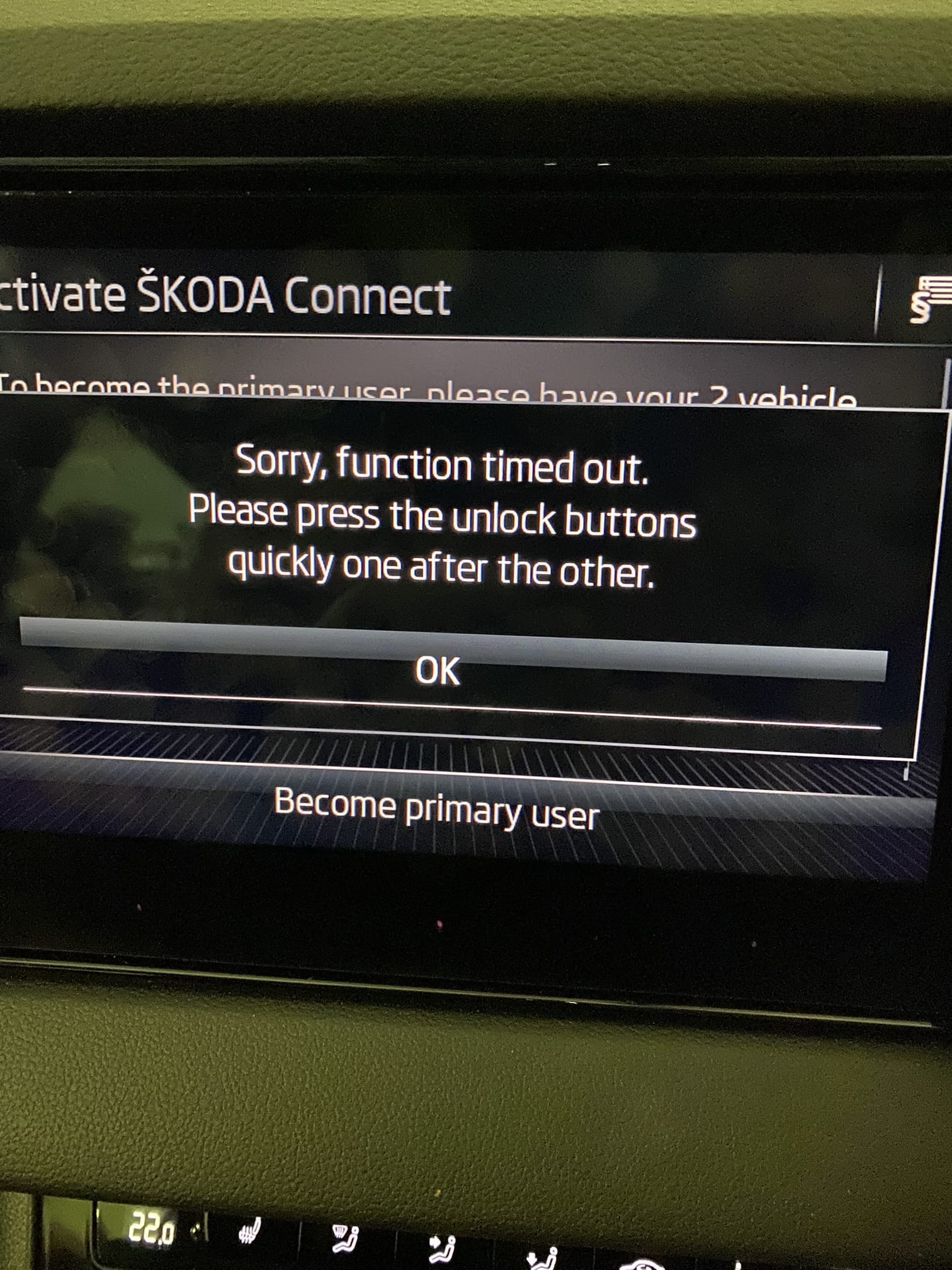
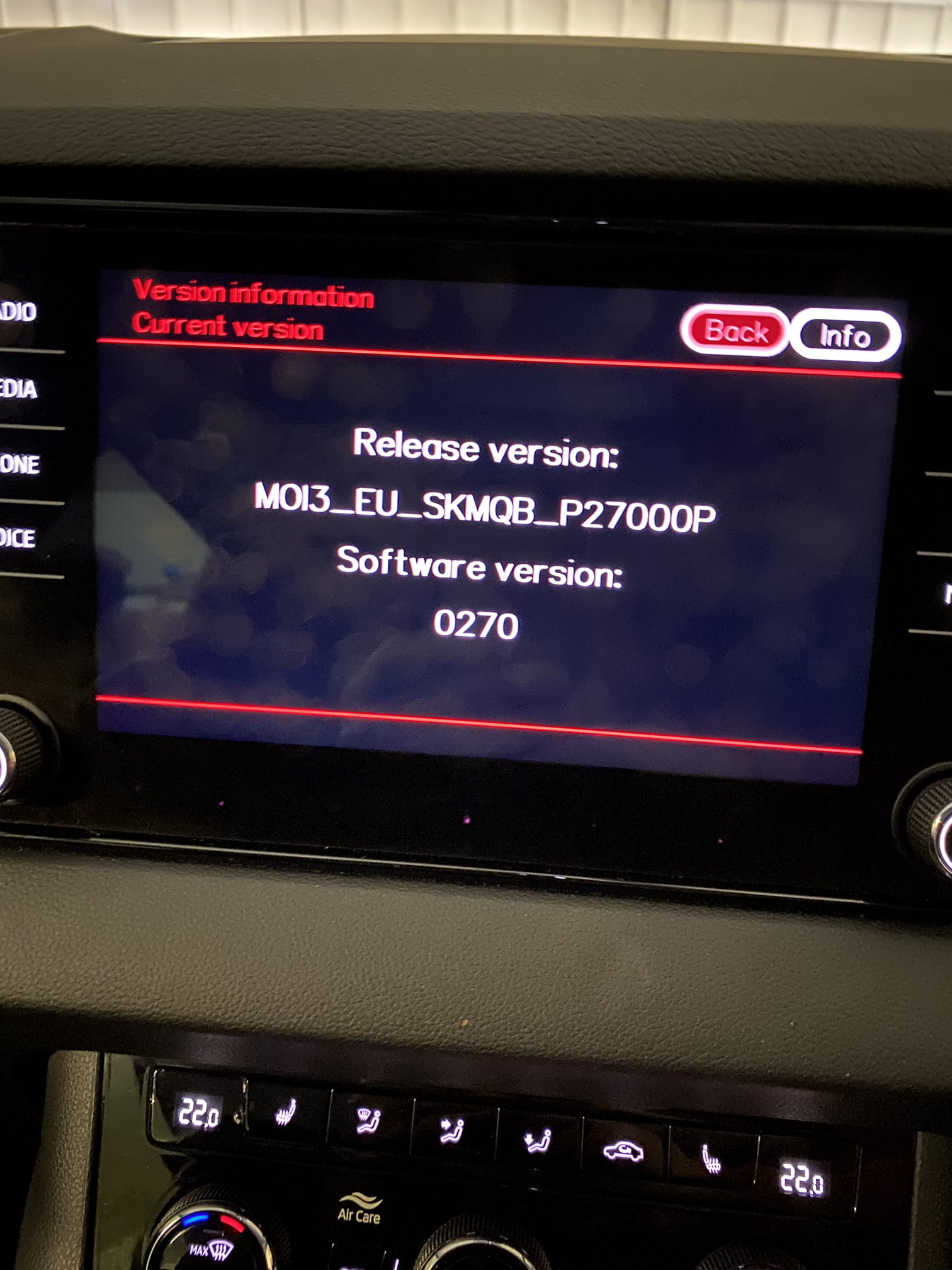
Picked up a used 70 (2021) plate Karoq SE L on Saturday I wonder if anyone could advise on a couple of problems I am getting. 1. Can’t seem to complete registering myself as primary user Get as far as clicking the open buttons on the keys and just fails to complete. 2. Is this the current software version and if not how do I go about updating it. Thanks in advance and apologies if this is not the right group.