iC0d3X
New here
-
Joined
-
Last visited
-
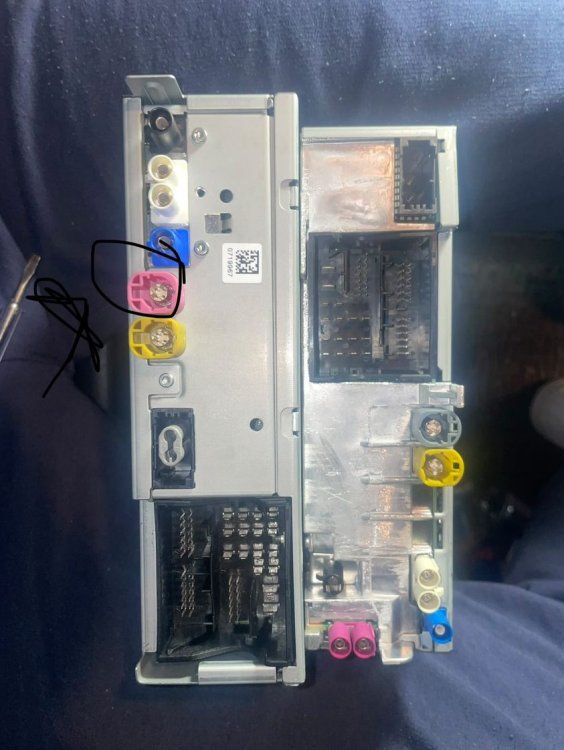
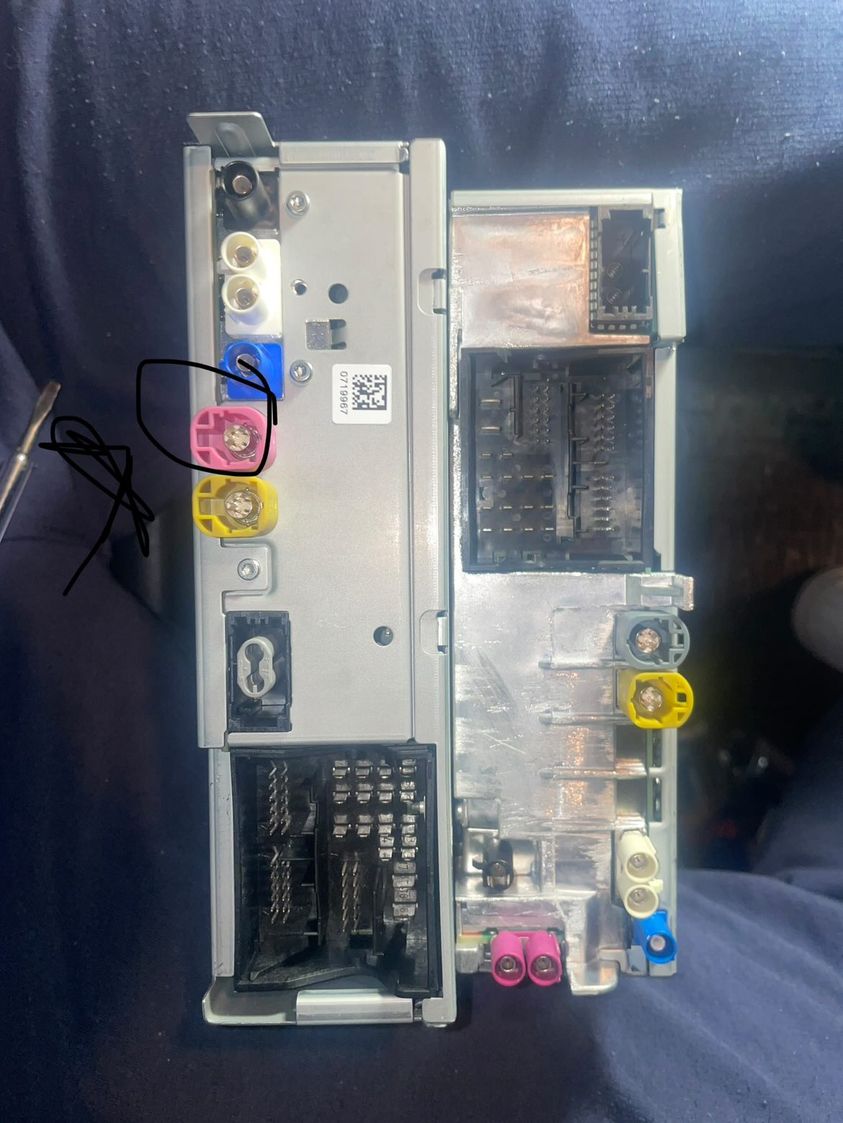
Hello, thank you very much. You were right, the pink cable goes in there. It just needed to be trimmed on both sides. Now everything works.
-
Hello, thanks for your answer but I still didn`t understand what I need to buy for the GSM Jack. So the cable that was connected to the red circled connector on my old unit(left) needs to go into something like this: https://www.ebay.co.uk/itm/265812591275 But what should I plug into the other cable ?
-
Hello guys, i'm new to this forum, so sorry if I'm violating any rules with this post. I recently bought a MIB 2.5 and 9.2" Screen for my Skoda Octavia VRS 2016 and tried to swap it alone without any prior knowledge and it partly went well. The top unit(right) is the new MIB 2.5 and the bottom unit(left) is my old one. A cable was connected to the red circled connector on my old unit(left) and I can't find where to fit it on the new one? Also as far as I have researched, the 2 red connectors on the new unit(right) are for the GSM Antenna. As I probably don't have one, I would need to buy that too? Can someone please tell me where to connect the cable that was connected to the red connector on my old unit? And also which GSM Antenna to buy for the 2 red connectors on the new unit? Thank you.