treeish
Finding my way
-
Joined
-
Last visited
-
Hi, turned out to be a faulty ABS sensor and damaged wheel bearing (although fault most probably linked to the sensor). replaced and all good now.
-
Quick update on this: Contacted local Skoda dealer, and they happily took it in to have a look under warranty (never heard anything back from Arnold Clark). Turns out it needed the wheel bearing and ABS sensor replaced, which they did under warranty. Suggested it could've been caused by hitting a pothole (which we don't remember to cause that degree of damage), but all seems to be well since! Ironically, not long after Skoda called to say the car was repaired and ready to collect, Arnold Clark finally got back to our initial request for help saying it should be Skoda dealing with it under warranty 🙄
-
Hi Toot, Thanks for the response. Most likely going to Perth, yeah, but the car was bought from Arnold Clark - would the Skoda Assist still apply in that case? Need to check our AA but I'm sure it provides onward travel if it can't be fixed (presumably to a garage). I wasn't sure how the warranty worked when buying a second hand car, whether you can take it straight to Skoda, or whether it needs to go to Arnold Clark in the first instance.
-
All good, thanks. enjoying forgetting what day it is for while...
-
Thank you!
-
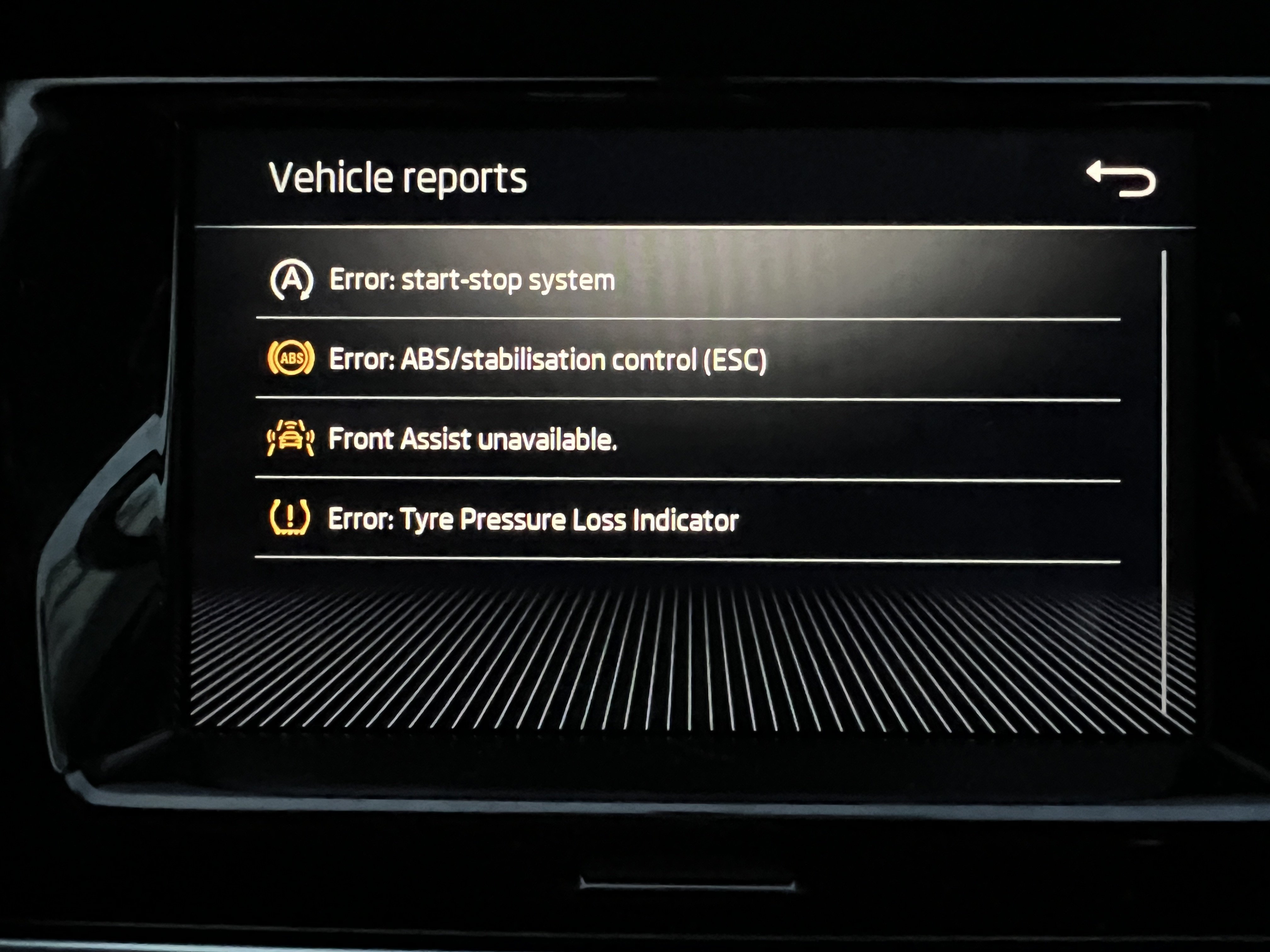
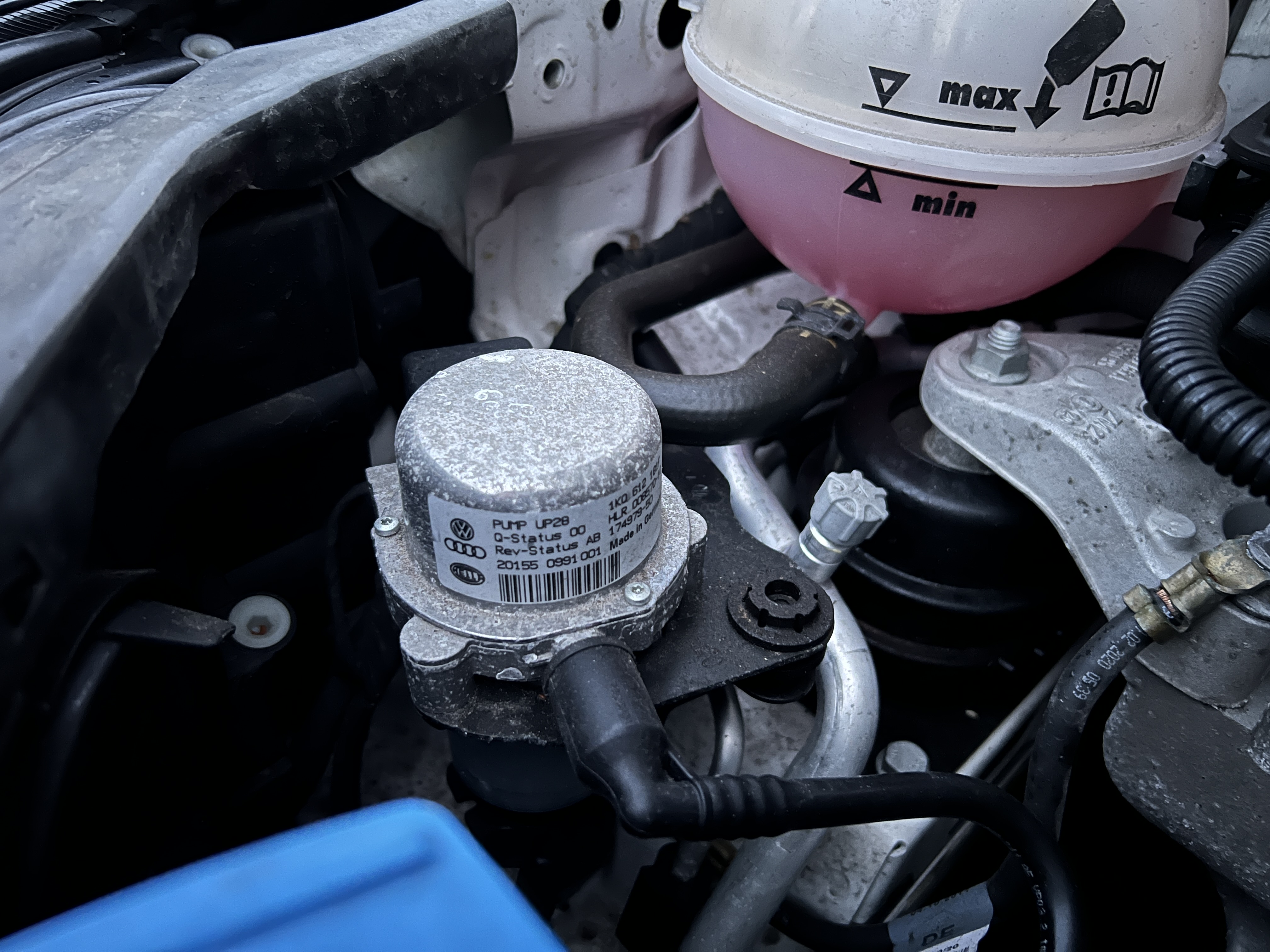
Hi all, Read a few posts on some of the issues which has given an insight into what might be happening, but so many have appeared at once that I thought best to start a thread to see if anyone might know a source! This is my partners car, but I'm perplexed (intrigued) by what's happening. Fabia mkIII, 20 plate, 17k miles, bought 2nd hand from Arnold Clark in the Summer. 1L manual. Partner was on a trip few days ago, and about 15mins into the journey the cruise control cuts out with a warning on the dash, followed by the ABS/ESC, then the Front Assist, then tyre pressure monitoring system. She luckily reached a lay-by and Green Flag towed her home. Car had been running fine up until then. Checked the car when back, brief warning on infotainment system that 12V was low. Multimeter reading wasn't far above 12V after sitting for a bit. 14.8V when engine running (so ruled out alternator). Removed and stuck it on a smart charger this morning, fully charged this afternoon so put it back in. Ignition on and all the same warnings (photo attached). Now, oddly, there's two other things appeared. When I press the clutch, there's a blip in revs (about 15-1600 RPM), and the same when I lift off (read an old post that was resolved with a software update - removing the battery wouldn't 'reset' any potential fix that it had when we bought it?). Car isn't in gear. I moved it forward just to make sure the drum brakes were free, and now there's a 'whirring' noise coming from the engine bay when I press and release the brake pedal - runs on for a few seconds after releasing it. Sounds similar to an e-brake but this has a manual handbrake. Of course, plan is to get it back to Arnold Clark for them to check (and it should be still be in manufacturer warranty), but want to go prepared with some idea. In terms of getting it to the dealership (about 20 miles), does it sound safe to drive? Appreciate driving carefully without ABS, but if charging the battery hasn't fixed that then concerned what might fail on a journey. Any ideas much appreciated! (1st photo is faults showing on infotainment; 2nd where I think the 'whirring' noise is coming from when pressing the brake pedal)
-
Hello! Joined on behalf of my partner who has a 20 plate Fabia Colour Edition - great car for what we use it for, but have some issues I'll post in the relevant section. And also Happy New Year to everyone, hope 2023 is an excellent year for you all. Andy