




jonnykoda
New here
-
Joined
-
Last visited
-
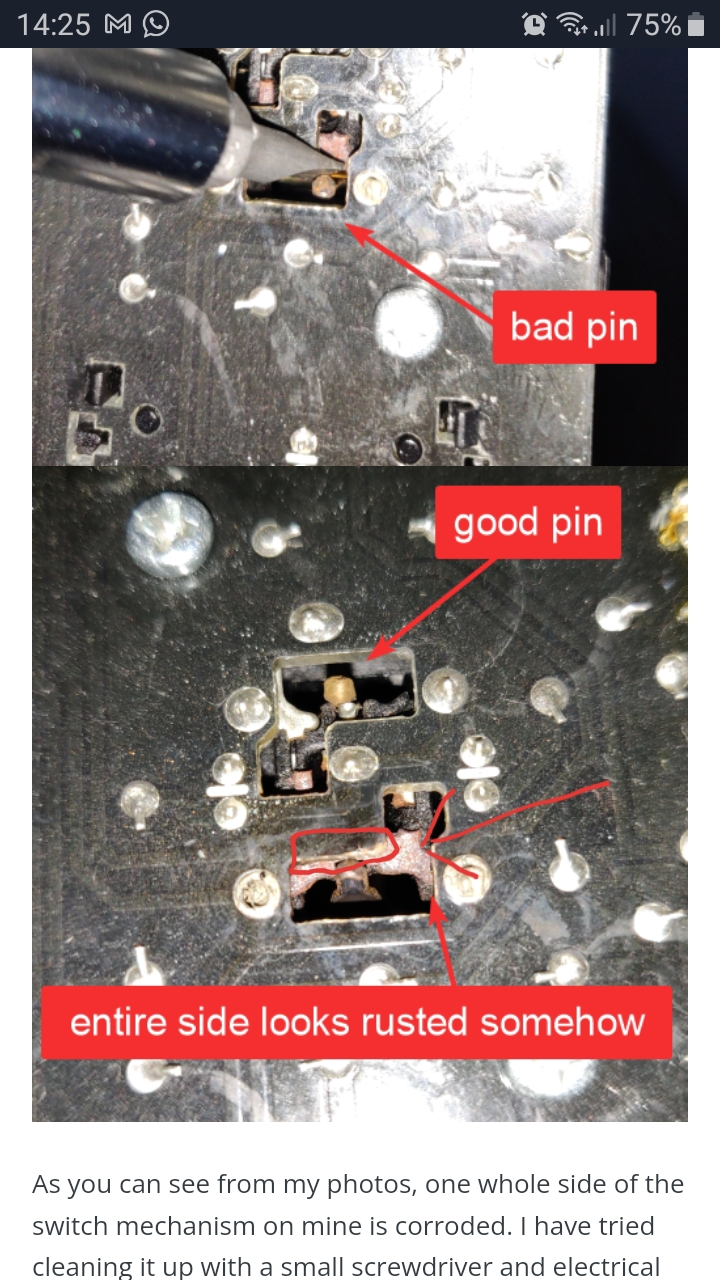
Hi mate. I had this same issue You can confirm the actuator is ok by checking on your dash if it registers doors open or closed. Also if its 1 door only it's likely to be an actuator but if it's all doors the it might be the interior light unit (on the roof) I took apart the interior light unit in the roof following the steps above. There was corrosion on the circuitboard which you can test with a multimeter. I cleaned the contacts and cut off a small square of board that was inhibiting the mechanism. Or for a more expensive option you could replace light unit.
-
Interestingly my mum has a vw golf with exactly the same interior light unit and exactly the same problem (both failed at about 100k miles). I managed to fix her car using the same method although i cant confirm if it was cleaning the contacts or chopping off the circuitboard that was the solution on my mums car as I didnt test inbetween steps.
-
The red square below is the bit I chopped off. That helped the pin to touch the contacts
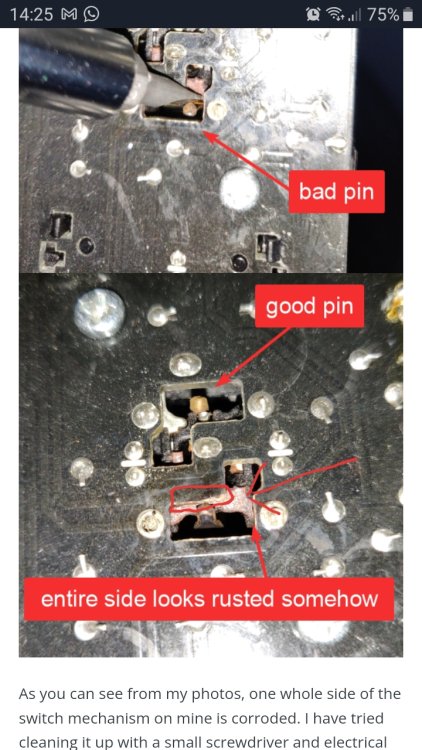 Hi I have had this same issue for a few months. Thanks for the help. I managed to fix this by following the guide into the dodgy contacts. I too found that just cleaning the contacts wasnt enough. Then I realised that the contacts had degraded/diminished and now instead of the pin resting on the contacts, it was resting on a bit of the circuit board. I got a Stanley knife out and chopped off a corner of superfluous circuitboard next to the contacts and now the pin touches the contacts and the circuit now works. I made sure to only cut circuitboard that didnt have metal underneath it. Hope this helps someone. As the advice helped me fix it I thought I'd Make an account to spread my titbit about chopping off the circuitboard.


Important Information
Welcome to BRISKODA. Please note the following important links Terms of Use. We have a comprehensive Privacy Policy. We have placed cookies on your device to help make this website better. You can adjust your cookie settings, otherwise we'll assume you're okay to continue.