Kasper_DK
New here
-
Joined
-
Last visited
-
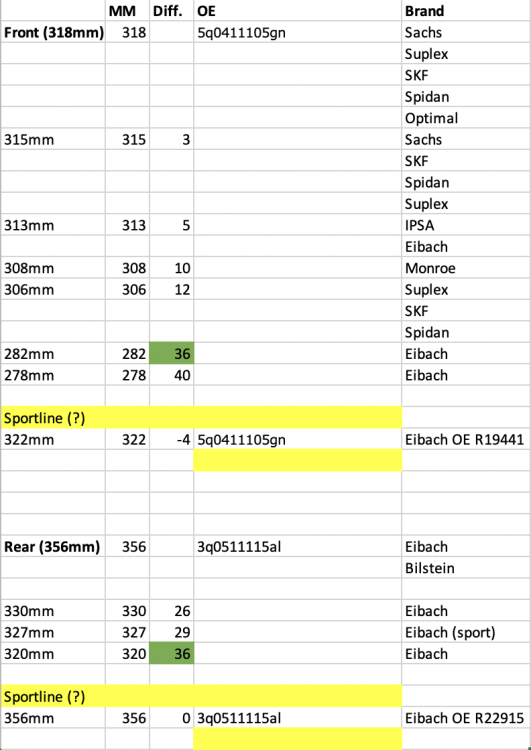
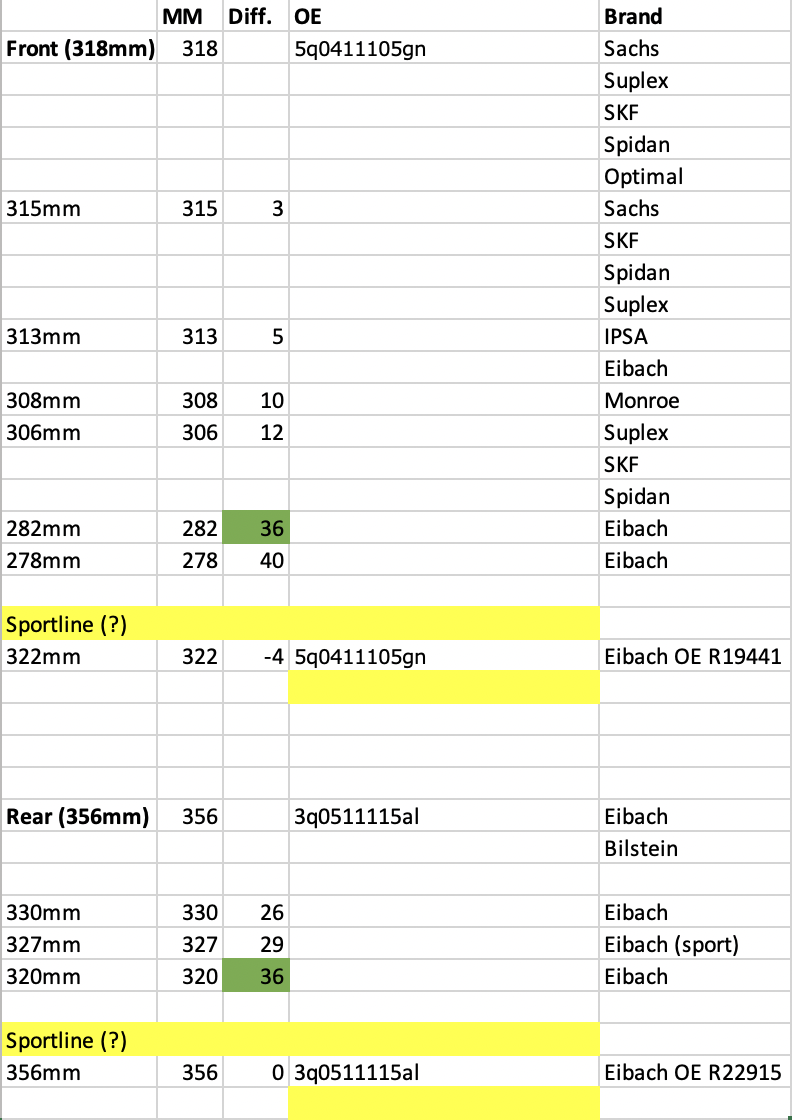
@MartiniB I have checked your link and maybe I am a bit “slow” but it seems like you are listing DCC springs? I have also checked you excel line up - but I can see the “matching” front spring for: 3Q0511115AB (+20% stiffness) https://www.autodoc.co.uk/eibach/18112504 NB it should match both "1JC+0YD" and lowering height so that the loweribg height is the same front and rear. thanks again for you inputs 🙂
-
@Carlston Thank you for your detailed inputs 👌 I am going for this rear spring 3Q0511115AB (+20% stiffness) https://www.autodoc.co.uk/eibach/18112504 What would you recon to be a "front match" for that spring (both in "1JC+0YD" and lowering height I can not find this info): This one https://www.autodoc.co.uk/eibach/17876012 ?
-
@MartiniB Okay I see your point, but in my case wishing for a 15-20mm lowering of the car incl. getting rid of the "boat soft feel" what specific front and rear spring should I ordre from lets say Eibach? I can not figure it out 😅
-
Seems like @Carlston got the insites 🙂 I have a 2019 Superb Combi/Estate 2.0 TDI (FWD 150hp) DSG, but without DCC. I am out replace the standart (very soft) springs with the springs found on the "Sportline" edition (that is around 15mm lower). My current spring OE numbers are: Front: 5q0411105gn Rear: 3q0511115al Do anyone know the OE numbers for the "Sportline" replacement springs and what are your recommendations? (I am not looking for Eibach pro-kit, H&R etc. with +30mm lowering of the car, that is way to much for me). PS. I have searched all over - attached is what I got so far 🙂