Tigrou
New here
-
Joined
-
Last visited
-
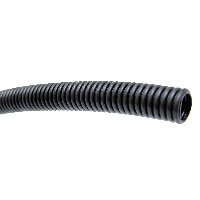
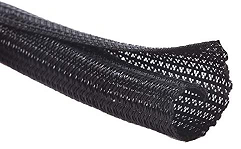
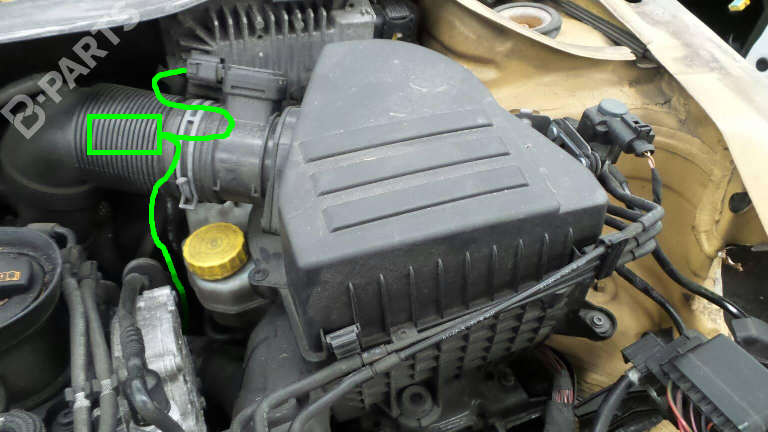
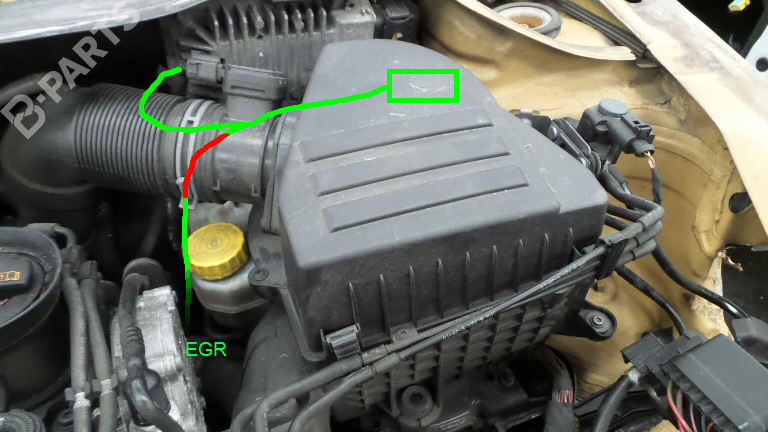
Hello everyone. Similar to what has been done in this topic I have fitted an EGR emulator + planking plates on a 1.6 TDI CAYB engine one day ago. The EGR valve is completely dead and the car did not started anymore. This is a quick fix as I am planning to install a new EGR valve later in the year. It run well (no warning light or engine issues) but I'm worried about the cables and the emulator touching hot parts of the engine and possibly melting. I have put the emulator (a small plastic box) behind the air filter box, very close to the ECU. I put it there because it was easy and it's perfectly hidden from view. I read somewhere that the ECU can became very hot. Is this an issue ? Also : the cable that goes to the EGR connector might also cause trouble because it run very close to the 2 steal pipes connecting master cylinder and oil brake tank. I know brake oil can become REALLY hot. Again, it this an issue ? Current able is protected with a thin mesh like this (which I think is not designed for hot temperatures) : As an alternative, I'm planning the following options : 1) leave emulator where it is but protect the EGR cable (and other cables) with this : 2) (as alternative) attach the emulator below the air intake hose (eg : with a cable tie). This will prevent emulator being clause to the ECU and EGR cable to be near brake cylinder / pipes. However this is more visible and can be cumbersome if air intake hose need to be disconnected (eg: to change air filter). Any advice ?