simon84
Finding my way
-
Joined
-
Last visited
Everything posted by simon84
-
Yeah I had to post if off to get the smart link for Android Auto activation. If I could do the same for that I would or I was thinking of buying the glovebox unit as well as the screen which would be on the right version but the problem is the CP on the 2nd hand unit.
-
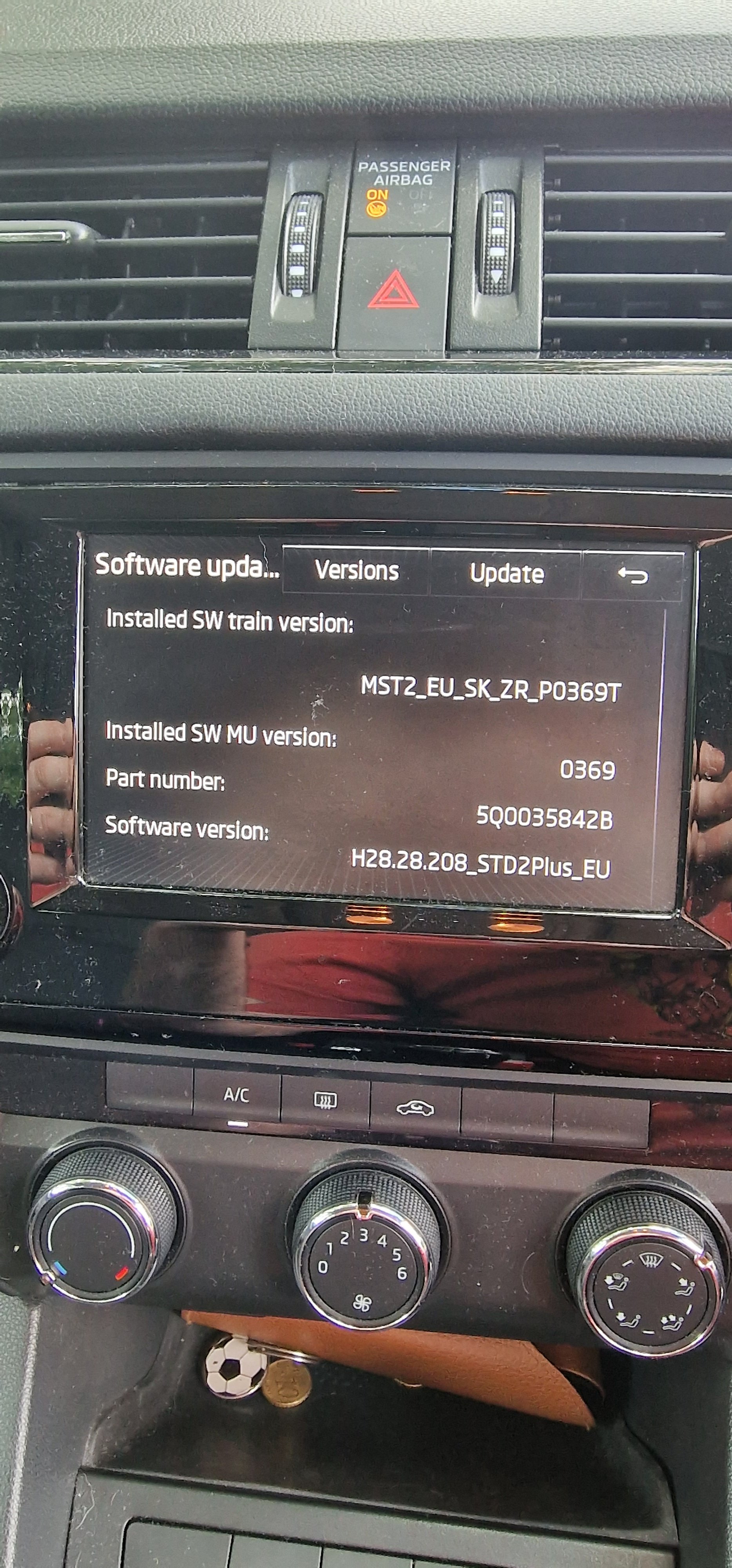
Here is a picture of the version and part number
-
Hi, I want to upgrade the screen in my octavia to 5E0919605N. I know you can plug this in and it will work but that the app button wont unless i upgrade to 3.x.x which I cant. I was wondering has anyone used any online services to remove the CP as I can source the screen and unit in the glovebox for a really good price from a breaks locally but there isn't many places in Ireland that offer retro fit services. any information would be great
-
Cheers for the heads up, will probably route it down at the sill area to avoid the airbags as don't want to obstruct them.
-
Yeah seen that thread, I know you car potential ruin your car with the EOL mode. Had hoped someone on here might be able to pm it to me before I had to go pleading my case for access.
-
Hi all, Does anyone know how to get into the EOL mode in vcds ? Looking to make some changes in the adaptation section but getting Channel not available and I think I need to enter that mode. Thanks
-
Hi all, Just purchased a 2017 Octavia Combi 1.6 TDI it's a great car. Love the forum already had a poke around a some great articles. I've already started the reverse cam retrofit from one of the guides.