mantielero
Finding my way
-
Joined
-
Last visited
Everything posted by mantielero
-
Could you post a link to the device? It looks interesting
-
Yes, it is easier for sure. I am just wondering if somebody has done so. I wanted to forget about batteries and using more accessible buttons.
-
Good morning all Has any of you integrated a remote control to open the garage door? Or do you know about a project that explains how to do it? I'd like to have a proper button integrated in the car and maybe and emitter that takes power from the battery instead of using a battery. Best regards
-
Thank you both for coming back so fast. I will try pulling the gear.
-
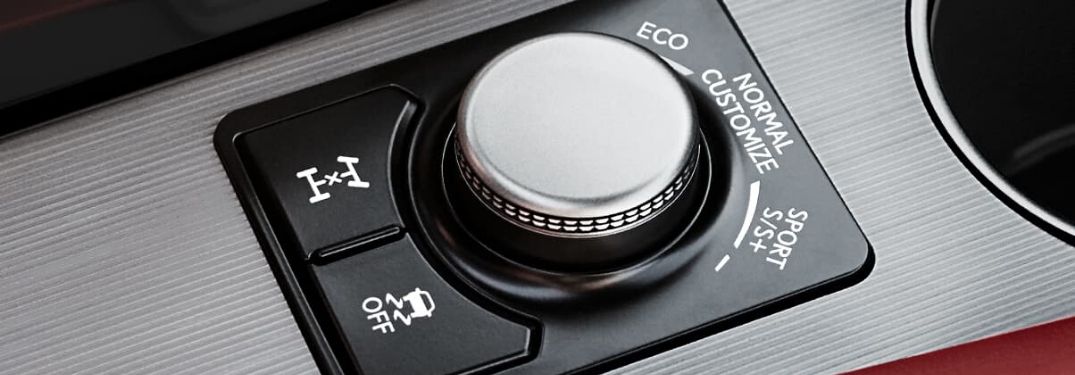
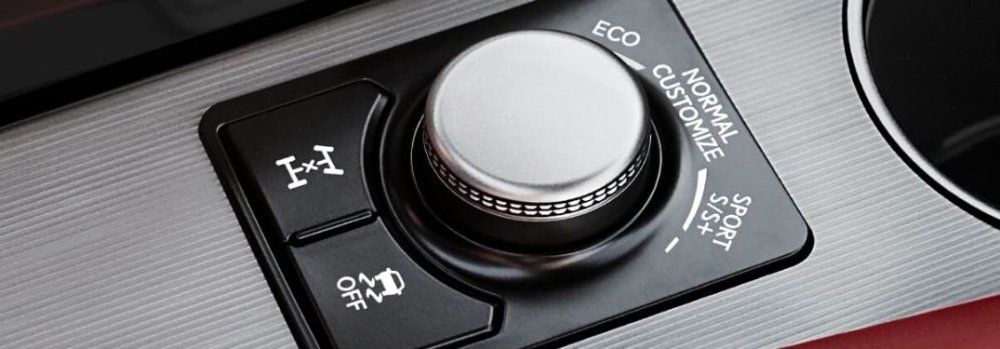
Hello everybody, Something that I hate about my car is how annoying is to change the driving mode. Or I press the "Mode" button and then I select the mode in the touch screen, or I have to press it consecutive times in order to change the mode (for example, I press it 3 times in order to go from Eco to Sport). The solution that I'd love to have is something like in my parents Lexus (see the image). Is a rotatory selector, so you can modify the driving mode without having to look anywhere and just with one action, instead of several. As a workaround, I am thinking about having a sort of quick access for the Sport mode in particular (for a quick overtake for example). Is this feasible? How could this be done? I was looking some videos about how to activate inactive buttons. I found this: but I don't know if this is the same for the Superb. Best regards Jose M.
-
Just to say hello. I am new in the forum. I own a Skoda Superb MkIII. Quite happy with it so far (>4yo). It is starting to show some issues. I am also interested in performing some mods.