




20TSIVRSEstate
Finding my way
-
Joined
-
Last visited
-
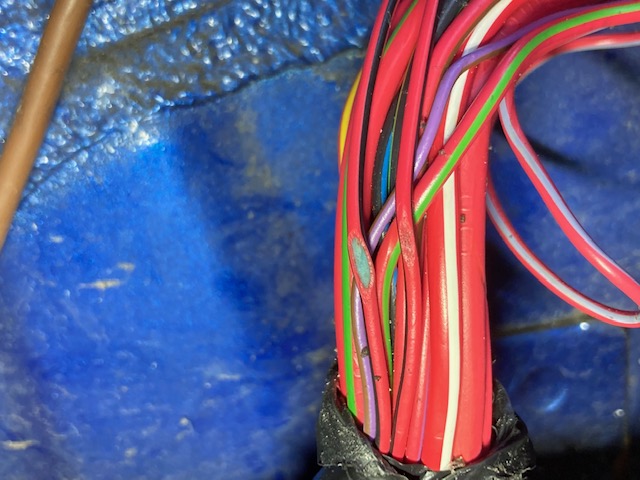
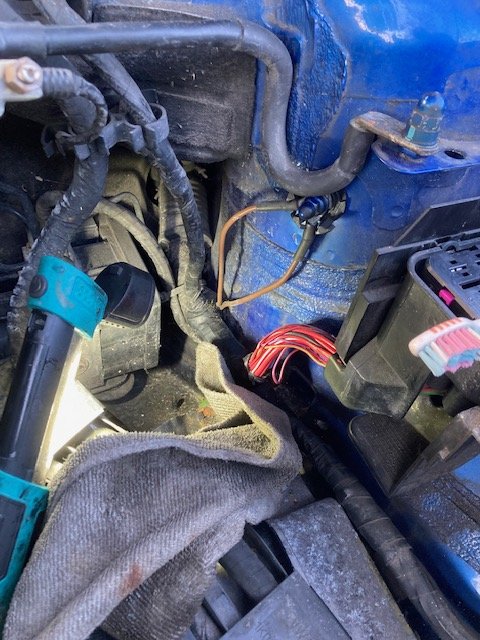
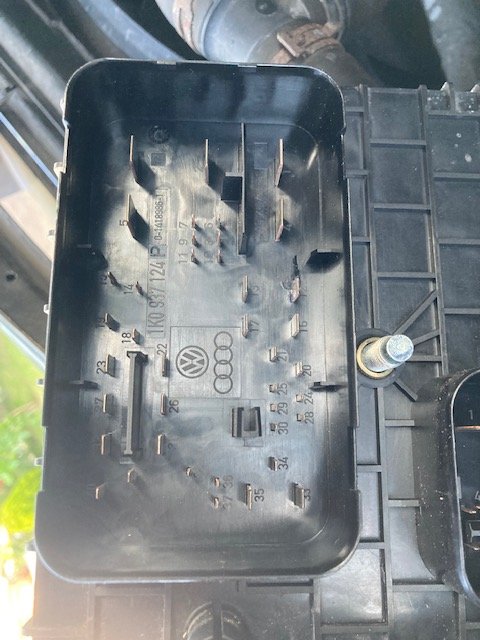
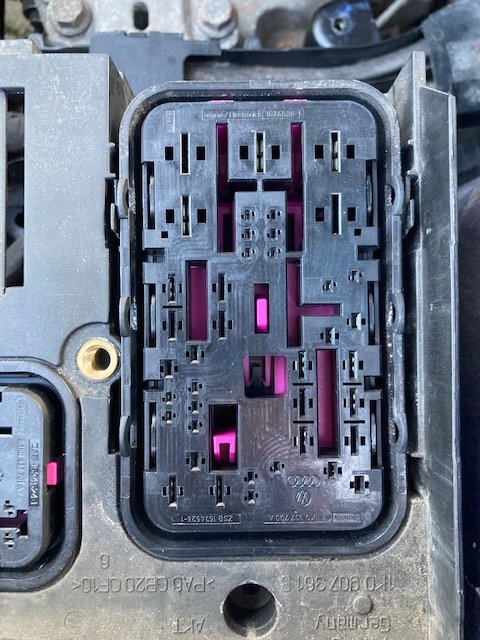
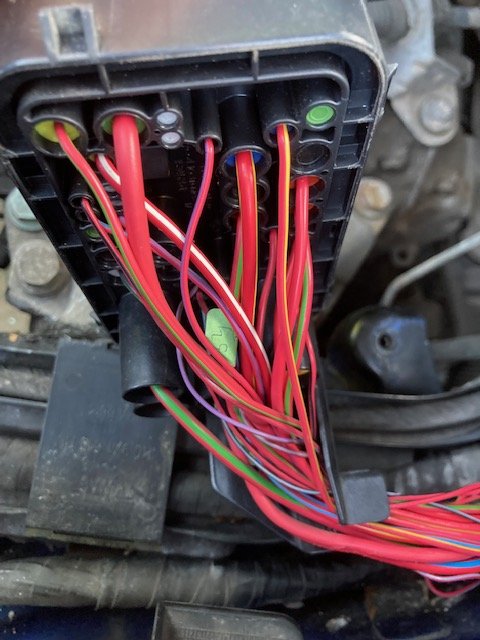
P0685 ECM/PCM Power relay control circuit/ open circuit (J271) solved! 👏 Pete, thank you very much for your quick and insightful help. Once again proving how great a forum like this is! Final update for those interested: I checked the engine bay fuse box numbers (underneath so you must remove) and the pins Pete mentioned were clearly visible (images attached) and I could trace the Red/Black wires he mentioned. Visually checking the loom I found the smallest of 'nicks' in one of the wires not far from the fuse box and having opened the black electrical tape and followed it back to the box this was indeed the power supply to the relay wire, it had exposed the core of the wire and had gradually corroded to a point where it simply wouldn't pass current anymore. I had changed the battery for a brand new one at the end of last year and removed the battery box to have a good clean in there and must have just caught the loom ever so slightly when putting it all back together so I replaced a section of the wire to completely cut out the corrosion, retaped the loom with a good quantity of tape and thank God (mine is Jesus) it started instantly! Phew. Once again a MASSIVE shout of appreciation to MicMac and BreezyPete for taking the time to help and hopefully this thread may help others in the future. All the best.
-
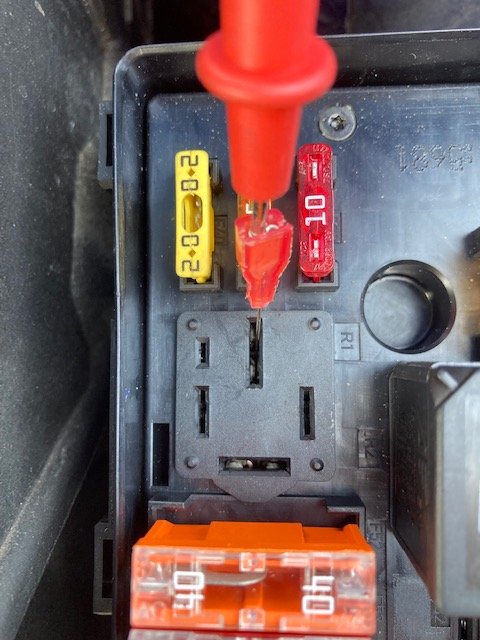
Yes Pete, two slightly wider and two narrow with one small slot that is empty. The image attached shows the slot, the red multimetre pin is in the slot with 12v, there is no power in the opposite side. I get 2.33v on the slot to the left (next to the smallest slot) and 0.46v on the slot opposite that. The way I read the schematic would put 86 at 0.46v and 85 at 2.33v ?
-
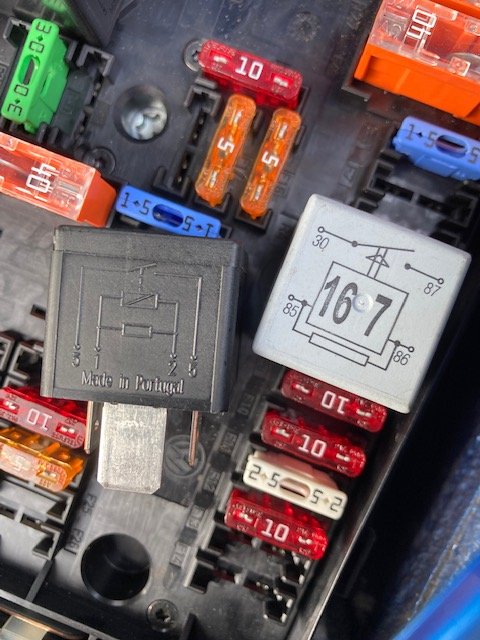
So I've checked Fuse 23 and it has 12v However the relay is numbered simply 1-4 but using the schematic from another relay under the bonnet (see image) it appears I have 12v at '3' or (30) if I'm reading it right but at '2' or (86) it's only 0.46v ??
-
Thanks Pete, I'll take a look and report back 👍
-
That was a good shout MicMac I opened up the relays and they all looked fine and having tested them they all seemed fine. I then tried closing the relays contact to make a circuit and sure enough when R1 was 'closed' it started instantly. I have tried a know working relay instead however and it still doesn't work, therefore what could this be if the relay is fine but isn't powering up?? Any ideas anyone?
-
Hi MicMac, Thanks for the info. I’d read through 2 of them previously in my search but the other was helpful. Before I start opening up the wiring are you able to confirm the PCM relay is a 167 as I’ll try a new one first? Thanks
-
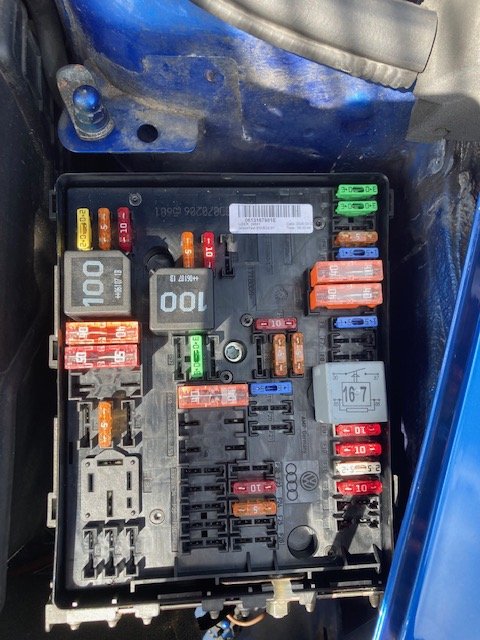
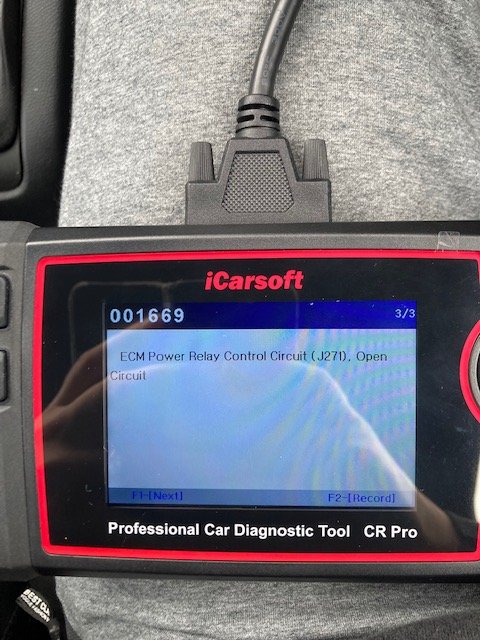
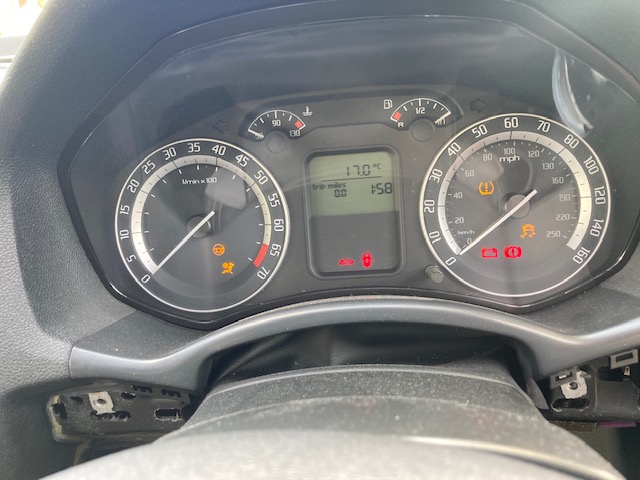
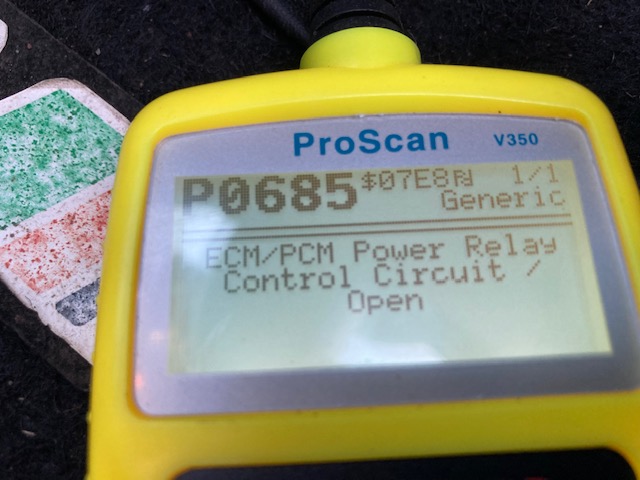
Hi guys, First post. My Octavia will crank but not start, its a 2.0 Petrol (BWA) 2006 VRS manual. The car has always worked fine previously, had just filled it with fuel and then with no warning simply wouldn't start one morning? I have done a lot of research and read many many posts before posting this so as not to go over old ground but hope someone can help. I appreciate any comments that can be offered but these are the things I have tried so far: Plugged into Reader and got this: P0685 ECM/PCM Power relay control circuit/ open circuit (J271) Removed and cleaned all the grounds I can find under the bonnet Checked all fuses on the side of the dash and under the bonnet (all good) Checked and tested relays (all power up ok and all appear to 'click' into action and pass current), is there a specific relay to power the ECU and if so where?? Removed engine fuse box and cleaned inside and underneath (there was no corrosion, it was clean) Removed ECU to check for corrosion and it's clean It only recently had a new battery but I charged this fully anyway and it makes no difference. The dashboard doesn't show an engine light but does have Power steering, Airbag, Tyre pressure, Traction lights all present plus the Traction control button light is illuminated. I have attached an image of my fuse box, it has Relays R1, R2 and R4 Any help is much appreciated!
-
Hi, did you find this please?
