Aweponken
Finding my way
-
Joined
-
Last visited
-
Thanks! I'll leave it then.
-
Managed to get the new wastegate actuator on the car and now it runs better than ever. I cleared my error codes after the install and have no error codes since. I'm a bit uncertain if I need to do a calibration of the new wastegate actuator via VCDS. It seems that is needed when installing the spacer, but I already had the spacer installed previously. According to this post, it can be calibrated by simply turning the ignition on and off, no need for VCDS. Does anyone know if it needs to be calibrated, and if so how?
-
Update: the part finally came loose today, it was really stuck to the turbo. Couldn't remove it without it turning into pieces and using a lot of lubricant. The help received here was much appreciated.
-
Thanks xman, that explains a lot!
-
Thanks Keith, yes I was referring to the nuts being removed. Haven't tried removing the studs, might give that a go as well. They look pretty beat up, not sure if the allen will fit anymore (also looks like torx on mine instead of allen). Will let it soak in some oil overnight and give it a go tomorrow.
-
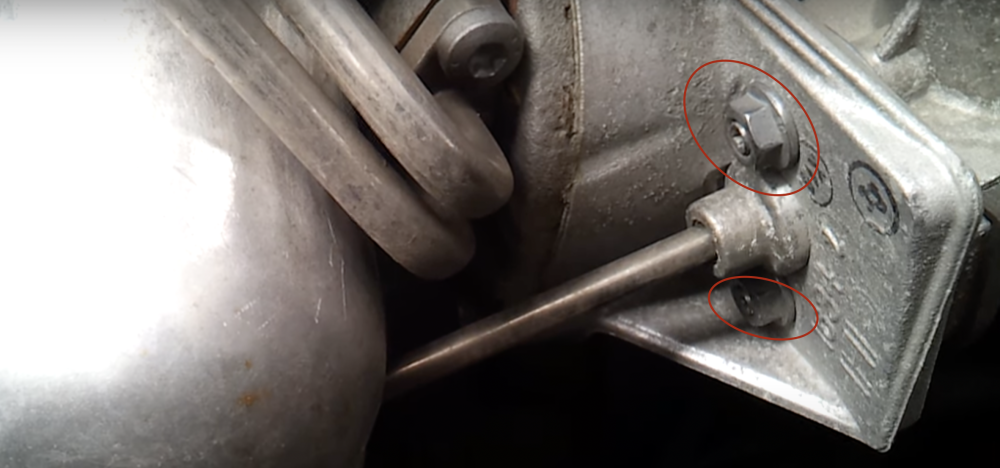
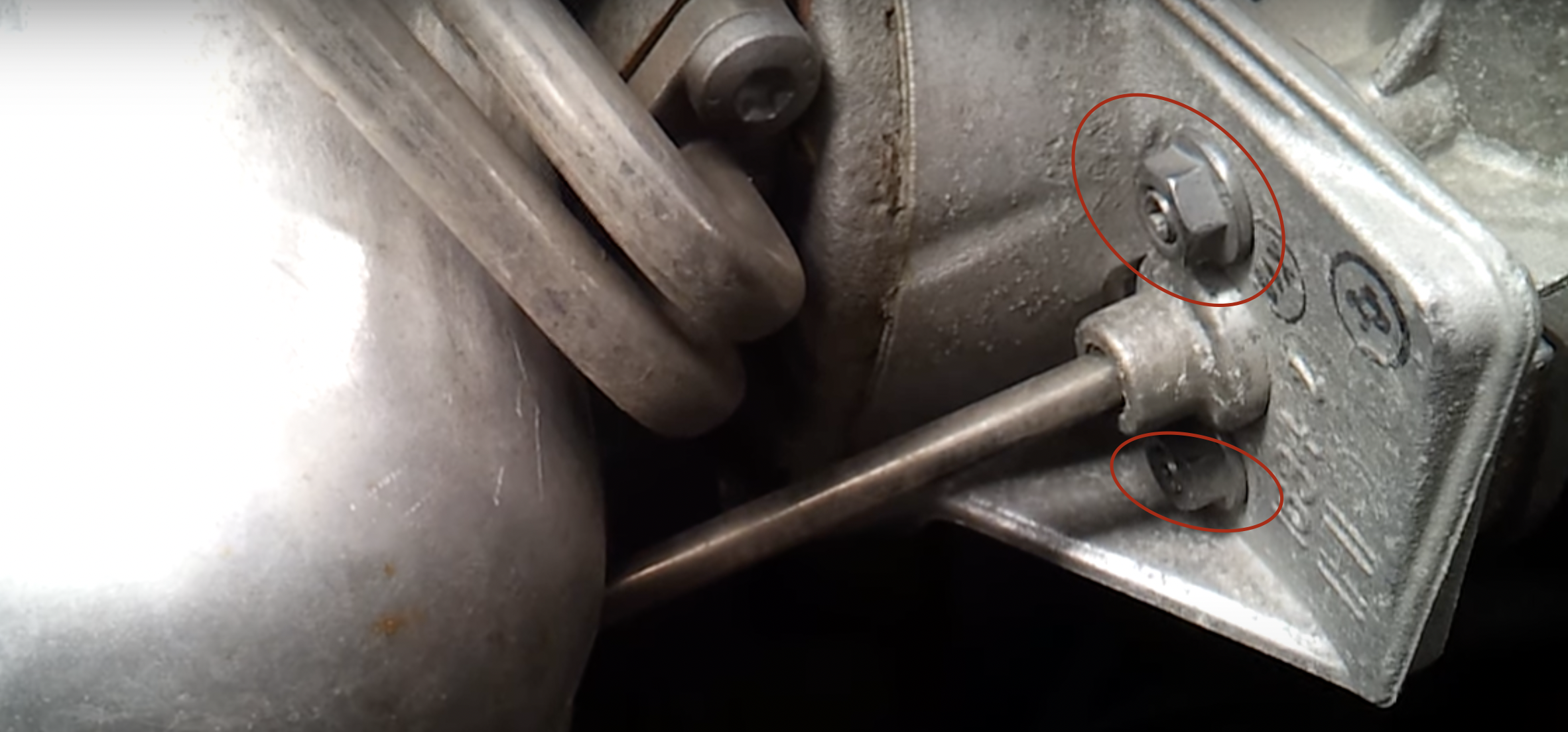
Hi, long time lurker here. Got the 1.2TSI 2011 Fabia Combi. Getting error code P334A and P334B which I've read a lot about in the forum regarding the wastegate actuator. The actuator isn't going back to its original position once it's opened, so I thought I'd get it of the car and replace or renovate it. I've removed the two bolts marked in red in the image, and detached the rod from the wastegate. But I can't move the actuator a single bit. Are the more bolts to be removed, or something else I'm missing? Or do I need to work on it with the hammer? Any advice is much appreciated.