




dangerouslybored
New here
-
Joined
-
Last visited
Everything posted by dangerouslybored
-
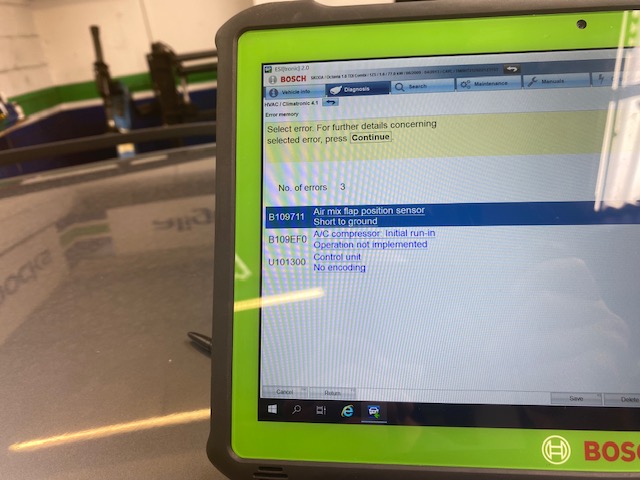
Hi Yeah i get that. I did take for a regas and it was Formula 1 that suggested it was likely to be the compressor it was on their diagnostics which looked like this. hope its visible. I confused things a bit as initially it was the strange thing where the rear heated screen didnt work unless i pressed the A/C button on the dash.
-
Hi All strange issue i have with my MkII Octavia. My heated screen doesn't come on if i press the button however if i press the A/C button it does turn on ie both buttons light up and the screen element starts to work. Actually the aircon only blows very hot air and a regas didnt rectify it so probably needs a new compressor. any ideas why the button issue? Thanks in advance DB
-
sorry gents another question re the seats. i watched a video showing removal of rear seats and it mentioned a Torx30 bit for the screws. as it happens the Torx 30 only removed the centre arm section and not the seats themselves. The screw is either a spline or Torx but not as big as the spline 10 that removes the front seats. so the question is does anyone know what size bit i need? thanks in advance
-
Hi I have recently purchased a low mileage but rather smelly Octavia 1.6 DGT estate so looking to replace the seats for something a bit fresher. I have found some being offered but they are from a saloon car. Does anyone know if the seats are all the same. The fronts look the same but hard to tell for the rears. Thanks in advance DB