at26
Finding my way
-
Joined
-
Last visited
Everything posted by at26
-
mirror link has been dead for long time. Just use android auto
-
https://www.drive2.ru/l/660379878855561633/?fbclid=IwAR0Bo8p8FpHf6zk3EhhDzeGgRz-jrcZD8GhqIny9ADCMw6h_kr8tcPeWGnk
-
Tried this and it worked!!!
-
Hello, can you please PM me step by step how did you do it? I currently have 1760 version. can I directly update it to 1800?
-
Hmm some russian website.. seems fishy.. How do we install it? It might damage the multimedia? Possibility of destroying the warranty?
-
Can you please help me to update my Bolero screen to 1800 as well???
-
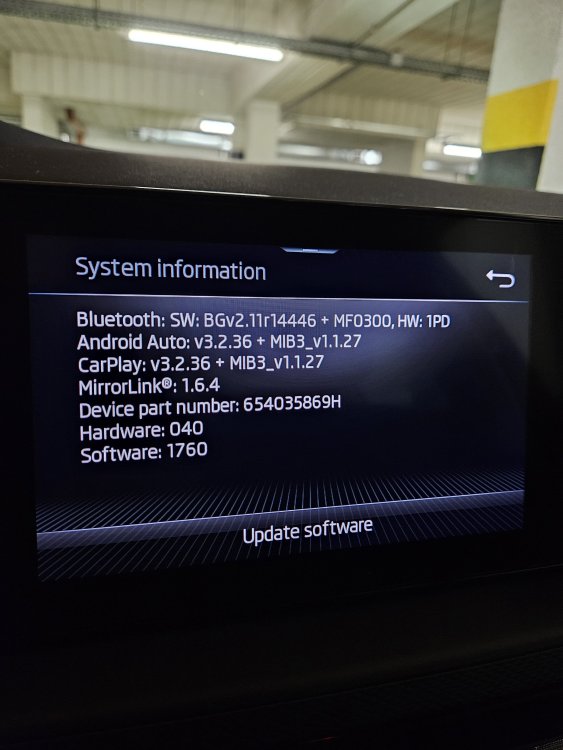
Hi all, Like everyone, I have been having issues with connecting my Samsung S23+ to Kamiq Bolero screen. Currently my software is 1760. Android Auto: v3.2.36 + MIB3_v1.1.27 I read that software version 1800 fixes the problem. Can someone help me how to install it? When I check my car screen, it says no available update. Also, in general how do we check for updates? Does my screen have automatic internet connection? Thanks.