Kemole
Finding my way
-
Joined
-
Last visited
-
Yeah, I do and sincerely i recomand you to install a genuine one. I had a lot of problems with the camera bought from ali. I messed up the infotainment, parking sensors. Maybe i wasn’t lucky and chose the wrong camera. I still have and i can give it to you for free, just to arrange the delivery from romania. Keep in mind that the camera is MIB3 only. Cheers,
-
Cheers, is it true that 2Q0 cameras can't support TSR adaptation/long coding? i've read a lot of forums, including Briskoda without any solution. I tried to activate and i see an error every time i start the car. Regards,
-
Update: sometimes camera connect to infotainment and everything looks perfect, but just one time. Then 50 tries with no connection. if i uninstall the camera same things happen with parking assist. Any ideas?
-
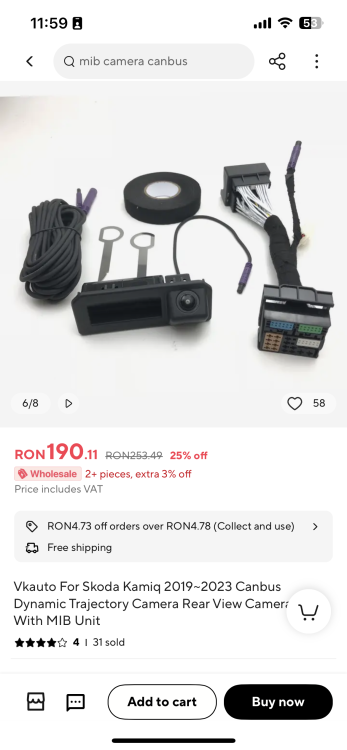
don't look at the price, that's just a print screent, the price is 52 usd almost similar to Sinosmart. i just spoke with the seller, he's looking for solutions.
-
It’s a VKAuto for skoda kamiq
-
Thank you. my main concern is that parking assistant is not displayed on the infotainment every tine i go in reverse. i’ll check VW forums. cheers.
-
hi, i have spoke today with a local expert and he told me that MIB3 doesn't support ali express cameras. anyway, if i don't reach an agreement with the seller and will go with your advice. thanks, cheers
-
dears, cheers. maybe someone can help me fix parking assistent. i have checked a rearview camera from aliexpress but somehow parking assistent is messed up now. Sound is Ok, but no image on the display. PS: i gave up installing the camera because it seems it's not compatible with MIB3. cheers,