gubbe
Finding my way
-
Joined
-
Last visited
-
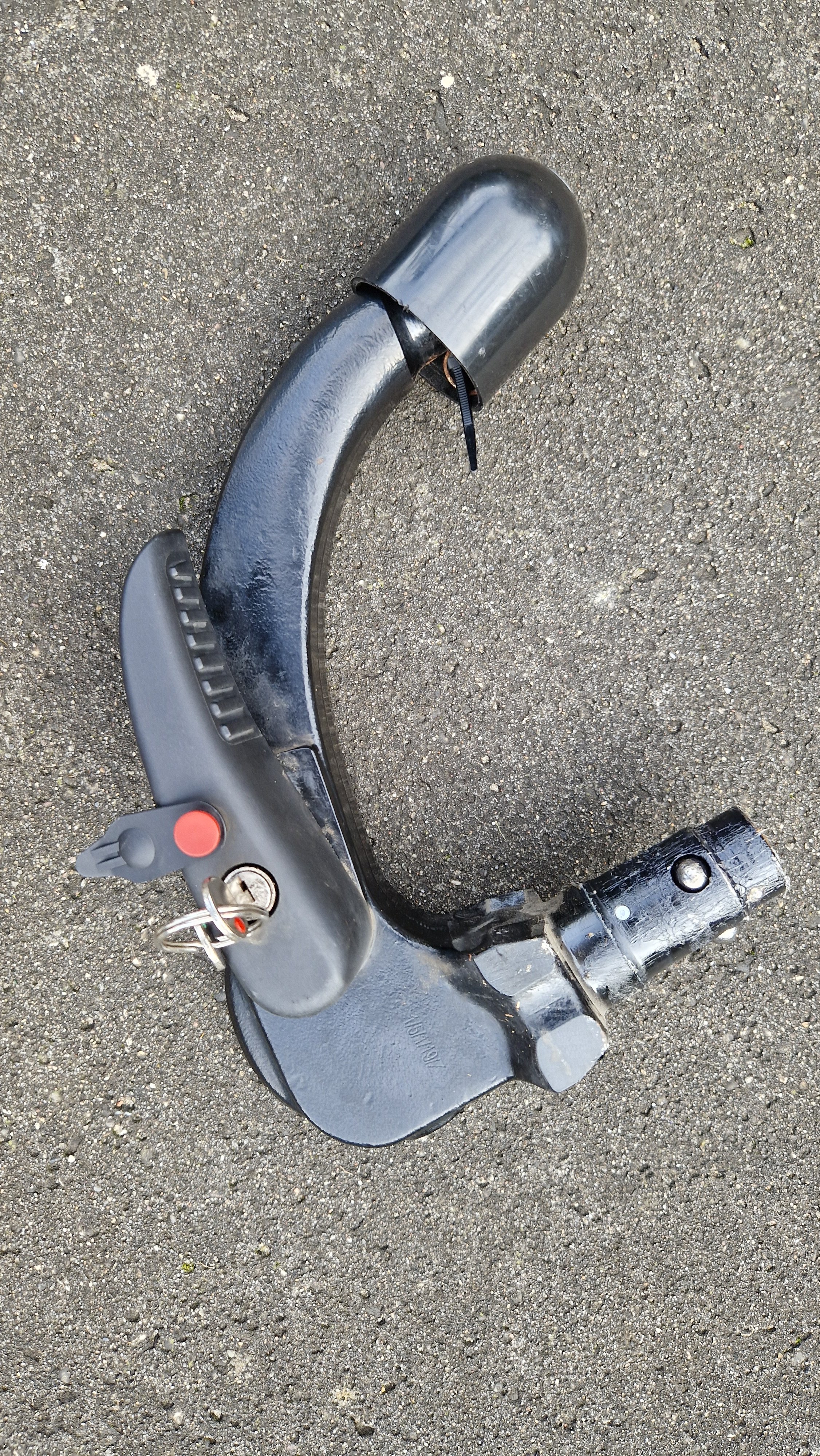
The towbar model number is 5E0092155, from the looks of it. Need the regular kind of key as seen in the original image.
-
Thanks, @Winston_Woof. Yeah, I did that earlier today. Seemed like the easy solution, but they said they couldn't help. So, 1 of 2 is true: 1) these keys are special. 2) my key shop is incompetent. Actually both can be true...
-
Somewhat related, @Cakemonster (and everyone else): I have the key, which mostly looks like a standard key. Not the one with the red key head. Any idea who the manufacturer is and how to get a hold of an extra spare key?
-
Before this thread gets out of hand, I think it's probably fairly potent to say, that... I figured it out once at the hole. It did take a little wiggling, but then suddenly all was well. There was a second connector - and that worked out too. Time to close this topic. Thanks for the tips, @Cakemonster - that did it.
-
Thanks, @Cakemonster. You know what, I'll take some time later today to walk through these steps carefully, sitting by the car and then update here with my findings.
-
On my Octavia mk III, I have a detachable towbar. Happy to have it, but not so happy I can't get it to function properly. This morning I attached it and detached it, and now the handle won't click back in place. Any ideas of what to do to get the handle to operate smoothly?
-
Meanwhile navigation database is at V03959829ML0350 ECE 2024...
-
Brand new here and trying to find out what I can update in my Skoda Octavia Mk3. Hoping you guys can help:565 035 021 System information: Device part number: 565 035 021 D Hardware : H55 (Columbus 2.5??) Software: 1382 Navigation Database: V03959806GG0187 ECE 2020/2021 Bluetooth version: 10.754.162 Smartlink: CLU8_SK13ER_065 Radio Database 1.9.7 Media Codec: CLU8_MMX2_SK_ER_G13_065PROD-1 That should be most relevant info. I've managed to download a map update and radio logos update, but that's it. Still need to update both, so that isn't reflected in the numbers above. Thanks in advance.