Paulthemilky
New here
-
Joined
-
Last visited
-
Thank you for that,I will start looking today it may take some time. I will of course let you know if I find it,until then ,Thank you for taking your time to explain it. Paul.
-
Does that mean the wire from the drivers side to the passenger side has a break somewhere, how does that relate to the 5-10 mins that you can use it? Then after a short time- nothing, till you replug it out then in again,I’m lost with this one. Thanks Paul.
-
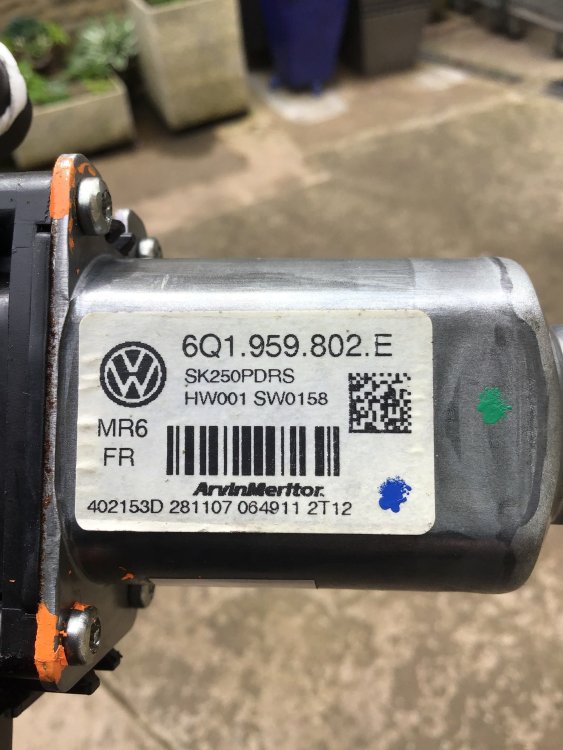
Does this help?
-
The code on the motor is 6q1.959.802.E the only possible thing is ,I think someone has put a second hand motor on at some point as it has orange Dotson it. Thanks
-
Hi,Breezy Pete, thank you very much for that information,does that mean I have to replace that particular wire? Just out of interest the drivers side switch for passenger window does not work at all.
-
Hi, I have a very perculier problem with the front passenger side window,this is how it works at the moment. I take the door card off then unplug the window motor plug from the right angle socket,them plug it back in,the window works fine. Then put the door card back on,them after about five minutes the window won’t move at all,so I unplug it again,plug it back in,it works for a short time,then after the short time,it won’t work again. I’ve taken the door card off so many times now I could probably do it blindfolded can any one help me,it’s driving me absolutely mad!!!!!
-
Thank you very much for your help,I will look into this strait away
-
Is there any nice person out there that would have a exploded view of the drivers door plug that I’ve had to renew because of broken wires.The problem is that someone else has already been at the wiring with tape,so I’m not exactly sure what colour wires go exactly where,and I thought £25 was a bit steep for a bog standard manual. Any help would be greatly appreciated,Thank you in anticipation