Prof_UK
New here
-
Joined
-
Last visited
-
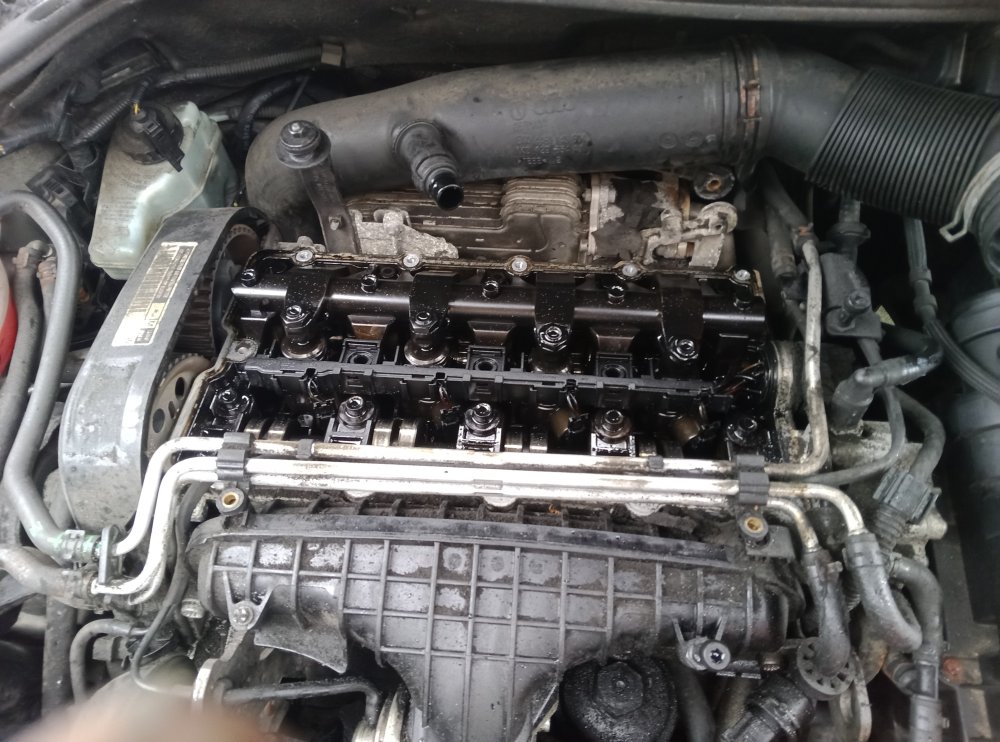
Thank you both 👍😁 It turns out it is a BKD engine in this car. So that is one of life's mysteries solved.....
-
Hi All, I have a project that is based around a 2007/2008 Skoda Octavia 2.0 TDI, and any help would be very gratefully received. The project may well kill the car, but that is kind of inconsequential...... So, The car has 190,000 miles on the clock, it is not running on the road (no Tax); and I do not think it will ever run on the road again. I just want to use it as a bit of a test bed. My questions are as follows..... If I want to run it at a range of revs, can I cut into the wires to the accelerator and replace it with a potentiometer so I can set the revs while the car is in neutral? If so, what value potentiometer should I use? If I want to run it for 4 hours, will the radiator need additional cooling if the maximum revs are 1500 RPM? I also would like to perform some compression tests between my own tests and also take some photos inside the cylinder to check for damage and wear. It is simple to remove an injector to do these tests? Also, what engine do I have? I have been trying to look on youtube to find some answers, and for some reason, none of the engines I have seen look like the one that is in my car.... Could someone help me identify what damned engine I have please? Thank you for your time looking at this
-
Hi Chaps and Chapesses, I am new to the forum, relatively new to Skoda (I really miss my old Skoda, and hope to find one again someday), and also new to these modern cars with all their confuser technology. I have a little project, and I may well need to be able to ask for help. In return, anyone local to Wakefield is more than welcome to bob round and have a cup of coffee, and free use of my Autocom unit, and once my lathe and mill arrive, I will be happy to fabricate bits as well..... I hope this is a good rate of exchange 😁