Colquin
Finding my way
-
Joined
-
Last visited
-
-
No I haven't. Keep getting occasional posts suggesting software updates but unless this happens automatically I have no clue how to do this and have read it can affect the infotainment system if you mess around with dodgy downloads. If anyone has a straightforward solution can you please let me ( and others) know asap
-
I have no idea but if someone can tell me how to update my software easily and safely then please let me and others know
-
I have been told that trying to do this myself can be tricky and mess up the infotainment system?
-
Samsung S23 which is not included on Skoda's approved list of compatible phones but S23 + is. Seems bizarre !
-
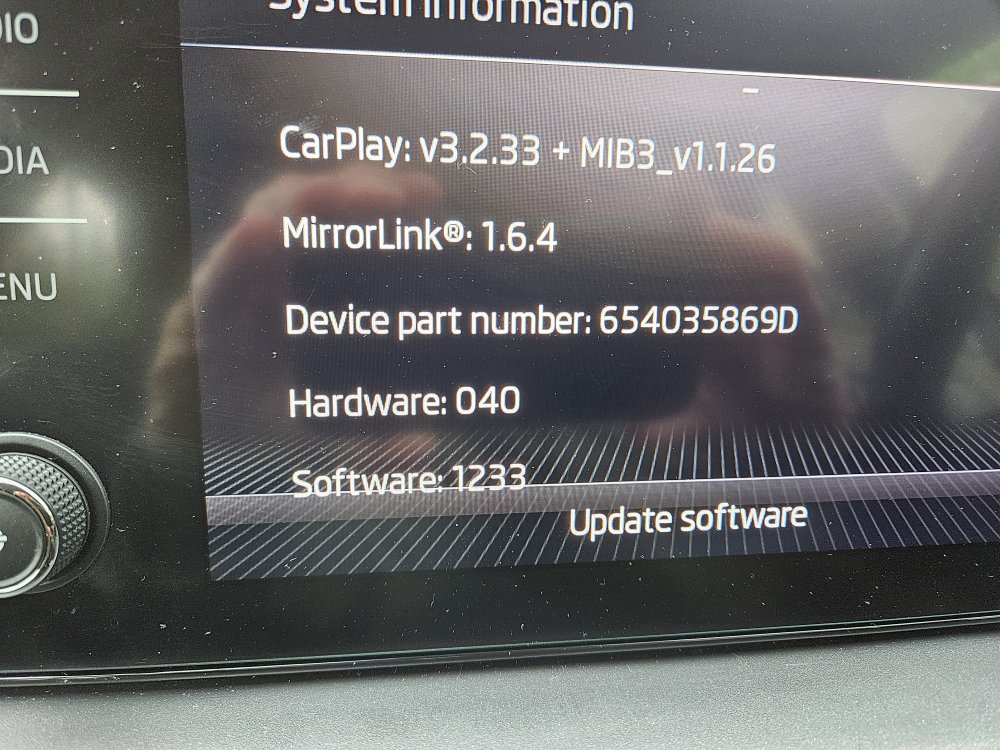
New Scala owner and not that switched on to software updating. I want to connect to Android auto but won't work. Reading on here looks like I need a software update? Can someone send me the specific steps to follow to undertake this process. Hopefully not too complicated! See pic for c urrent version
-
Won't link to my Samsung S23 . Just get cannot connect message. Phone worked fine with my previous car ( focus) Have seen some messages on here about software updates ? How do I do that?
-