




Dev1l
Finding my way
-
Joined
-
Last visited
Everything posted by Dev1l
-
Hello, I'm looking to buy a Virtual Cockpit to retrofit it on my Skoda Kamiq 1.0TSI 116HP 2019 DSG Ambition model which now have the analog instrument, I found 2-3 models of VC with different part numbers but I don’t know which one is the right VC that would work on my car. The seller didn’t provide much information about compatibility, just told me to check the part number to see if it is compatible, but I don’t know how to search or check. Any help ?
-
Can you provide more information like a part number or link ? Thanks in advance!
-
Hello everyone, I want to change the indicator lights to led both front and back, moreover I would like to change the reverse lights to led, has anyone programmed in obdeleven? Also, which led bulbs do you recommend? Thanks in advance!
-
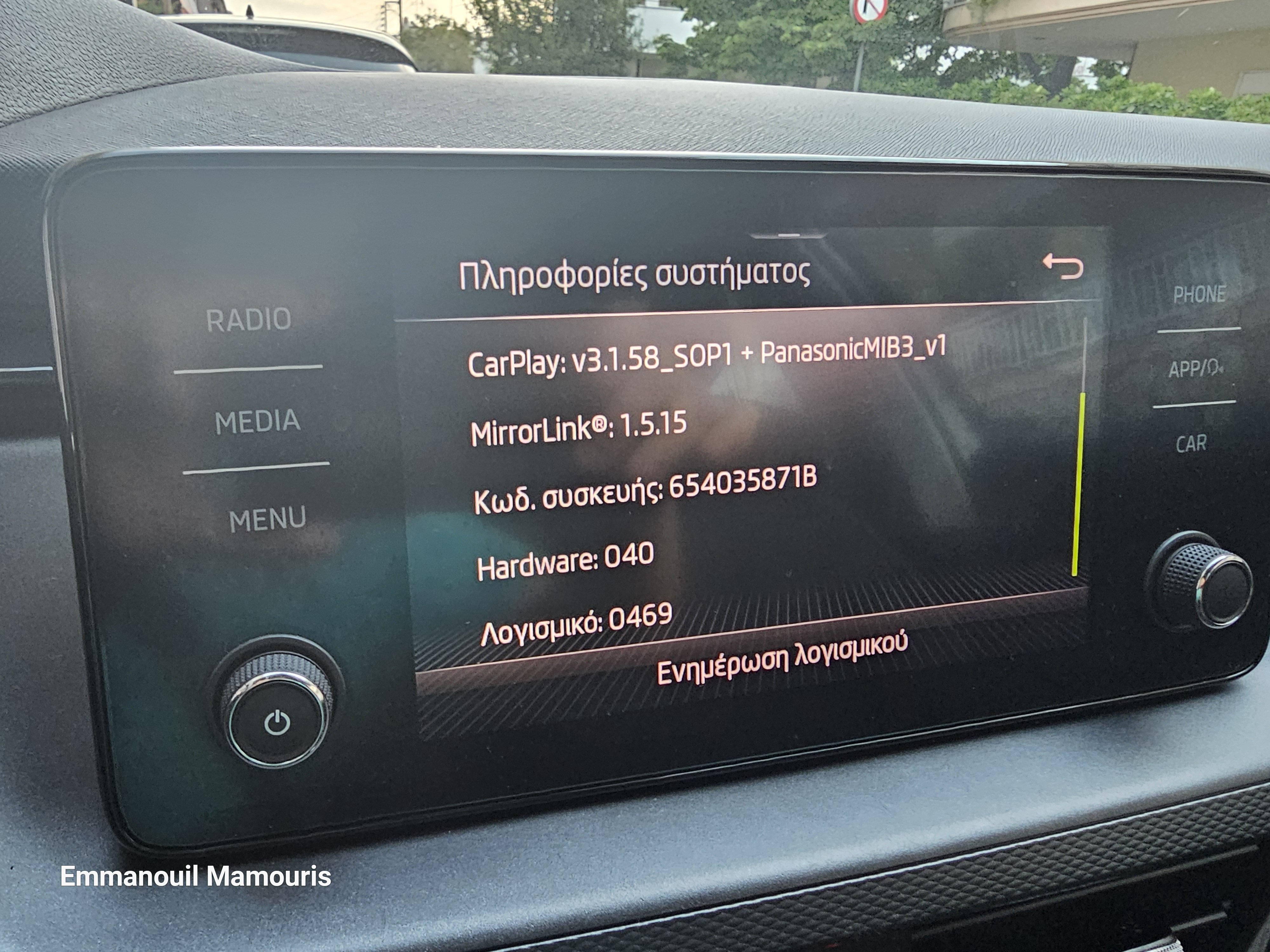
As an update for future and old owners: Because skoda has not yet released update for 2020 and 2019 models to support bolero with version 0469 for android 13, 14 and iOS 17, you can get Carlinkit 5.0 Air2 and solve all your problems! Now you will have fast wireless and proper connection without any problems. It supports all new Android or iOS devices. It also has double-sided tape, it is very small and cannot be seen with a small usb type c to type cable. Now I am very happy! Happy and problem-free km to everyone!
-
Thank you very much! I already ordered the carlink 5.0 air2 and I'm going to give it a try.
-
I'm using the original samsung cable from my phone's box. I think should do the job. I'll try to get another one. So far from what I've read maybe it's my bolero version that isn't supporting the android 13+ android auto devices...Hi there, I just bought my kamiq, it's 2019 model with the bolero display, I used my phone (samsung s23 ultra) for android auto but it keeps disconnecting in a few seconds if not immediately. I don't have technical expertise or any tools. Can you help me ?
Important Information
Welcome to BRISKODA. Please note the following important links Terms of Use. We have a comprehensive Privacy Policy. We have placed cookies on your device to help make this website better. You can adjust your cookie settings, otherwise we'll assume you're okay to continue.