Reto
Finding my way
-
Joined
-
Last visited
Everything posted by Reto
-
which pioneer unit did you go for?
-
Did they do like a "health check" on the car before installing the revo software? And they dyno'd it before and after?
-
Yeah Costco is E5, but it’s only 97.
-
I usually run Tesco or Costco premium, the latter being 97ron. But since I daily the car I’ve come across some stations that didn’t have premium in stock and only 95. Worried I’d do damage running the car on 95 even if it’s just for one day/ until I reach a different station.
-
Looking to remap my mk2 FL octy vrs, petrol. Does anyone know what a good place to get it remapped? Just looking for an ECU map, nothing too crazy and preferably not too far from london. I've heard of revolution, apr, etc. but I don't think they do dyno runs to test it. Saw r-tech too, but they say only 98 ron+, when sometimes I run 97 and 95 ron.
-
I saw there was a post about remapping the FL octy 2 but it’s 15 years old now, and a lot of the places that do remap have changed. Can people please suggest some up to date good remaps :). Car has 100k miles but has a new turbo since the old one blew itself up…
-
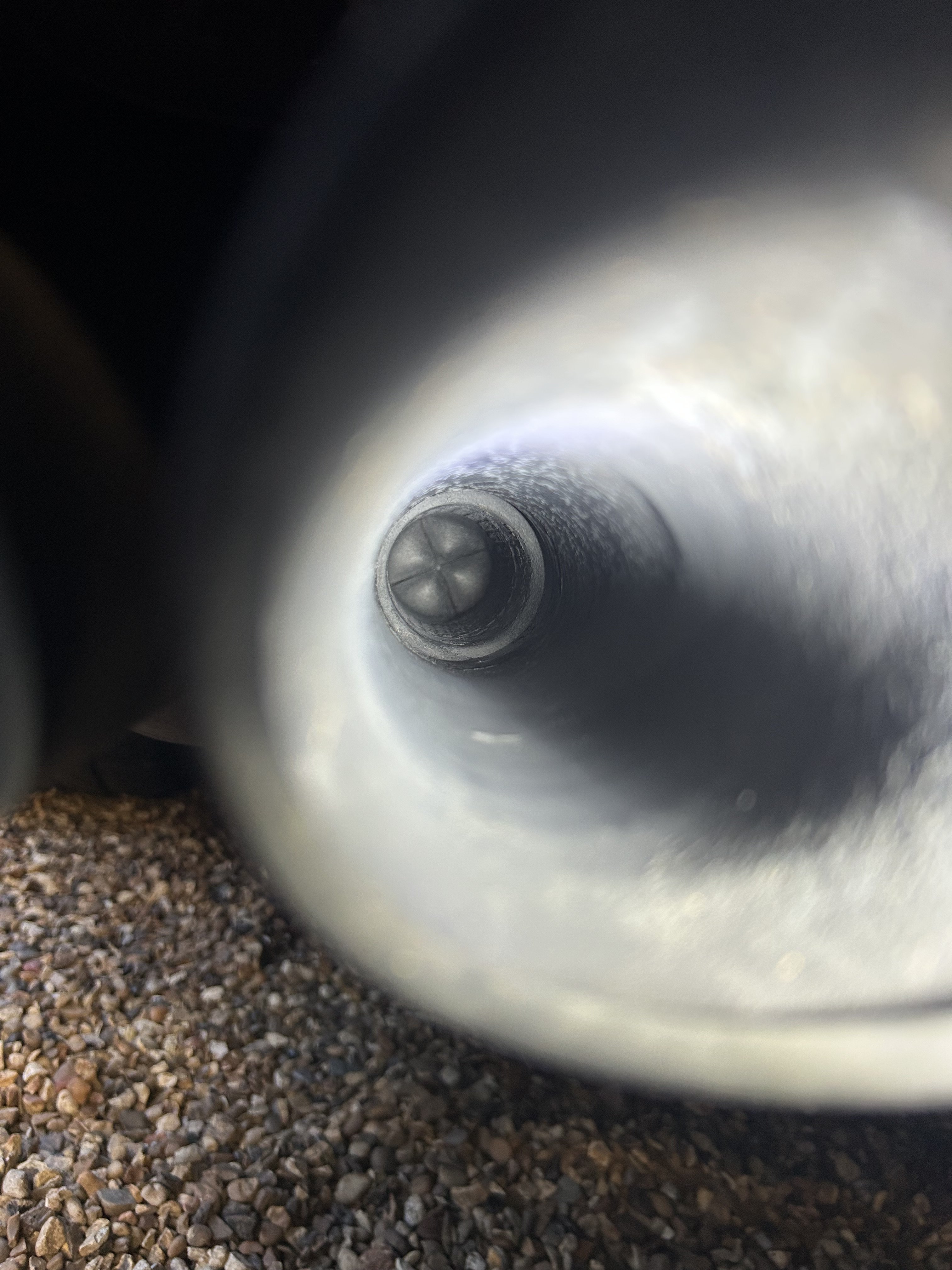
I think I’ve come to the conclusion it’s fake now, regardless if it always was or someone changed it. Was wondering if other owners of a mk2 FL tsi also had the same thing.
-
I’ve also tried to stick something through the “plug”, turns out it’s solid metal I think. Wont budge.
-
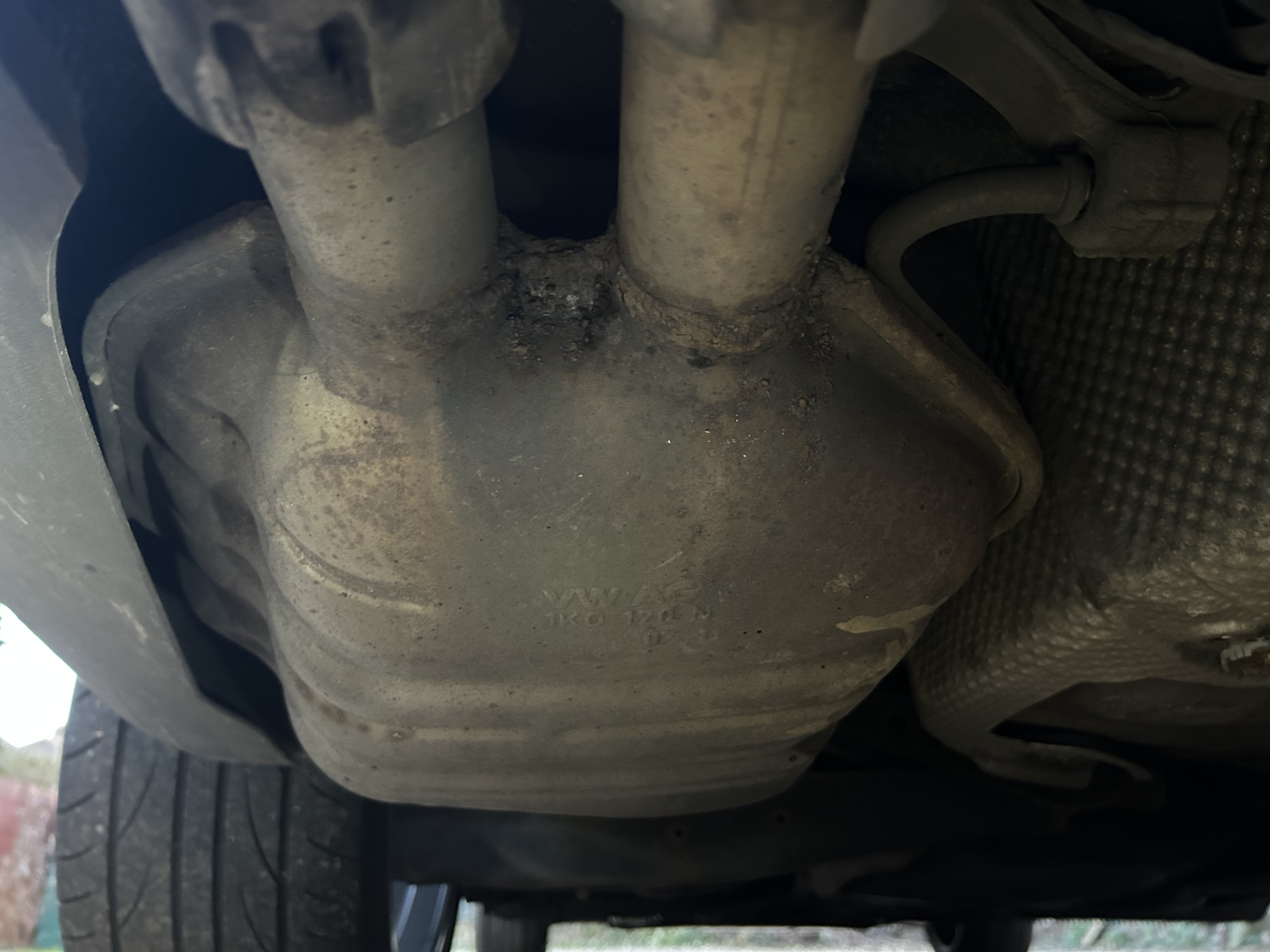
As far as I can tell it looks like it’s stock. I don’t see any breaks/cuts in the exhaust pipe to change it.
-
Only from the left tip. Although the right tip is dirty inside as if it’s had exhaust gases coming out before.
-
Hi, sorry it took a while to respond the website wasn’t working for me. Both of the tips attach to the back box. I’ve attached a few pictures of what it looks like.
-
I’ve just had a look at my mk2 exhaust tips and I think only the left one is real. The right tip seems to be blocked by something rubbery? Is this for everyone?
-
I have the 2.0 TSI. Mileage is high-ish at 95k miles, but the engine was perfect before. Also had timing chain done previously. Ever since my turbo replacement in August I’ve noticed that the hunting happened but normally I ignored it because it happened once and then disappeared for a good 6 weeks or so each time. This time it’s persistent though. I don’t think it had a VCDS done, but I did give it to a garage that was “specialised” with vw/skods/seat diagnostics.
-
I have the 2011 octy vrs. Recently it started hunting to 1.2k and sometimes staying at 1.2k revs at idle. Mechanics just replaced a supposed leaking PCV hose, but it't still happening. Does anyone have an idea what could be causing it?
-
Hi, my turbo will probably need replacing as it’s making a loud noise >3000rpm. Mechanics said something to do with a bearing maybe. If it needs replacing I’m thinking of maybe upgrading it to a better one. Anyone know any good options for this car?
-
Just got back from the mechanics, they said they think it’s vibration noise, could possibly be from work engine mounts. Still a mystery though.
-
I’ve recorded the noise. It’s the really fast rattle like noise after each rev. IMG_5040.mov
-
The engine code is CCZA
-
I recently bought my second car, a great 2011 octy vrs. I'm not sure when this noise started, or if it was there the whole time maybe I didn't hear it before. Basically, whenever I accelerate and take my foot off the accelerator, I can hear a noticeable noise that sounds almost like a bike chain if you know what I mean (when you stop pedalling and cruise). The noise stops when I press down the clutch pedal or accelerate again. Not sure exactly where it's coming from, but if anyone knows what I'm talking about and could give ideas what is causing the noise, would be great. Thanks.