MaggieDisco
New here
-
Joined
-
Last visited
-
Thanks - it's currently with them for MOT, since they wouldn't do the service, so all the maintenance records are there. I'll get a copy of those and compare against the above helpful list. Thanks so much!
-
Thanks - does it sound plausible that they think I should be on a 2 year cycle? I was perplexed by the November suggestion. It was very much a guy at the service center saying 'the central Skoda service plan computer says no' without much more insight...
-
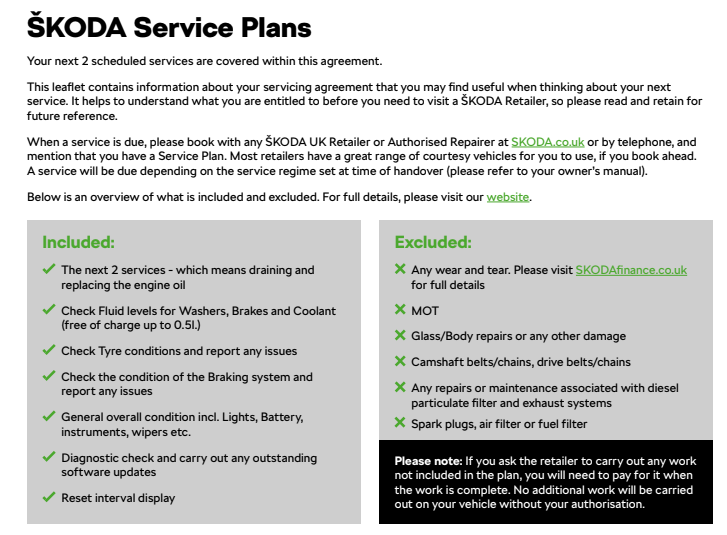
I bought an Octavia Estate new in the summer of 2016. 1.4 TSI, automatic DSG. We put 4-5k miles per year on it, so just around 36k currently. I've always done annual service in line with my MOT and never had an issue. Potentially overkill, but I grew up with the mindset of 10k or 1 year whatever comes first. All fine (if maybe more costly than needed). And the service center is far enough away that splitting the MOT and service timing would create a bit of a headache. Last year they sold me on a Skoda Service plan with language "Your next 2 scheduled services are covered within this agreement." I booked in my annual MOT + service as normal this year. No issues. Then I drop the car off and get a call a few hours later from the (Skoda) service center saying that the tried to process the service plan and that It's saying my attempted service is 3 months early and I should check back in November. I bought the plan in early August of last year. My mileage has been sub 5k. I'm confused about where November would come from and the guy on the phone was useless. So, smart minds that are here, any ideas? Either it could be it's on variable and it should be 2 years 20k and they won't cover it until at least month 15 if the milage ins't there - but really, I'm okay until next summer? Or something else could be going on? Help much appreciated!