skidz
New here
-
Joined
-
Last visited
-
Yeah the Dash Cam itself is routed in to the fuse box via the passenger side. The rear cam then plugs directly into the side of the Dash Cam. Nextbase advised in order to use parking mode that the fuse should be one that is permanently live...as of yet, I haven't managed to find one!
-
This is the blurb taken directly from the Nextbase page... What's better, switched live, or permanent live? The answer to this question usually depends on whether or not Parking Mode is turned ON or OFF. Parking Mode ON - Permanent live (recommended). Parking Mode OFF - Switched live (recommended). Why does Parking Mode make a difference? When parking mode is turned ON and the camera is on a permanent power supply, the Dash Cam will go into standby mode if the car remains stationary for 5 minutes. Whereas if the Dash Cam is fitted to a permanent power supply and parking mode is OFF, the camera will continuously record 24/7 and never shut down. This is not recommended, as it puts a lot of stress on the Dash Cam and SD card. If parking mode is turned ON, and the Dash Cam is powered using a permanently live power supply, your car battery will act as a backup for the camera. So if a physical impact is detected, you won't be relying on the small internal battery inside the Dash Cam to record an incident. I ended up hardwiring it into the fuse for the 12v supply which I believe is switched so she'll have to have parking mode off at the moment. As of yet, skoda didn't come back with a suitable fuse that's permanently live. I didn't fancy pulling random fuses to try either! Managed to route the cable for a rear camera too but it turned out around half a metre too short to locate the rear camera in the centre of the tailgate window. I have a small extension to try but Nextbase seem to think it will not work...nothings ever simple these days is it?!
-
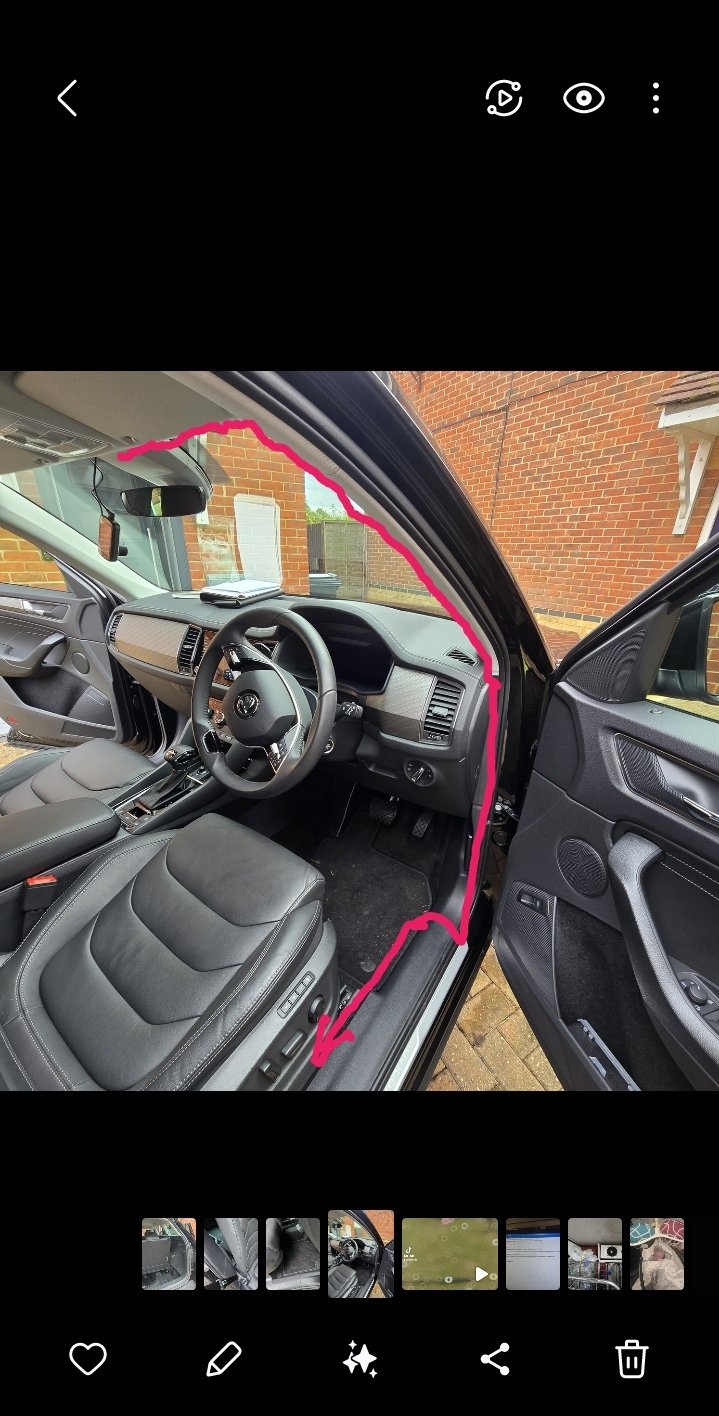
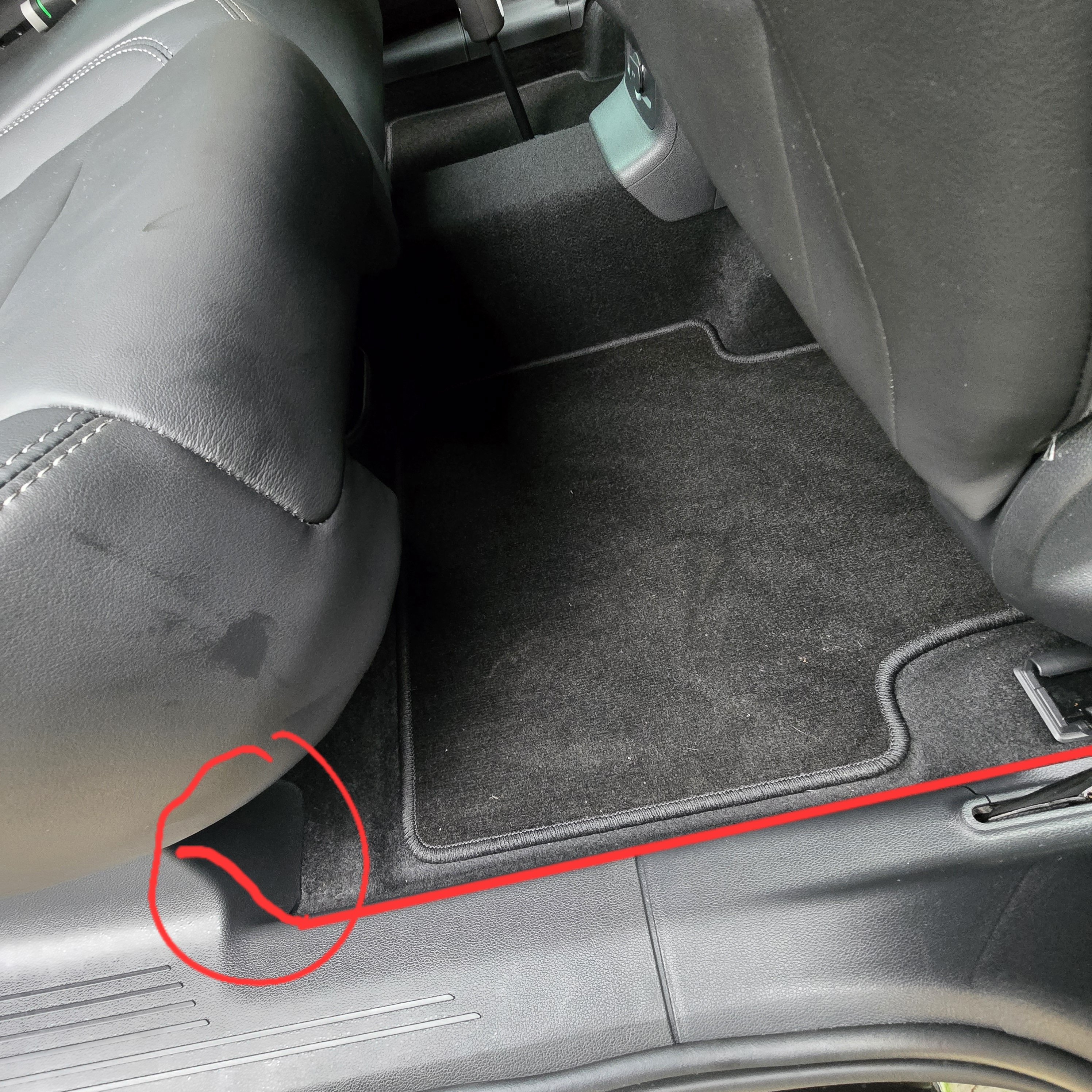
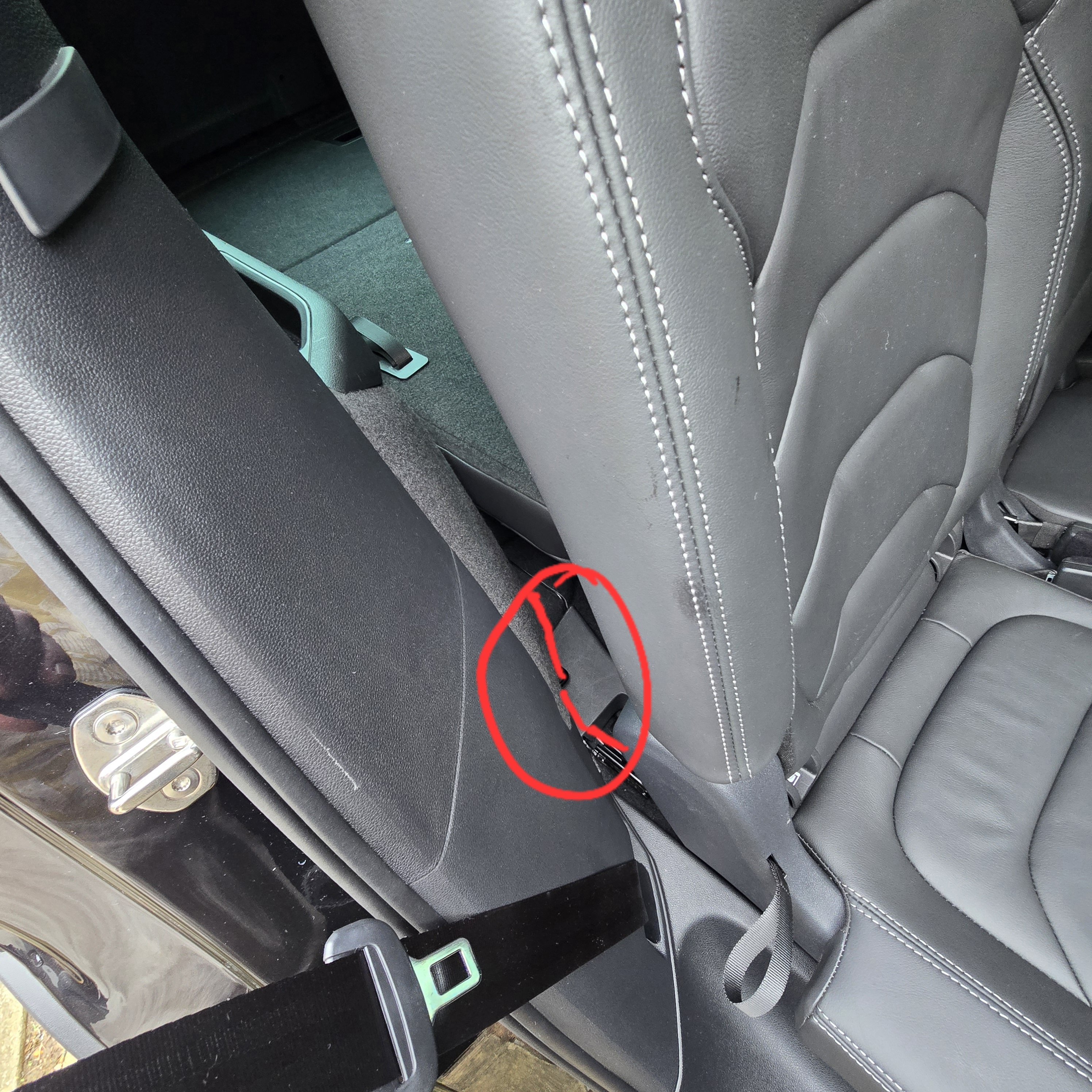
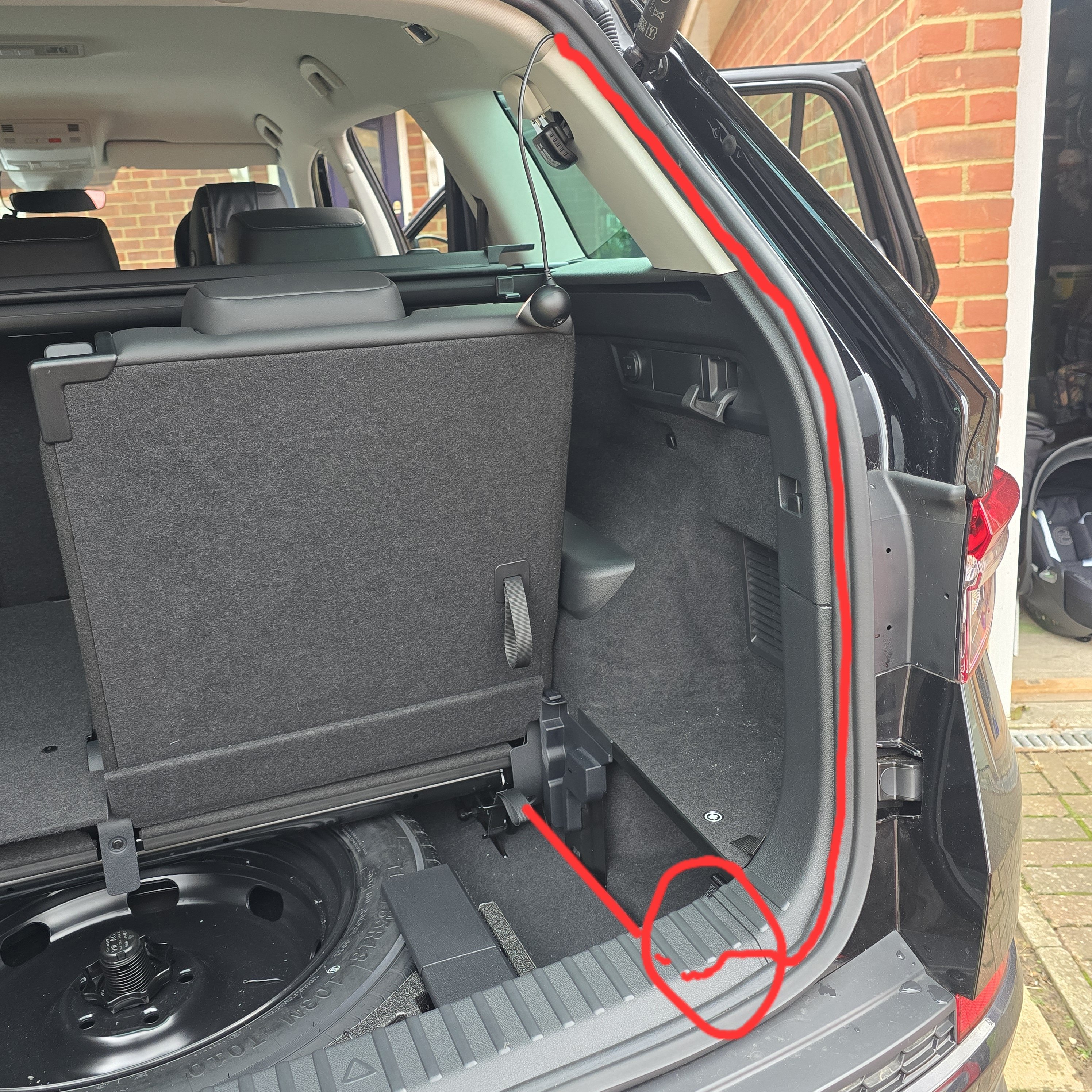
Just installed a rear dash cam on a 2023 kodiaq. Ended up going down the A pillar (same as the hardwire kit on the other side), down the edge of the door seal, then there's a break on the trim that's easy to separate where you can then head towards the carpet but tuck the wire under the trim here across the bottom of the driver seat. Continue under the trim and up under the rear seat trim. Behind the rear seat near the trim is a removable clip that you can tuck the wire under and continue under the carpet leading into the boot. Again, continue along underneath the carpet where again, there is a break in the trim that with a bit of effort will come apart just enough to be able to cross the cable over into the boot seal where you cancthrn continue to tuck in leading the cable up into the overhead and install as required.
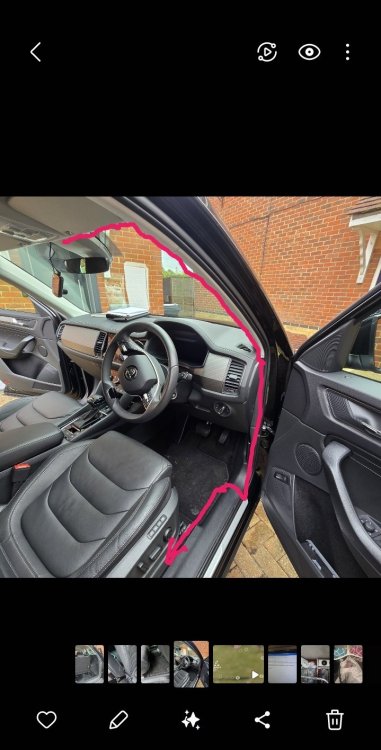
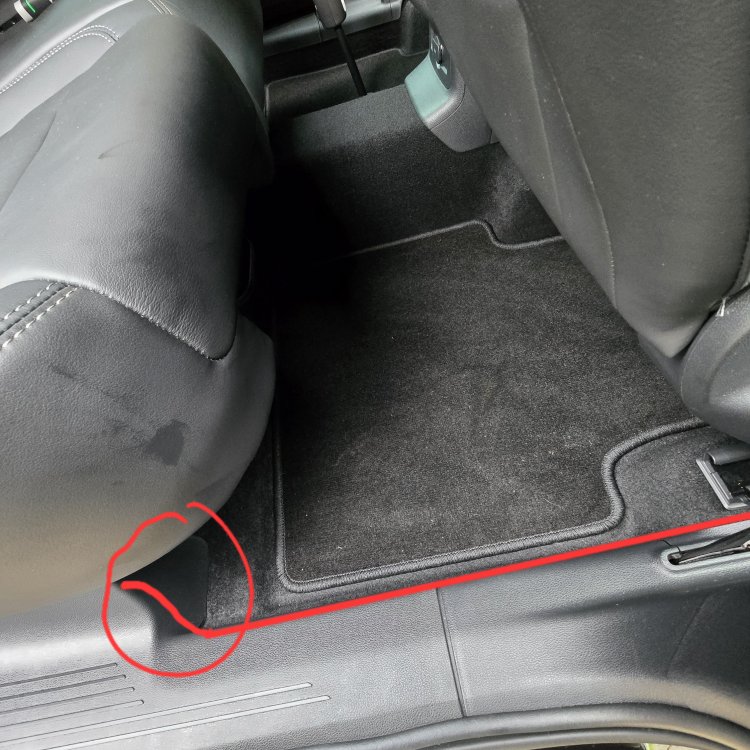
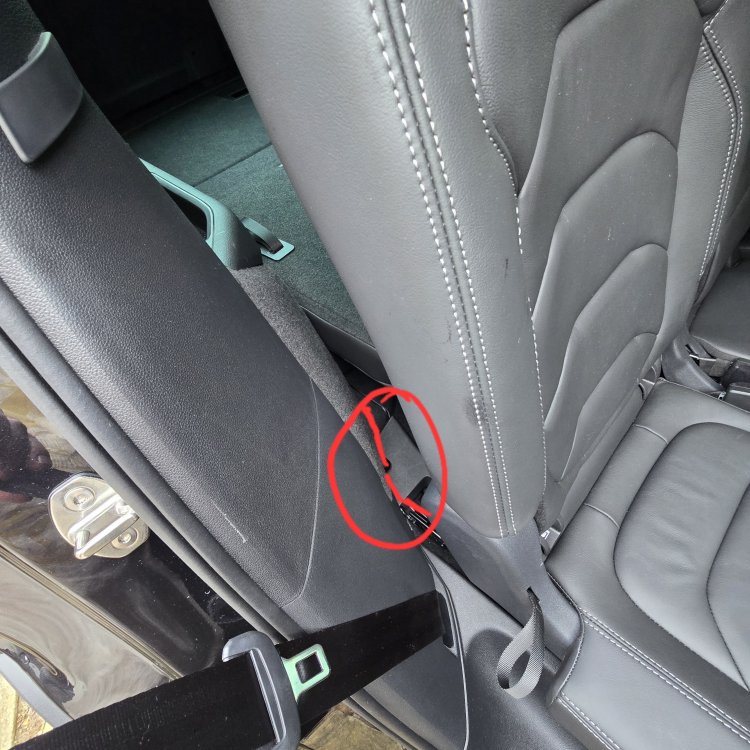
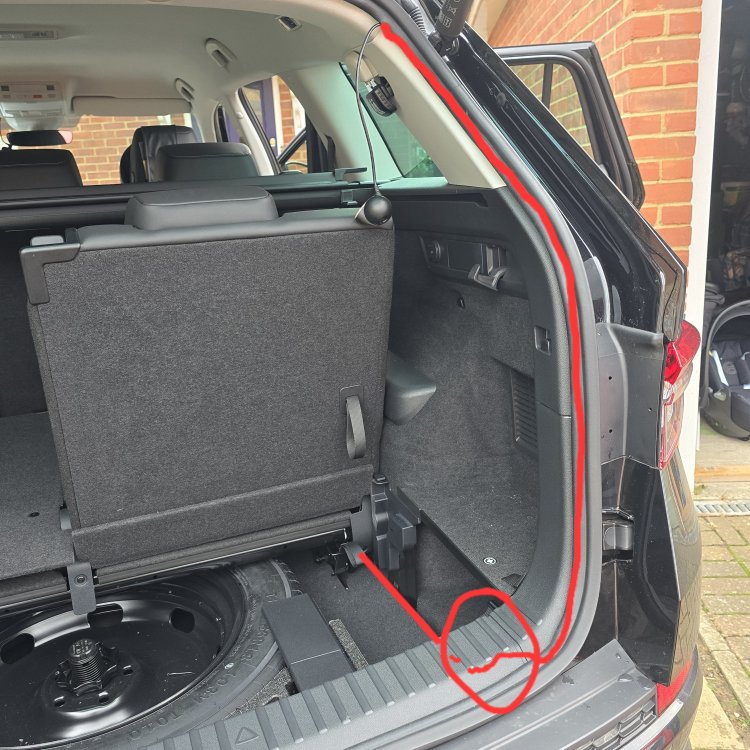
-
Hi all, Kodiaq 2023 driver here. Nextbase mention in their hardwire guide that if parking mode is set to ON, the camera should be hardwired to a fuse that is permanently live. I see that most people have installed into fuse 47, rear wipers which I understand is only on with ignition. Does anyone know a suitable fuse I can use which is permanently live and will allow for parking mode to be left on. Many thanks for any help!