dlazar
Finding my way
-
Joined
-
Last visited
Everything posted by dlazar
-
Hi All, @plamen_333 I wanted to update you regarding the recent issue: it has been resolved. The problem was related to the mechatronic. The transmission specialists replaced the mechatronic unit, performed a gearbox service, and completed the necessary coding. Also got a 12 month warranty. Everything is now working perfectly. It was indeed a costly fix.
-
Hi, no, not yet, still in garage. Mechanic will check the ABS connections on Monday. Please share your experience if you'll sort it first
-
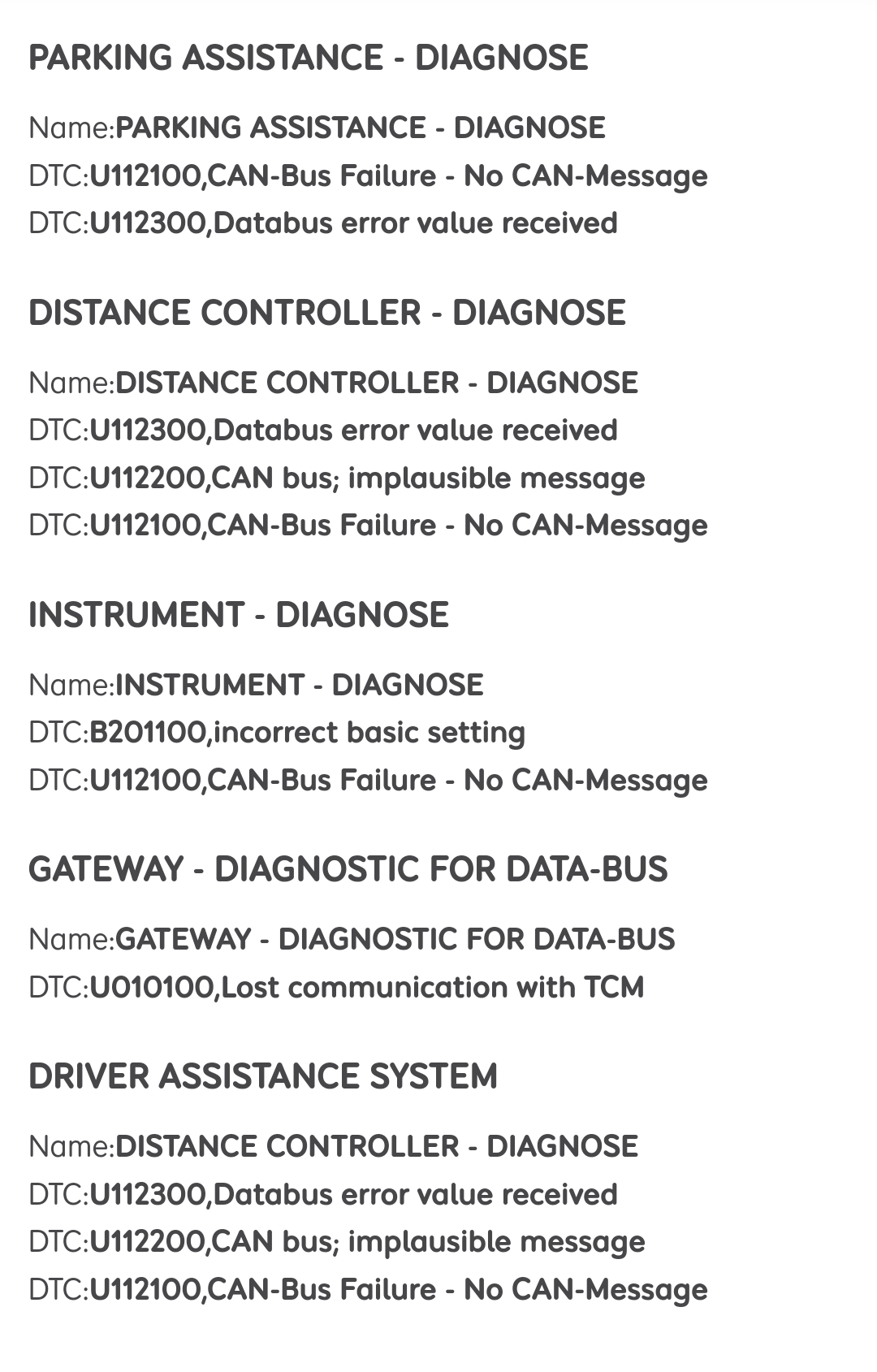
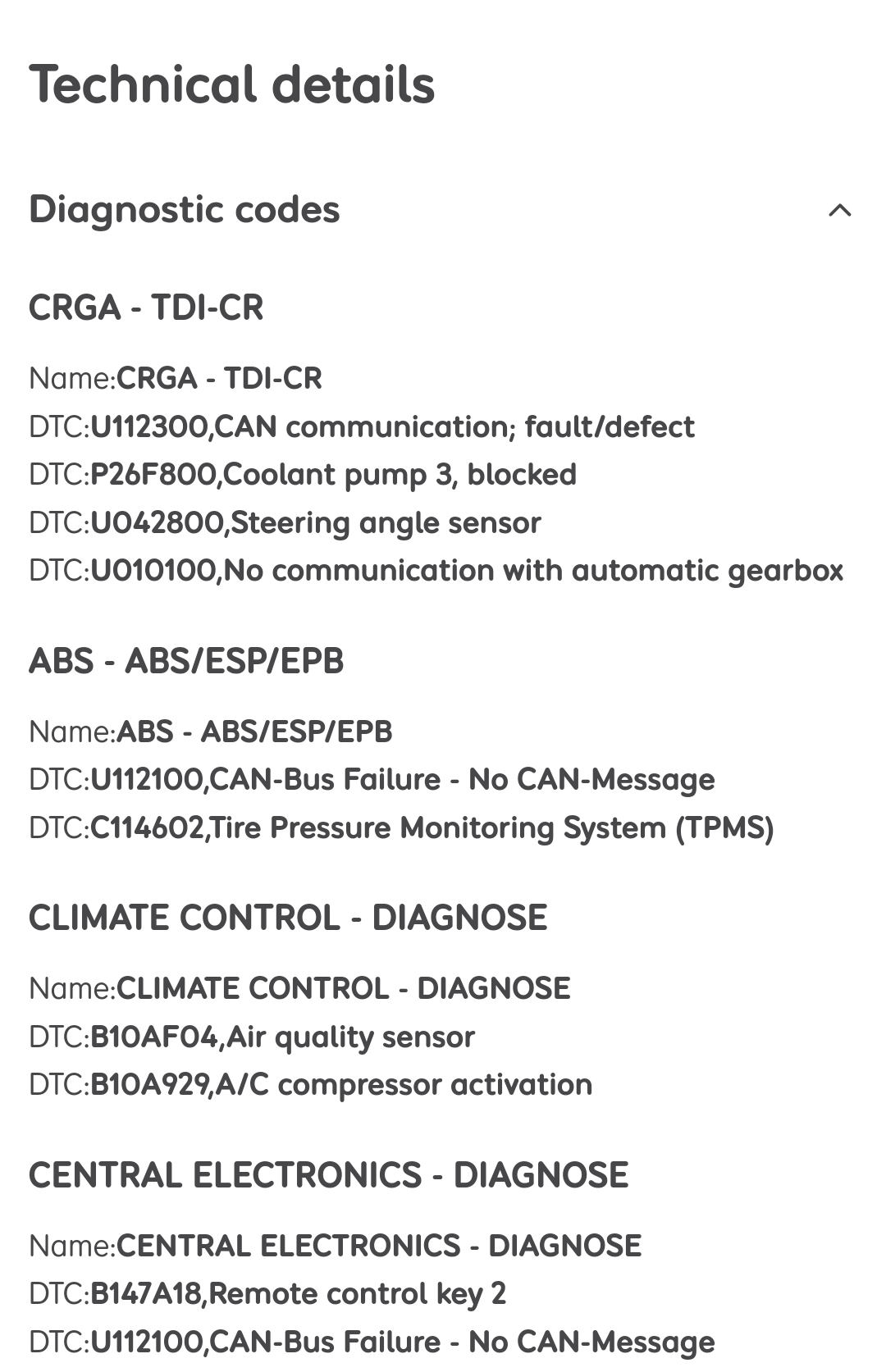
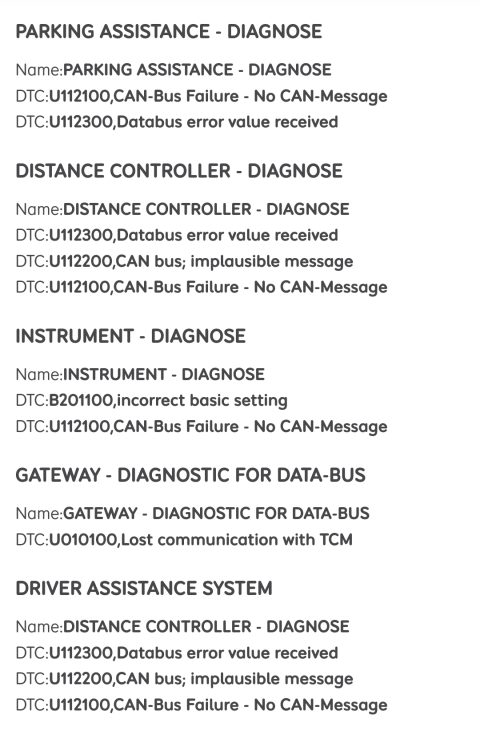
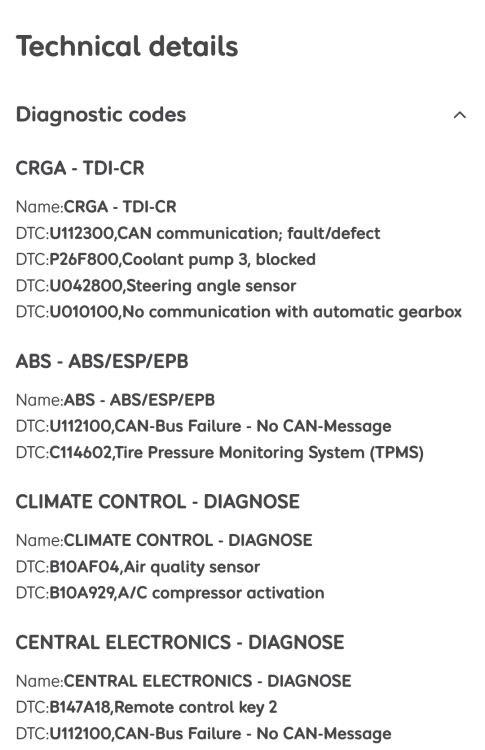
Here are the faults from the diagnostic report
-
No, I didnt leave anything on while non driven. There were no power issues. And as I mentioned before, if I leave the car parked for good few hours,it would clear all the errors and I would be able to start it without any problems and drive it for about 5-10 mins before these error would flash again.
-
Hi, The battery has been changed a year ago at the oficial skoda dealer garage. Not sure what they have put inside but will have a look. Thanks
-
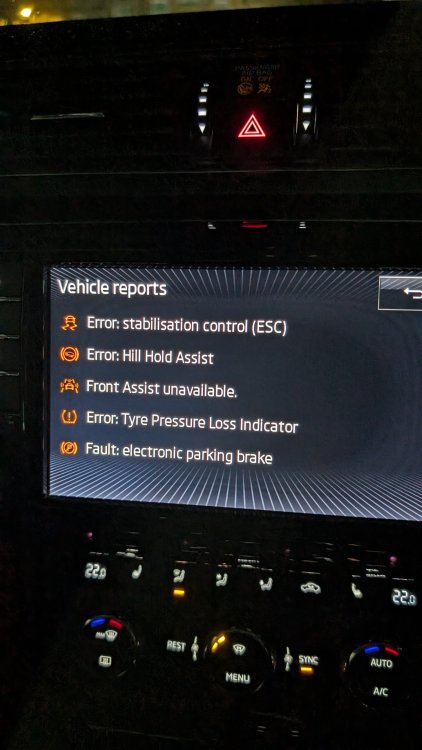
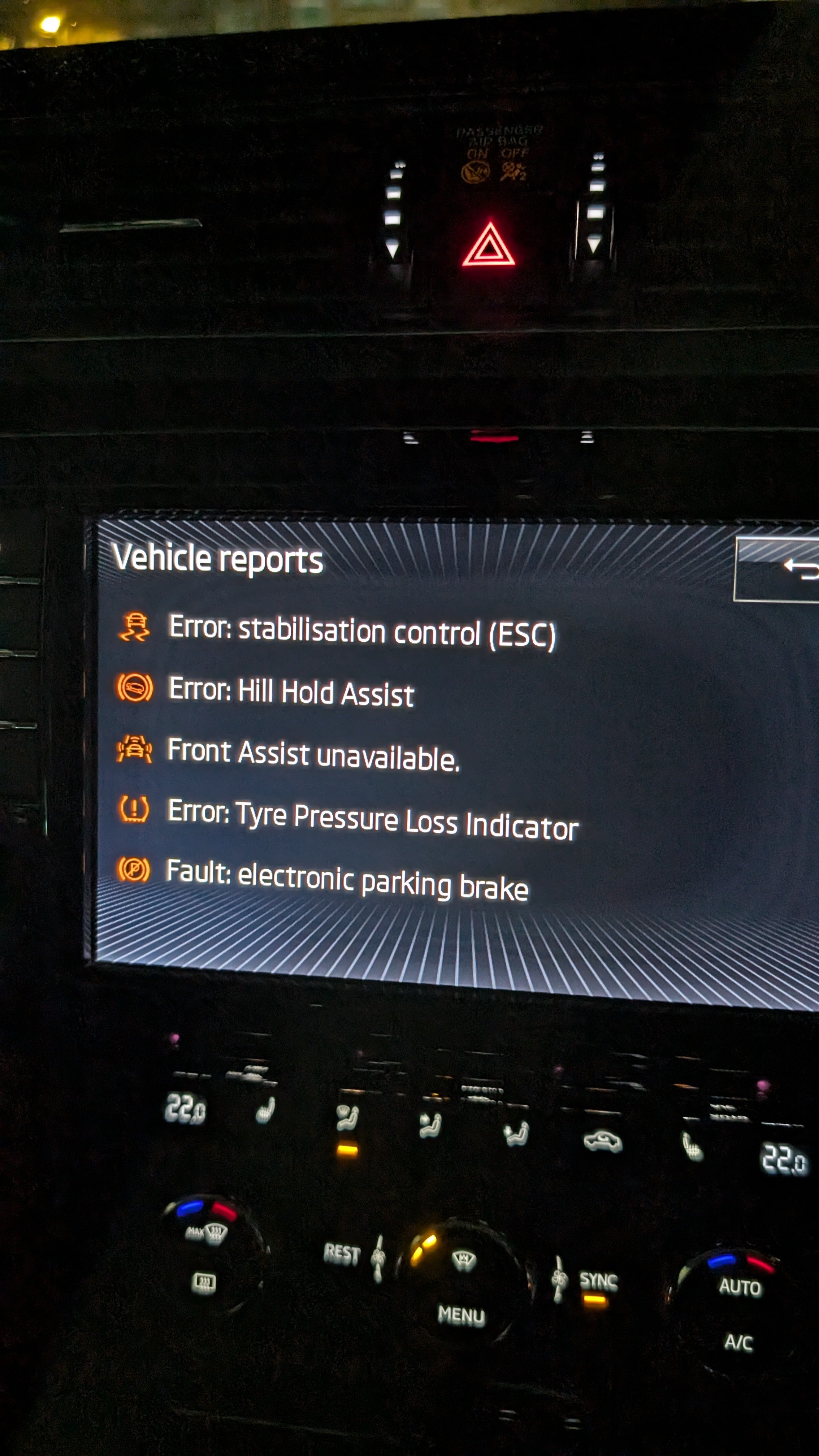
Hi All, My skoda superb 3 broke down recently. Showed me 5 different faults at the same time: Error: Stabilization Control (ESC) Error: Auto Hold Front assist unavailable Error: Tire Pressure loss indicator Fault: Electronic Parking Brake. Couldn't start the engine, car was parked and gear lever stuck in P gear. It was too late to sort it, so I came back next day, start the engine and there were no faults, everything was absolutely fine. So I drove away but after 5 mins of driving all error popped up again followed by a spike in RPM caused by the car disengaging the gear and putting the car in neutral. The automatic transmission specialist checked the gear box, did diagnostic and told me the gear box is ok and it's an electrical issue. At the moment the car is still in the garage. Has anyone had the same problem? Please need help!