TheWalkertron5
Finding my way
-
Joined
-
Last visited
-
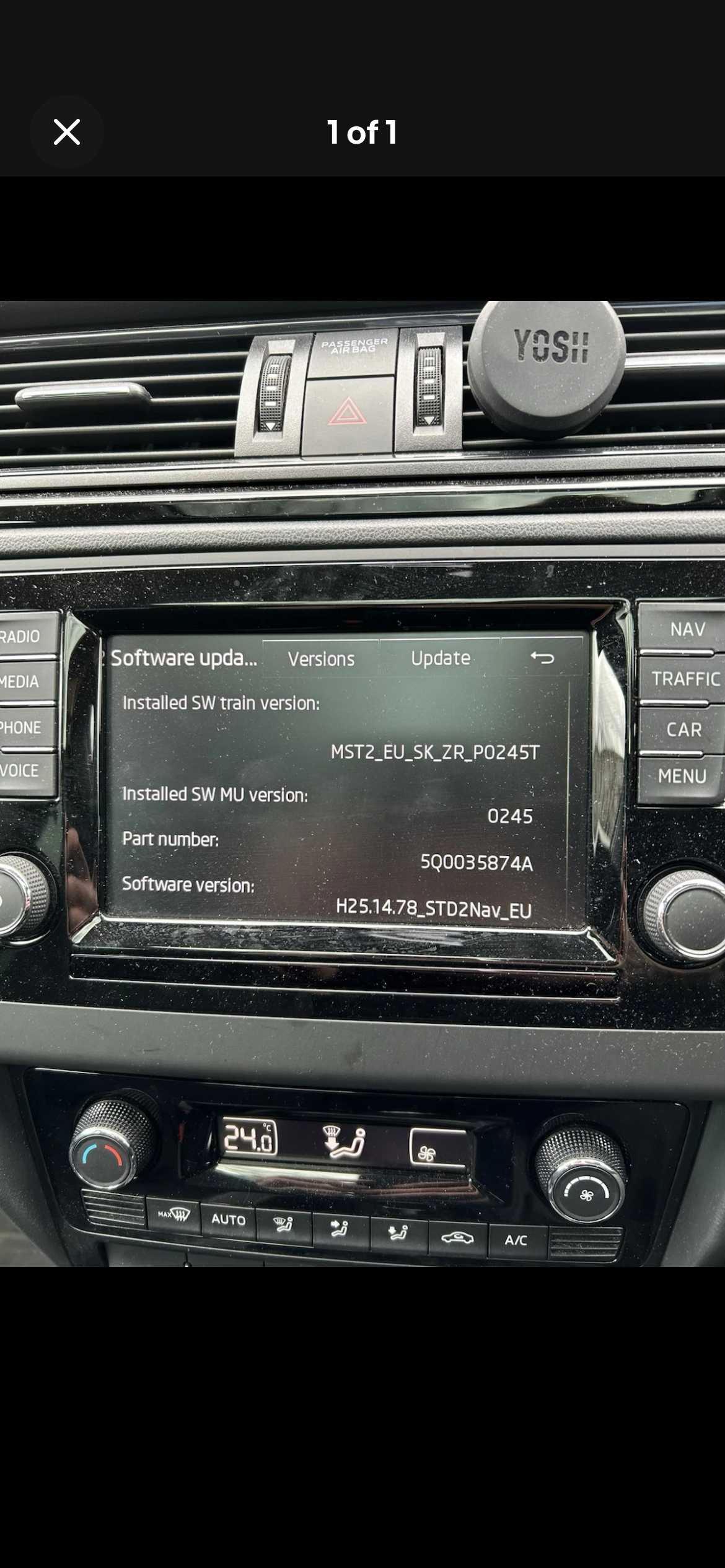
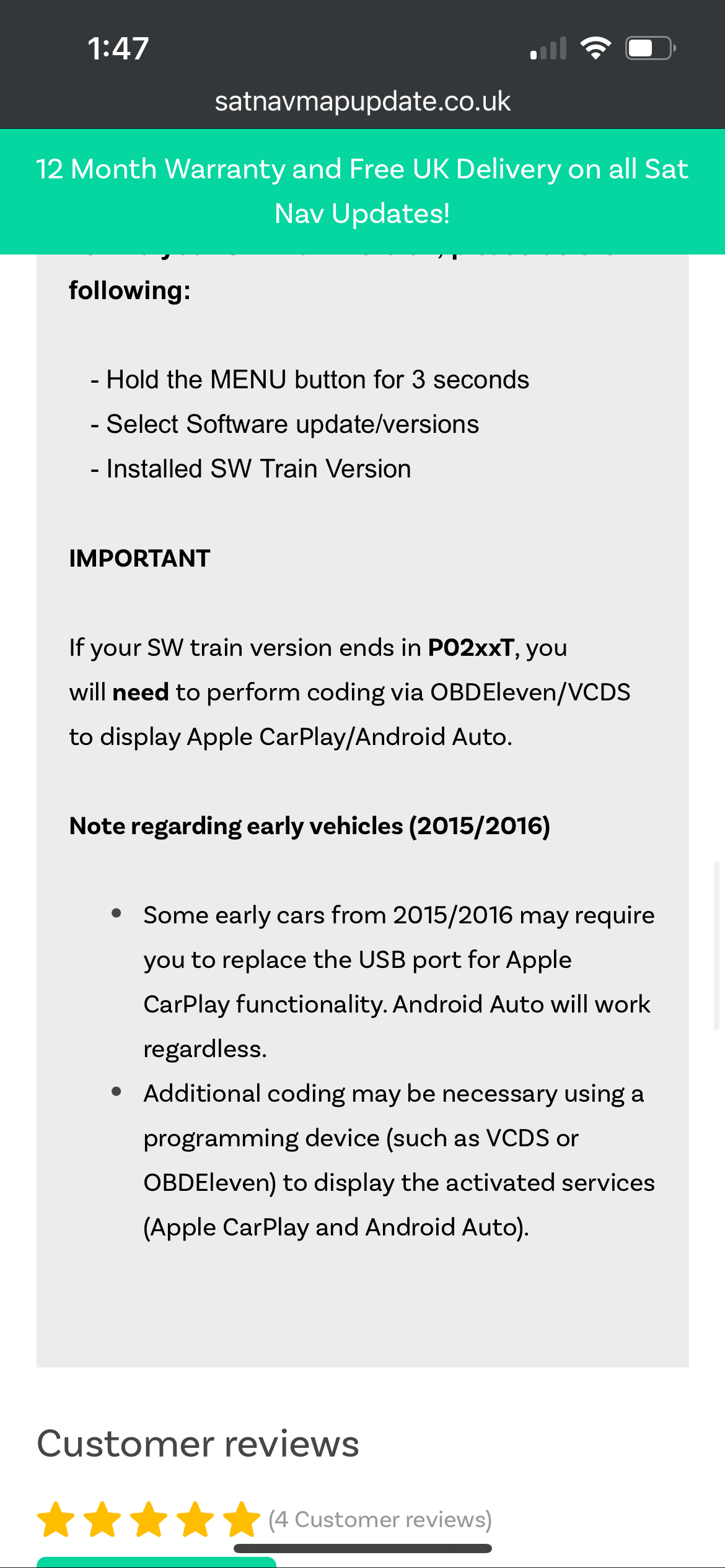
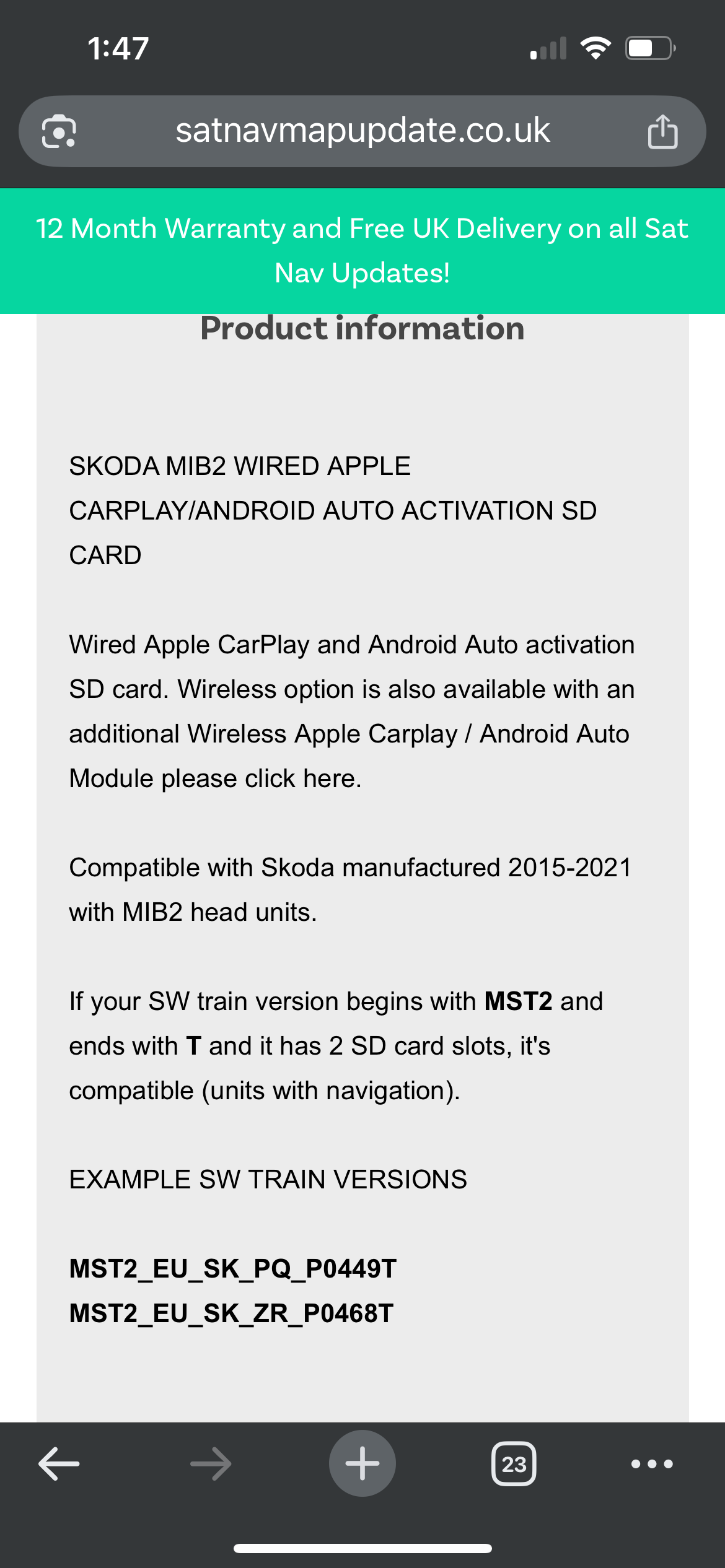
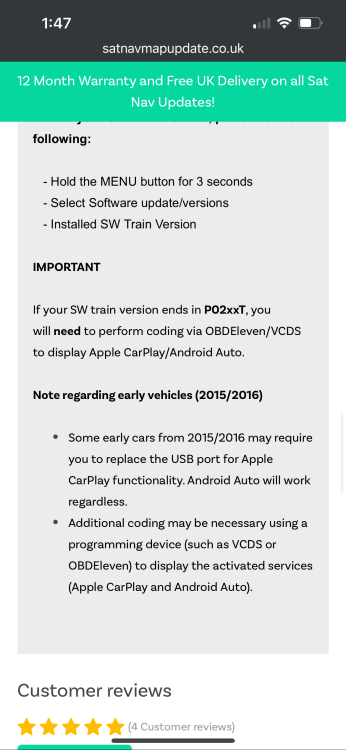
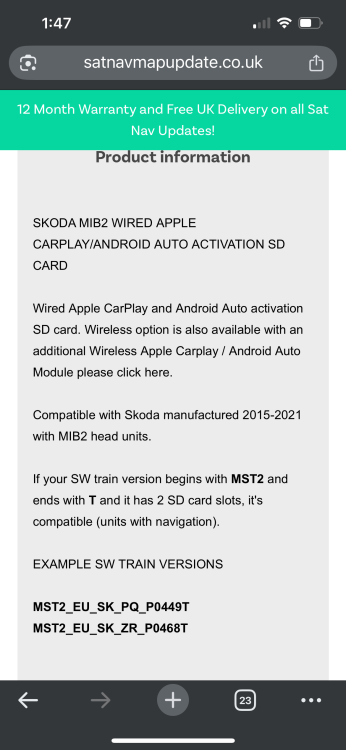
Sorry to keep bugging you, but I’ve been doing some research and found a company that sells pre programmed SD cards! Only problem is if the SW train version on the radio system ends in PO2xxT (which mine does) I’ll need to code in the Apple CarPlay feature. It also states early registered 2016 cars (which mine is) may need the USB port changing out AND additional coding on top! Do you have any experience regarding these specific SW train versions? Many thanks for your information so far
-
Thanks for your help ! Is this the process of downloading the files onto SD card and then installing into the car via the green programming menu? It looks quite technical for my capabilities so any additional information on doing this would be much appreciated
-
TMBFB6NH2G4549790
-
Since I’ve owned this car (Oct 24’) I’ve been chasing round trying to get a dealer to activate the smart link function. Well today was the day they well and truly ****ed in my cornflakes as apparently due to my car being an early built 2016 car they cannot / did not ever enable the smart link function within its setup. The chap on the phone at the parts department at my local main dealer also followed on from that with saying Skoda themselves have stopped producing the software required to even enable this on the newer (May 2016 onward) Rapids, so wouldn’t be able to help anyway. I’m bummed out really, I love the car but that was the one thing I really wanted to get installed. I’m now looking at replacement stereos but the non OEM look bugs me. Is there really no other way to get smart link enabled? Any advice on this would be great, thanks all
-
It was more of a struggle but wasn't bad enough for me to remove the driveshaft! In the past on other VAG group stuff I've dropped the 3 nuts out the lower arm, popped it off and swung the hub out the way and it works a charm. I do have a tool I've used that works a treat and stops you fighting with said shock, id highly recommend it if you're working on these things on the regular. https://www.ebay.co.uk/itm/186709251060?mkcid=16&mkevt=1&mkrid=711-127632-2357-0&ssspo=fjaug73ls8w&sssrc=4429486&ssuid=Kdy6VqIFTWS&var=&widget_ver=artemis&media=COPY
-
Yes they are both fully seated into the hubs, they have a stop on the strut which indicates they have been fully seated. When you release the wheel on some level road the car doesn't pull, it's just the steering is off. Holding the wheel straight it then pulls you to right. Anyway, I took it into my work as we have a Lazer 4 wheel alignment system, set it all up and the camber was within tolerance, as well as the caster. Toe was out about 3 degrees. I am absolutely boggled as to what happened there, but I've tracked it straight and it's been golden since. Really racked my brain as I have touched absolutely nothing to do with the steering system, didn't even drop the lower arms out !!!
-
Just replaced both front shocks on my 1.2tsi 2016 Rapid Spaceback Sport as the front passenger side one was completely shot. The front end looked like Uncle Bucks car wallowing as it drove along. Anyway, only things bar the shocks themselves that have been removed are the anti roll bar links. Pushed the hub assembly far enough down to release the shocks, swapped the springs over and then refitted. Nothing else has been loosened / removed but my steering veers to the right when I keep the steering wheel centred. Car drove straight as an arrow before, and I was under the assumption that struts only adjust the camber and caster, not the toe? Just want to understand why as I'll need to get a wheel alignment done now.