tziisus
New here
-
Joined
-
Last visited
Everything posted by tziisus
-
Update: just got fault codes read and they say boot lock overheat and boot lock short circuit, so it has to be it then.
-
Hello, my Skodas non electric tailgate just stopped working, I managed to use emergency open mechanism from inside and get it open. I cleaned the lock mechanism and checked fuses but no luck. I also checked the tailgates opening button is working because when I try to open trunk turn signals start to blink but trunk stays closed. Also tested when multiple remote keys. Wire covers seem to be whole also, havent removed them or trunks plastic cover yet though. What could be the cause for this? Is there somekinda electric motor that unlocks the lock mechanism when button is pushed? I also dont understand could the problem be between the button and lock, or could it be central locking issue so it doesnt open that door?
-
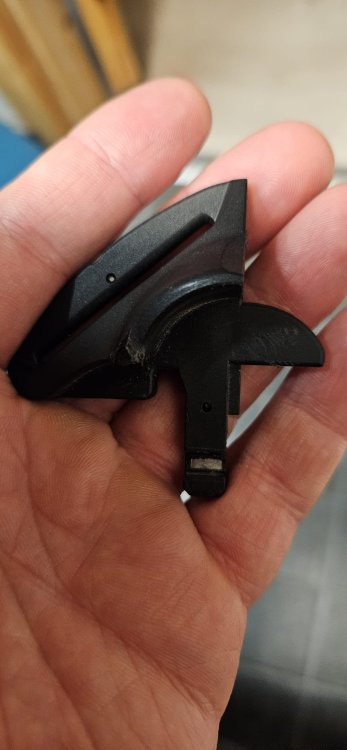
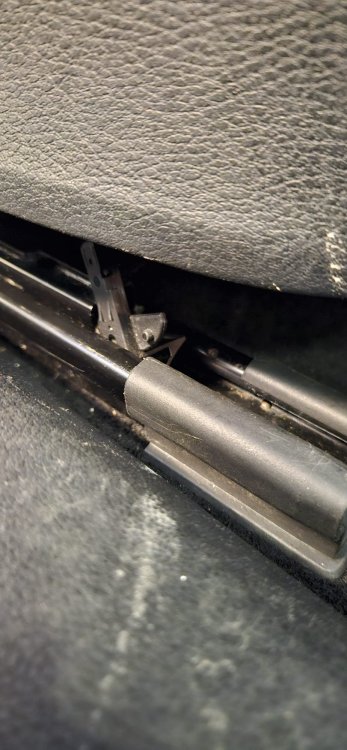
Hello, thx for the help, there was actually unknown objective in rails limiting the movement, at first I thought it belong there but it didint. Pics below, it seems to be part of previous owners kid seats safety belt system.
-
Hello, i just bought Skoda Superb 2018 and i would like to install rounds under passenger seats rear fixing bolts but the seat doesnt seem to move front enough to access these torx kinda bolts. Any idea how to do it? Driver seat was easy and passenger seats front bolts also, but i dont understand how you are supposed to access the rear bolts under the seat. Thanks in advance, and sorry for bad english, not my first language.