




Naxo
New here
-
Joined
-
Last visited
-
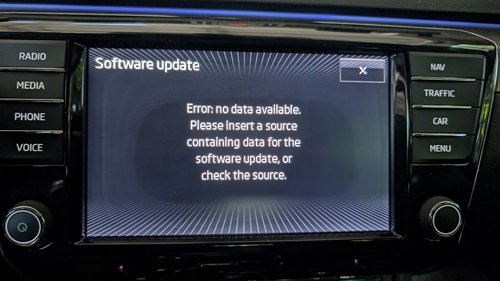
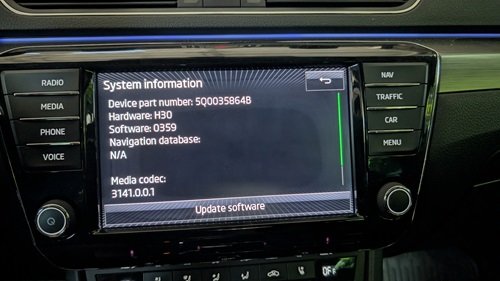
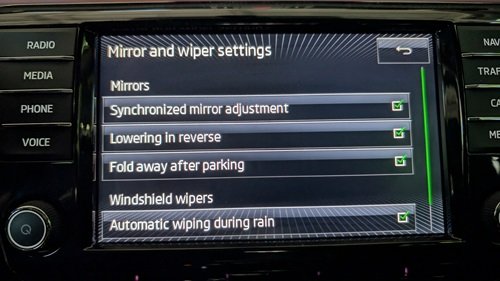
Hi all, First, I want to thank you all for the information available in the forum. However, I have several questions regarding my 2017 Superb. I bought it like 4-5 months ago, I usually drive it only on weekends, so each day I'm discovering new features. So far, it has been an amazing car. Since I have several questions, I prefer to group all of them in a single post. My first question is regarding the software update. I've connected the system to my home's wifi successfully, but when I try to search for software updates, I get this error. Am I supposed to update it another way? My second question is regarding the screen upgrade, as I've seen in this forum that some units could be upgraded. Could I upgrade my system? Could I install wireless Android Auto / Apple CarPlay? Also, my car has an USB-A port, could I replace it for an USB-C port? Another thing I noticed navigating the settings, is that my car apparently has the feature to lower the mirrors when in reverse, but mine don't do that. Is this a software issue, or it's just a feature not available for my car? Last but not least, I'd want recommendations on what else I could upgrade on this car. For example, I've noticed that my rear blinkers are regular bulbs when everything else is LED. What should I have in mind if I wanted to replace them? I would really appreciate your knowledge. Unfortunately, this car is not sold in Chile anymore, being the 2017 the last year it was sold here, so if I wanted a more modern version, I'd have to import it, and that is not allowed here (only under certain conditions I don't meet). Thanks!
-
Hi, I'm Naxo, from Santiago, Chile. I've acquired a 2017 Superb like four months ago, and I'm very happy with this impressive car, which sadly is not sold in this country anymore. I hope to have a good time here and share knowledge with you all!
