GraemeS
Finding my way
-
Joined
-
Last visited
-
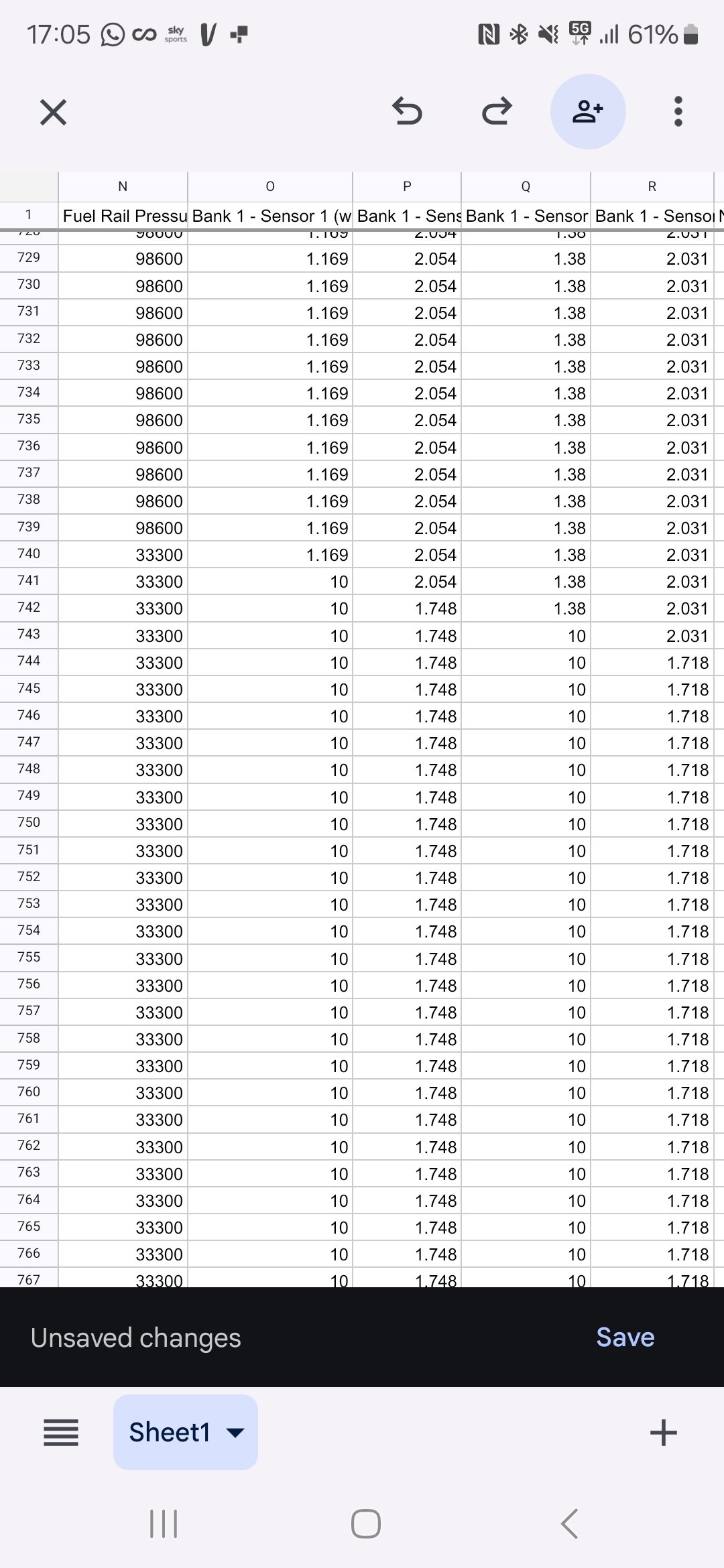
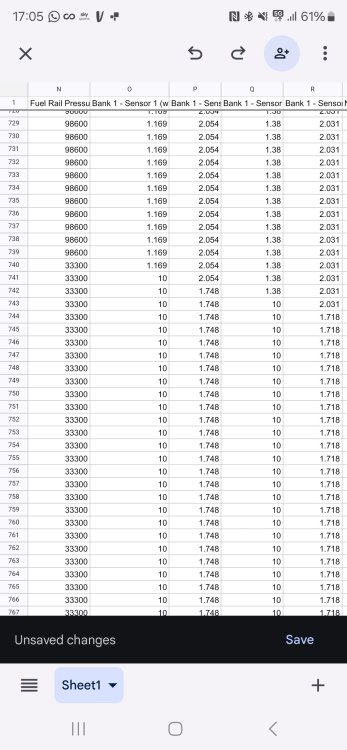
Anyone any ideas why bank 1 sensor 1 and 2 gains this much voltage and the fuel rail pressure drops. 2018 Mk3 octavia 1.6 TDi 1st column is fuel rail pressure 2nd is sensor 1 voltage 3rd is sensor 1 ratio 4th is sensor 2 voltage 5th is sensor 2 ratio
-
Would replacing the sensor make a difference? Is it a short in the wiring elsewhere. At this point I'm really at a loss
-
The garage it's in has tested it and said its in perfect working order and it my be an issue with electrics
-
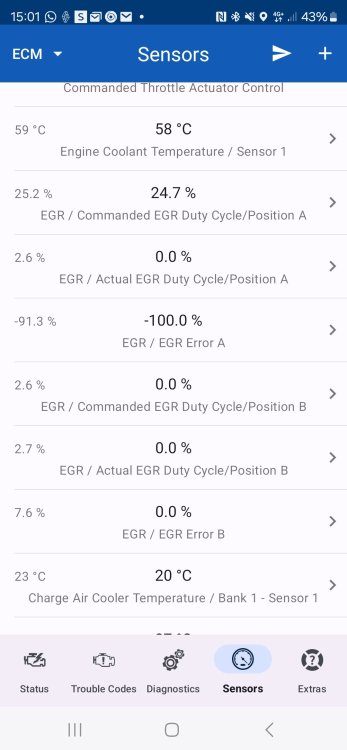
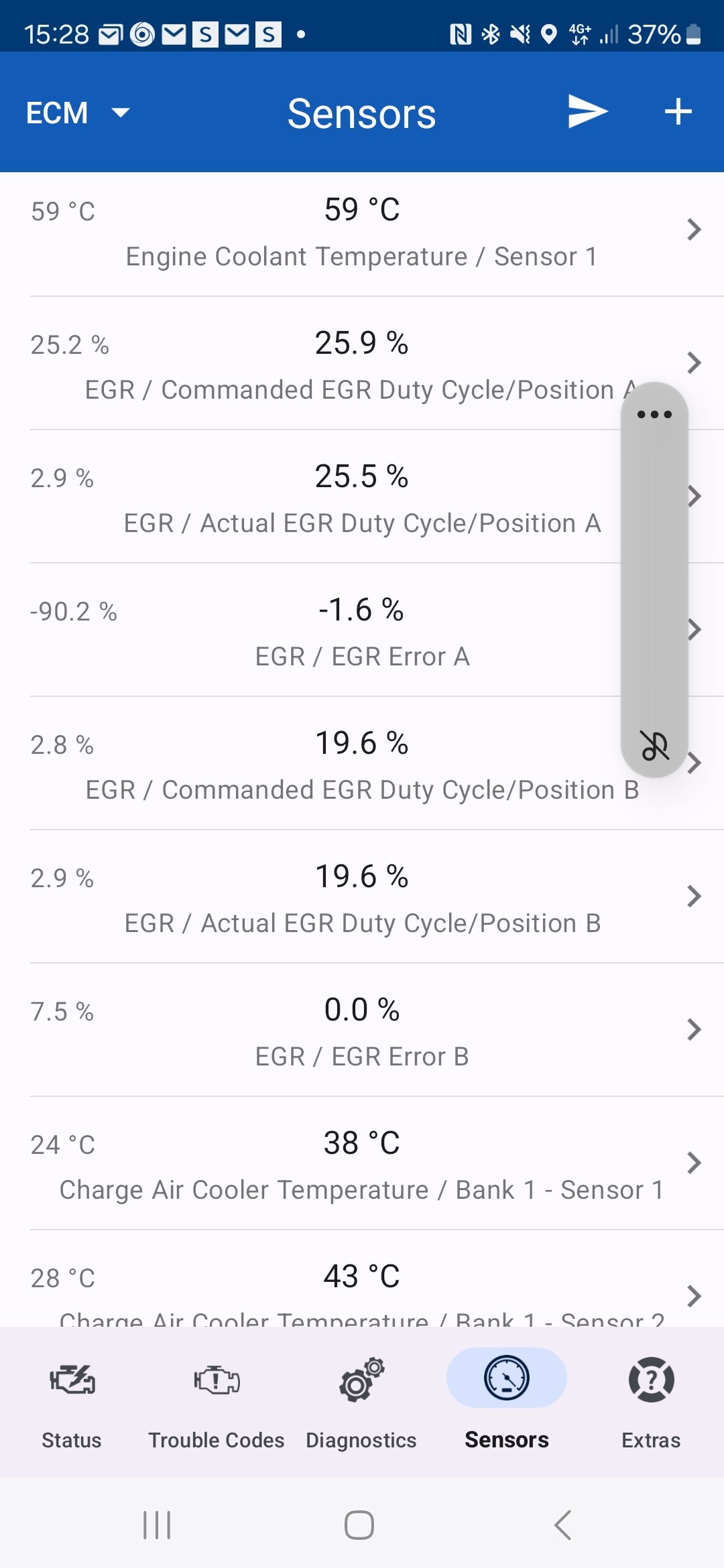
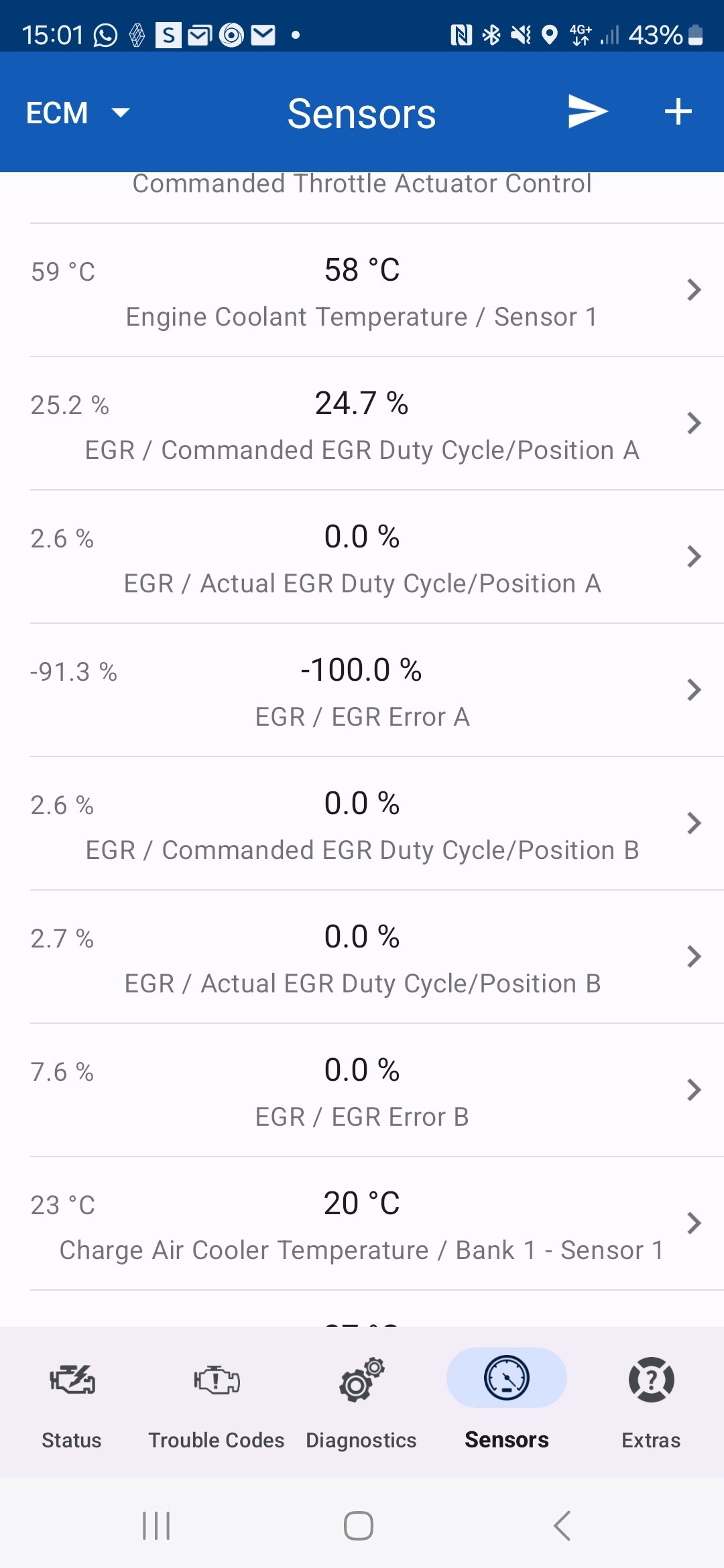
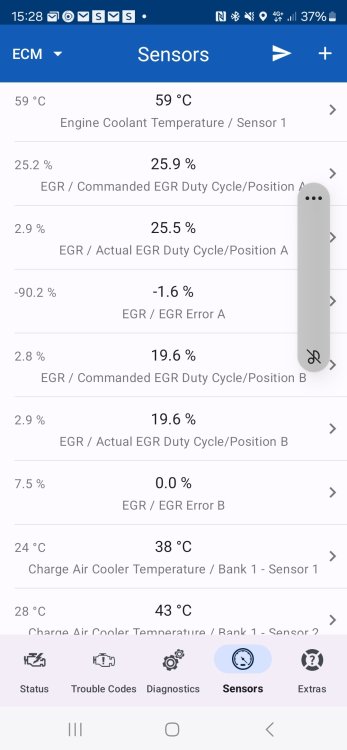
2018 SKODA OCTAVIA mk3 1.6 TDI DDYA engine. Couldn't pull the skin off a rice pudding. Started with intermittent glow plug with no error codes. Now flashing glow plug light with permanent EML which won't reset. So my octavia has had the EGR valve checked and it's free, works and is clean. The EGR duty a is showing as 27.1 requested, Actual 0, error -100% EGR duty B is 0, actual 0 and error 0. Anyone got any ideas how far down this rabbit hole i need to go?
-
I'm using ODB auto doctor. Yeah the command throttle actuator control value is off screen and above. I'm wondering if its a dodgy sensor on the EGR as these are the current readings
-
I have a 2018 Octavia 1.6TDI with a DDYA engine. Recently I have been experiencing intermittent loss of power, however today all the power has gone and I get surge/misfire and a glow plug light on when I accelerate and the revs go above 2500. The only error code is the usual turbo/supercharger underboost. Ive connected the OBDand found the results attached. All 4 glow plugs were changed changed but I was wondering if I now need a new EGR valve or could it be taken off and cleaned? Or is it even this?