mdpluimers
New here
-
Joined
-
Last visited
-
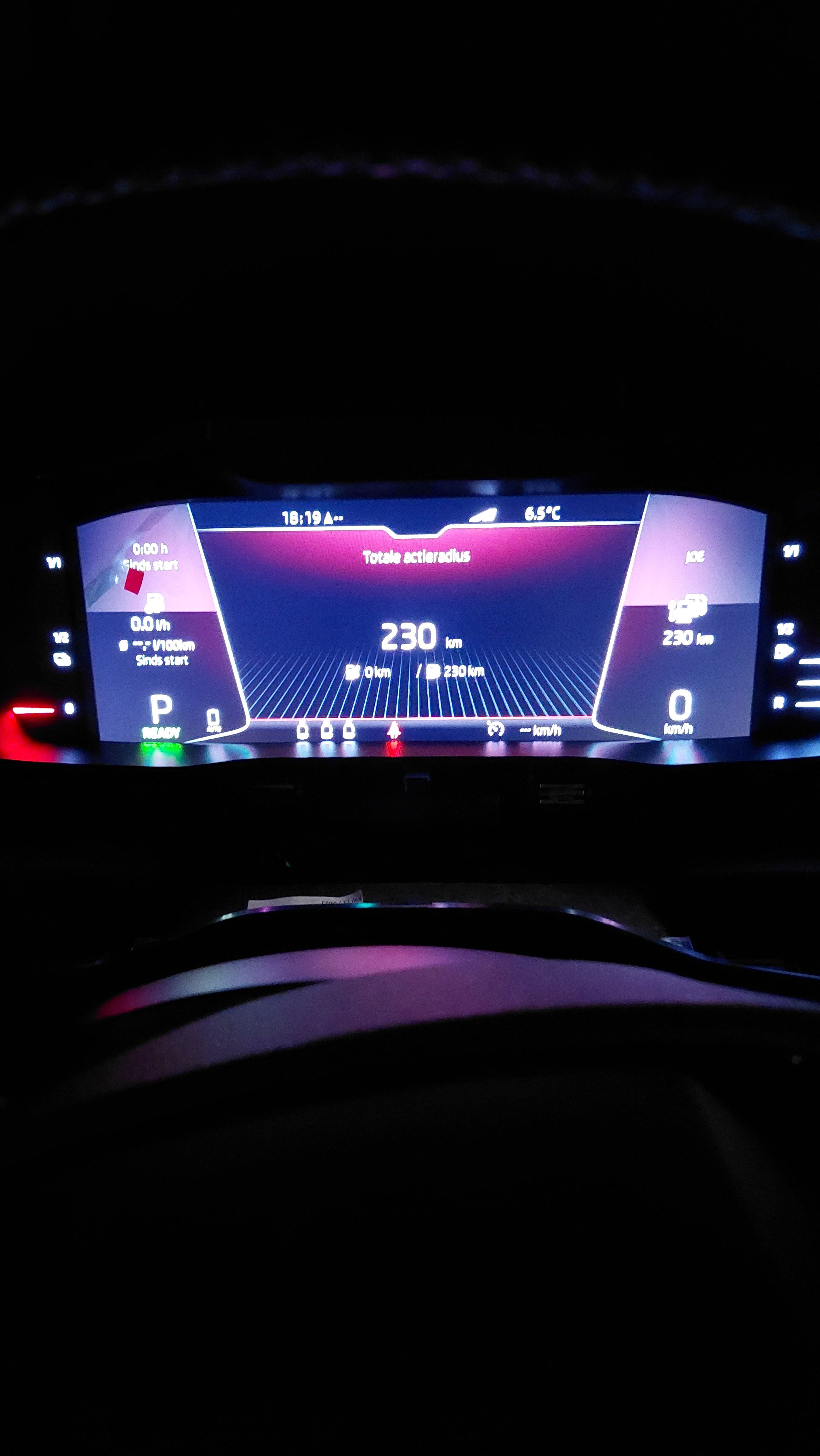
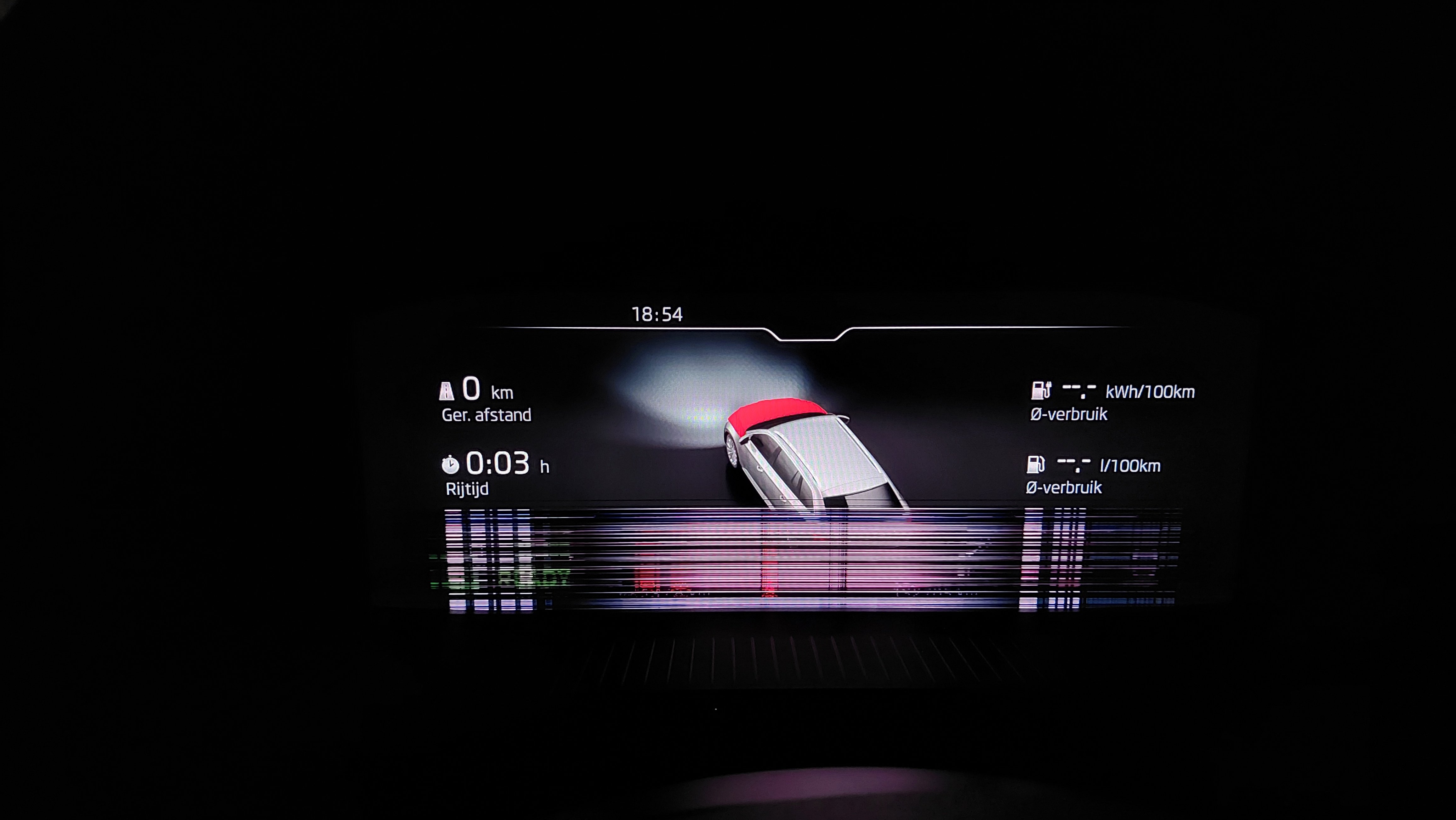
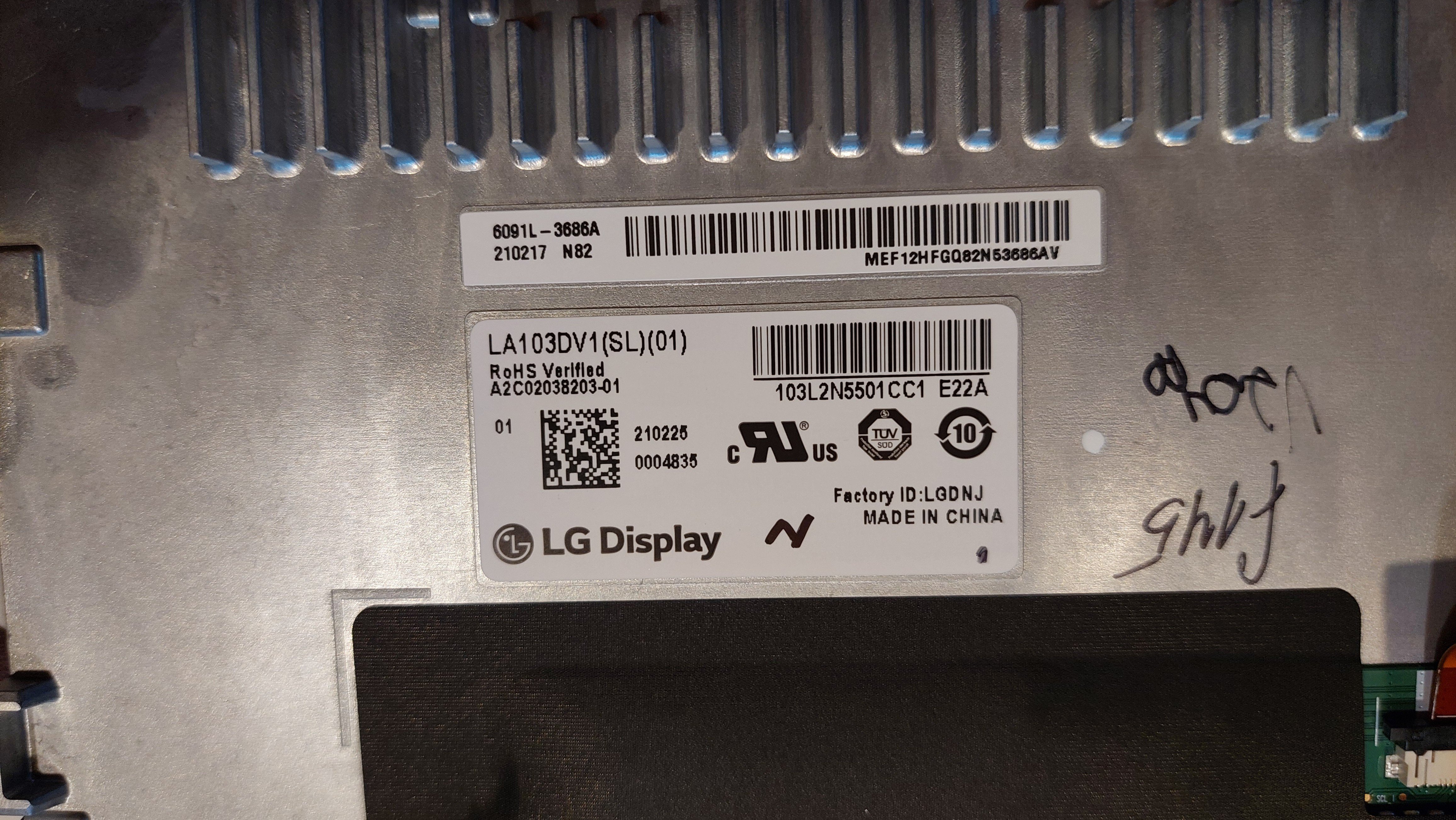
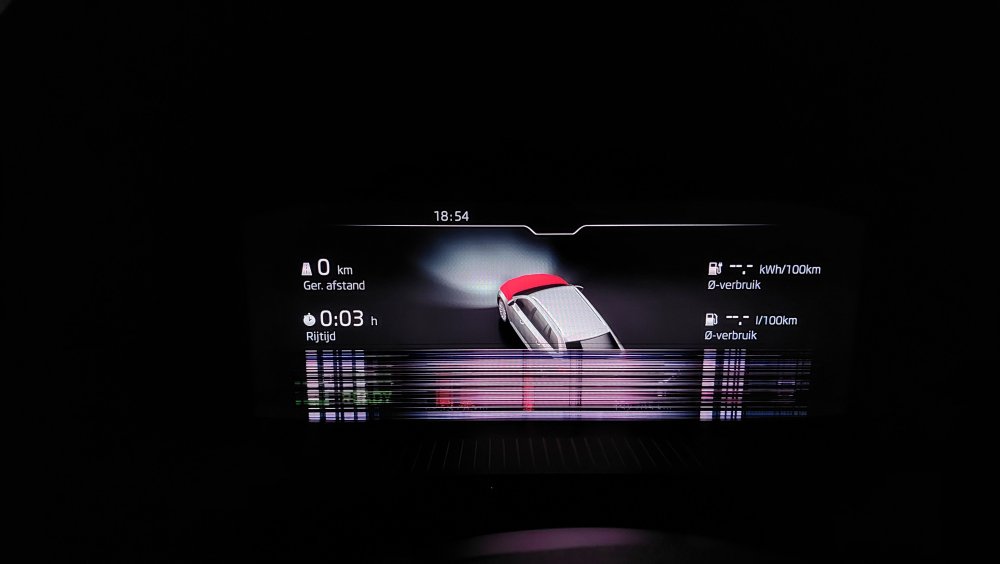
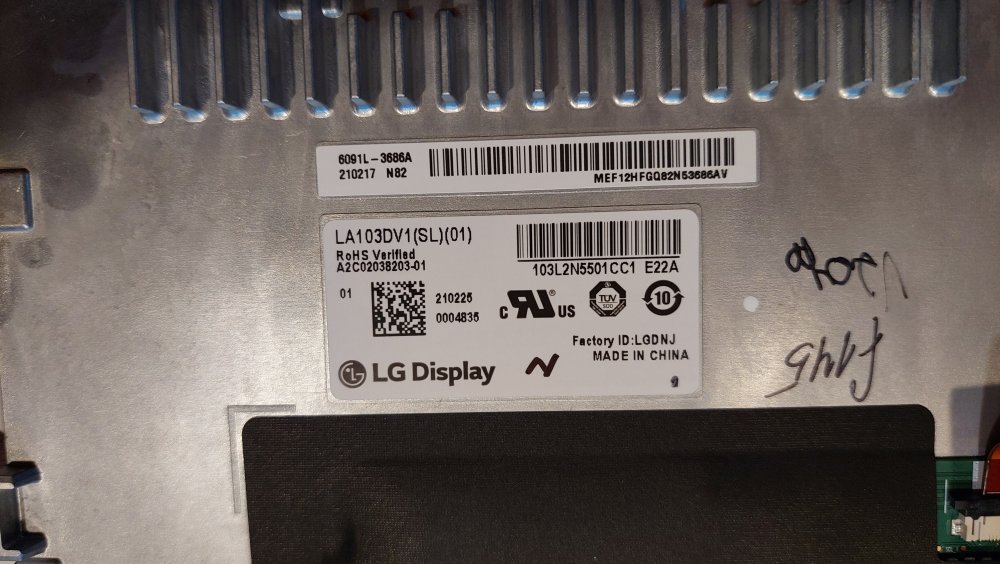
To add to the big internet because I could not find a lot about it; I fixed my virtual cockpit with the help of parts from uncle Ali. I also found out that with an MIB3 there is no MOST cable, as it is running on Ethernet. The display started showing lines: After a few days it was dead. Reason I assume is that the car handler I bought the car from used water, which dripped down in the display. Bought the car with damage and without waranty. The design of the cockpit isn't the best, because all connections of the display are at the bottom of the screen. After it was dead the display also gave a red exclamation mark and a B200041 error. I took the risk of ordering only the display. The part number is LA103DV1(SL)(01). Multiple resellers can be found on Aliexpress. Removing the cockpit is quite easy. The same as an Passat. The cockpit can be removed and opened from the back by removing all the torx screws. Flip it over and take of the front. Now you can disconnect the flat cable and take out the display. Disconnecting the flat cable is done by opening the connector and taking the flat cable out. A fiddly job, multiple examples to be found on YouTube. Then it is the reverse order, connecting the flat cable, mounting the new screen, assemble the cockpit again and put it back. The result is: And the redexclamation mark went away.
-
Hi all, A short introduction; my name is Marc. I've been driving Skoda's the last years and bought a Superb 3 a few weeks ago. I've driven a Fabia station 1,2 TDI, Superb 2 combi 1.4 TSI, Superb 3 business line 1.5 TSI. Currently i drive a Volkswagen Passat GTE of 2015. On the driveway there is also a Superb 3 Sportline iV of 2021 in Stahl grau. I bought it with light damage and I am currently rebuilding it. The damage is the bonnet, the front fender, bumper, headlight and rear fender. Overall the car wasn't treated as I would do. Price was also accordingly :-). I love the VW group hybrid technique. Very useful when you have a mix of local trips and also have longer travels for holiday, also when towing a caravan. Photo's when it is done.