Skip to content

Karoqdriver

Finding my way
  • Joined

  • Last visited

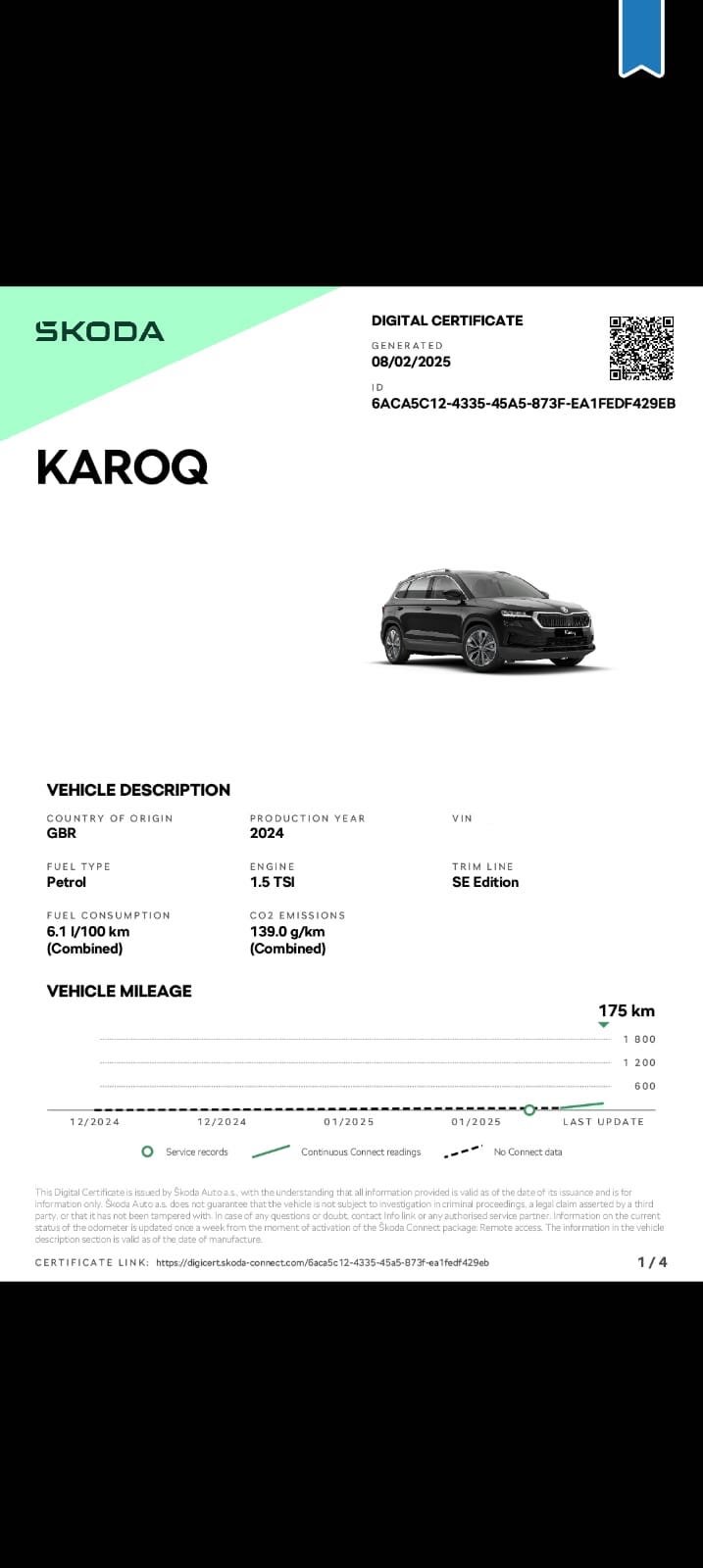
  1. Yes they seem to in the digital certificate apart from it saying without load through hatch but my does have an hatch behind the backrest of the middle seat.
  2. I’ll have look to see if there are any differences, there was some problems last year I was supposed to get it a lot sooner but the salesman at Skoda told me it was something to do with the chip, I don’t know alot about cars, so I feel really out of my depth with it all. Some things add up and some things don’t I’m just hoping the app is a glitch.
  3. This is mine, do you think it might be a glitch on the app as it’s saying SE edition instead of SE L? Everyone else on here seems to definitely think it’s an SE L, so I’m sure it’s just a glitch.
  4. Thank you I’ll have a look at mine on the app.
  5. Ah I see, thanks for your help.
  6. Sounds like we have the same car, which infotainment system do you have? Amundsen or Columbus? I’ve trying to find out which I have because I’m sure I heard the SE L has the Columbus, I measured it corner to corner thinking i could determine what car I have, but it’s not measuring up the right size for a Columbus unless I’m measuring it wrong 😂 thanks.
  7. Thank you I’ll take a look.
  8. This must be the reason for the boot then. Thanks for confirming this for me.
  9. Thanks I’ll check that.
  10. Ok thanks I’ll give that a try if it works would that determine if it’s a SE L?
  11. Oh ok I read it in the book that came with the car with instructions on how to use the virtual pedal maybe it’s an option then.
  12. With only collecting yesterday I’m not sure about the adaptive cruise control, how do I check for this please? The wheels are measuring at 18” it was built in 2024 and registered in 2025.

Important Information

Welcome to BRISKODA. Please note the following important links Terms of Use. We have a comprehensive Privacy Policy. We have placed cookies on your device to help make this website better. You can adjust your cookie settings, otherwise we'll assume you're okay to continue.

Account

Navigation

Configure browser push notifications

Chrome (Android)
  1. Tap the lock icon next to the address bar.
  2. Tap Permissions → Notifications.
  3. Adjust your preference.
Chrome (Desktop)
  1. Click the padlock icon in the address bar.
  2. Select Site settings.
  3. Find Notifications and adjust your preference.