



Skip to content

CreweAlex

New here
  • Joined

  • Last visited

Everything posted by CreweAlex

  1. I bought the same variant that I think came from a vw up, and it is working great. I spoke to the dealer and they were happy to install and update the software on a used part. I think I paid about £250 for the part and £300 for the fitting - saved me about £1200!
  2. I'm trying to find a replacement reflector for my first edition estate and can't find it available anywhere. The part is marked 507.945.105 which doesn't match to anything that is available. Anyone had any issues with finding one?
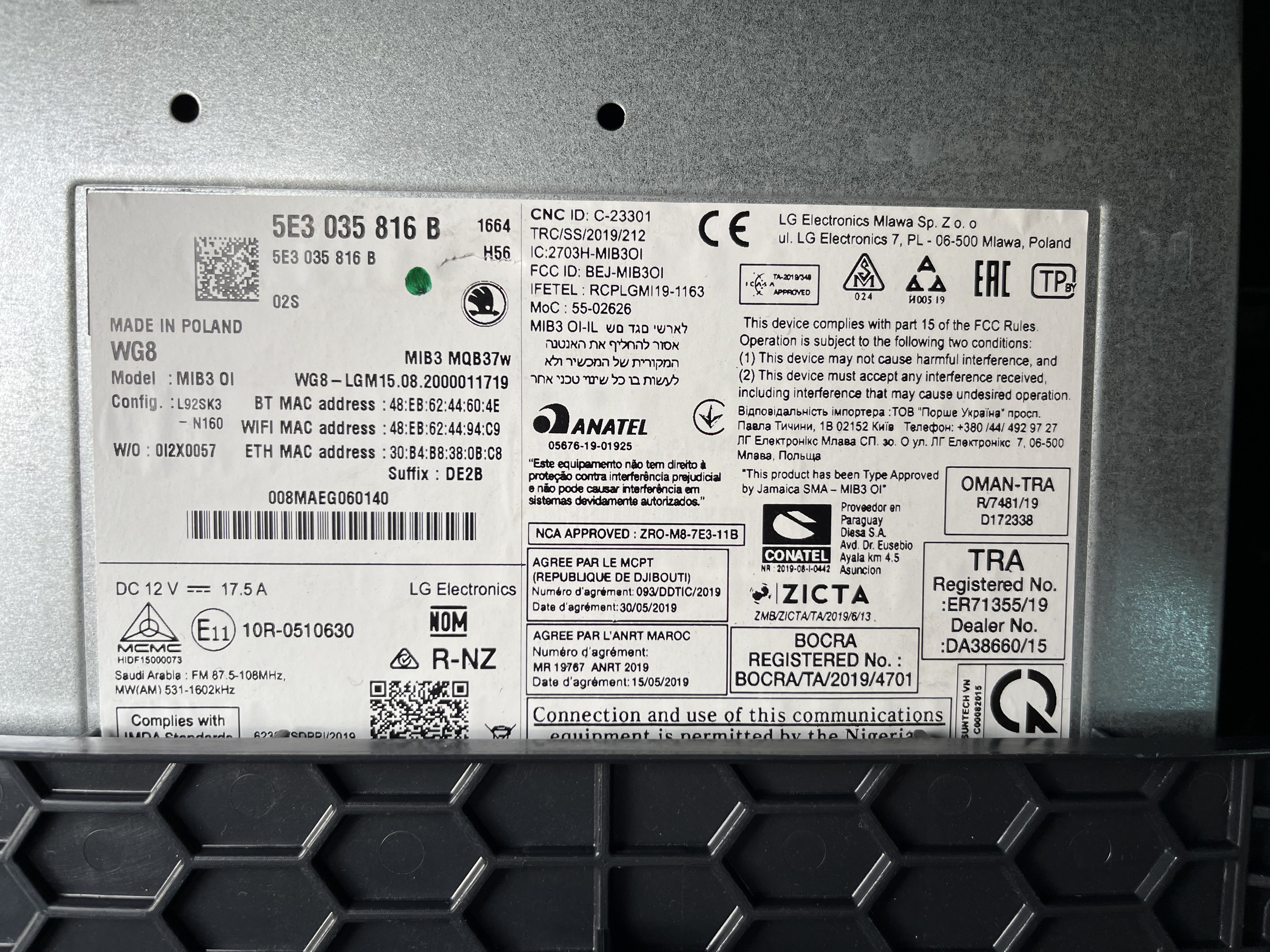
  3. I've been told I need to replace my mib3 module in my Octavia. The image here is my current one, do I need to go like for like replacement or is there a better option for me? Thanks
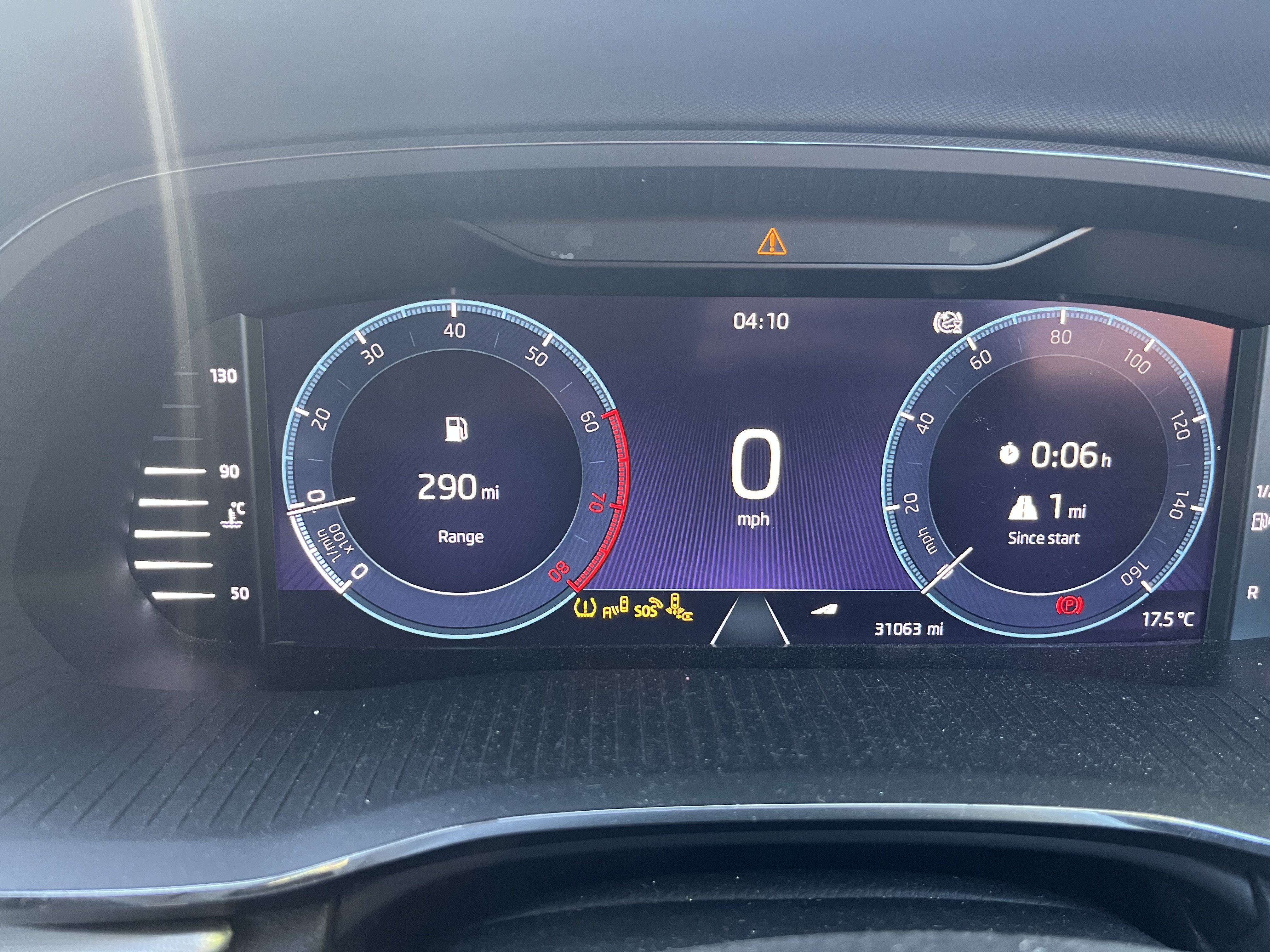
  4. There's too many warning lights so the rightmost one is on a loop!!
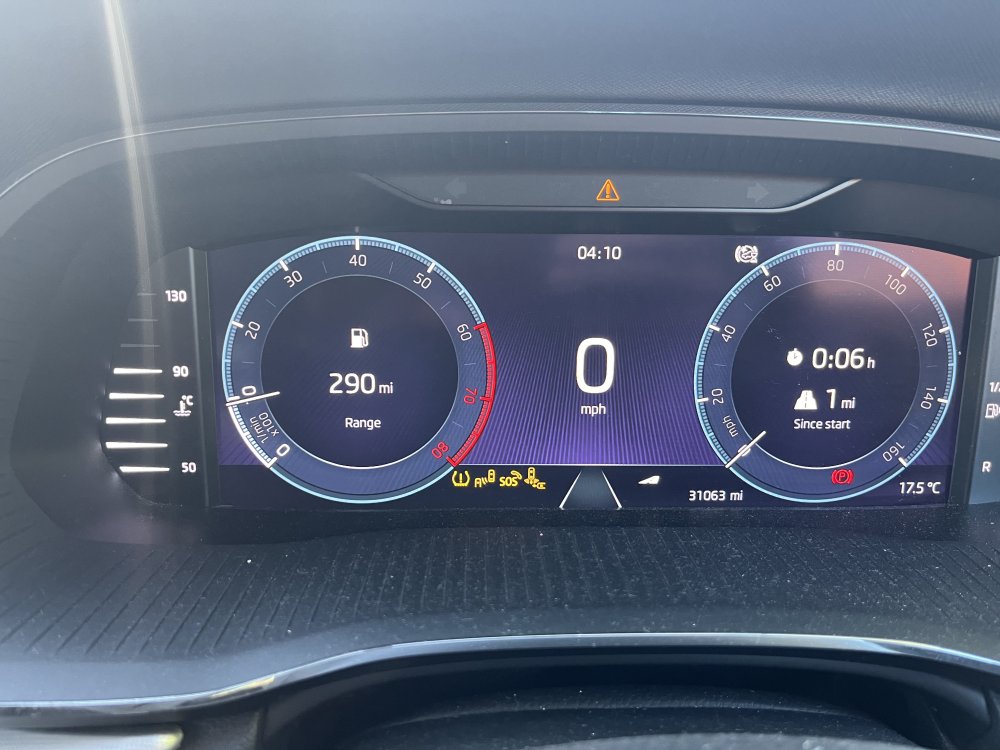
  5. I've just got my 2020 Octavia estate back from the dealership. The whole infotainment screen is dead and every drive assist function (parking sensors, lane assist, park assist etc) warning light is lit and not working. They told me I need a new 5E3035816B, costing £1800. I've seen others having infotainment problems, but not seen any to this extent. Anyone have any experience of this, and any advice? Is this likely to be the issue, and can I pick up a second hand part and fit it? Or are they coded to the vehicle? I'd really rather not spend the £1800 if possible, especially if I'm not even a little bit confident that it might work Thanks
Important Information

Welcome to BRISKODA. Please note the following important links Terms of Use. We have a comprehensive Privacy Policy. We have placed cookies on your device to help make this website better. You can adjust your cookie settings, otherwise we'll assume you're okay to continue.

Account

Navigation

Configure browser push notifications

Chrome (Android)
  1. Tap the lock icon next to the address bar.
  2. Tap Permissions → Notifications.
  3. Adjust your preference.
Chrome (Desktop)
  1. Click the padlock icon in the address bar.
  2. Select Site settings.
  3. Find Notifications and adjust your preference.