Skip to content

jirka1212

Finding my way
  • Joined

  • Last visited

  1. I did the codes according to the video, but the relation of swap function won't let me complete the operation https://m.youtube.com/watch?v=fvZPQg2oMpU&pp=0gcJCdgAo7VqN5tD
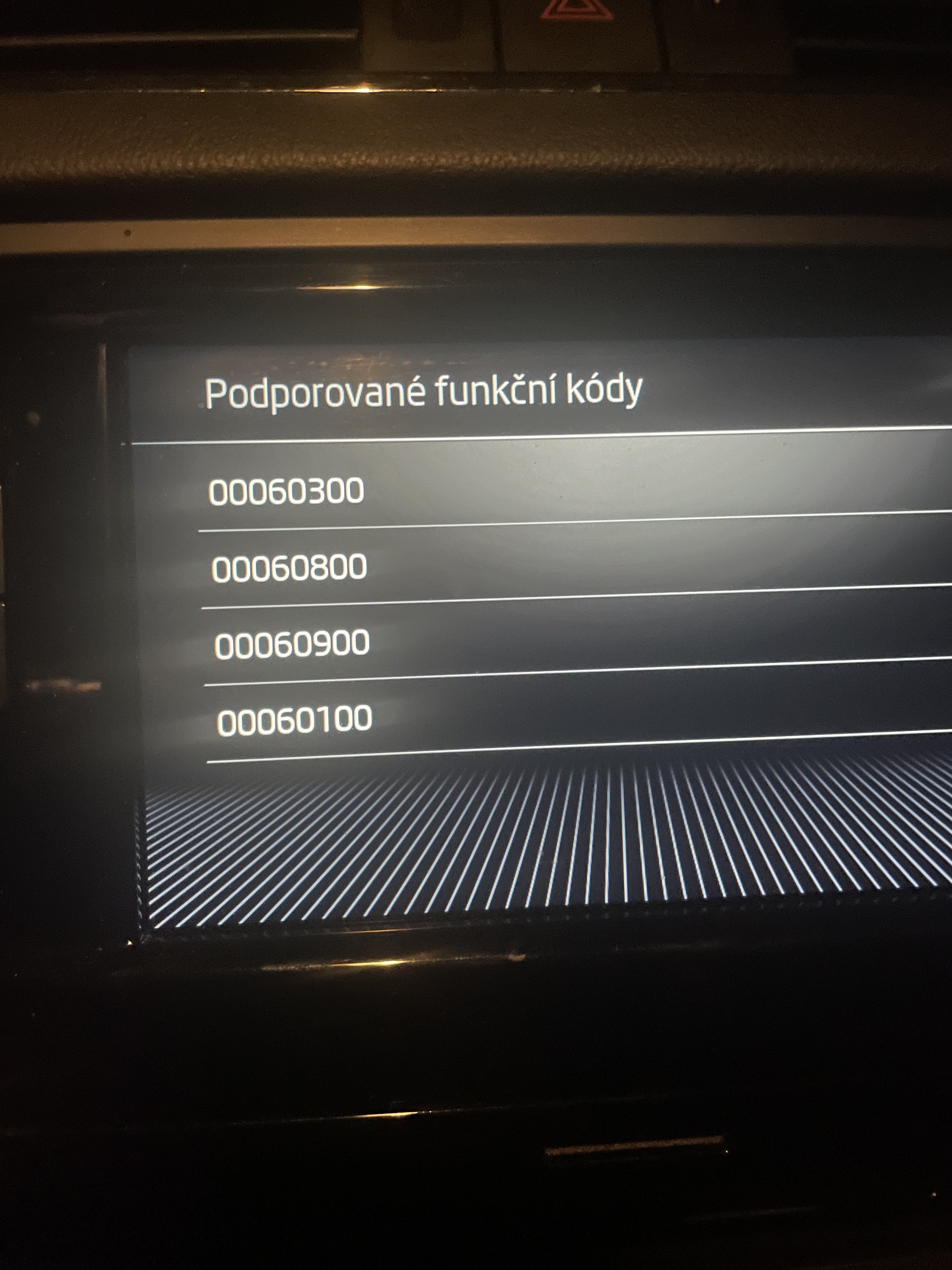
  2. Vin: TMBJG7NE3L0152565 I dont have VCRN, becouse i dont have instaled codes… i háve only suppored codes
  3. Supported codes From the video it says, enter your code. what is my code? apple car play code?
  4. So it doesn't look very good, but I saw somewhere that they do it for these radios. What supported codes do I need to have? I have the codes for carplay and android auto. cod 00060800 and 00060900
  5. I have some codes, but I don't know exactly which ones I need. I'll try this. And if it doesn't work, do you know where to get the toolbox? This is my first time doing something like this, so I don't really know.
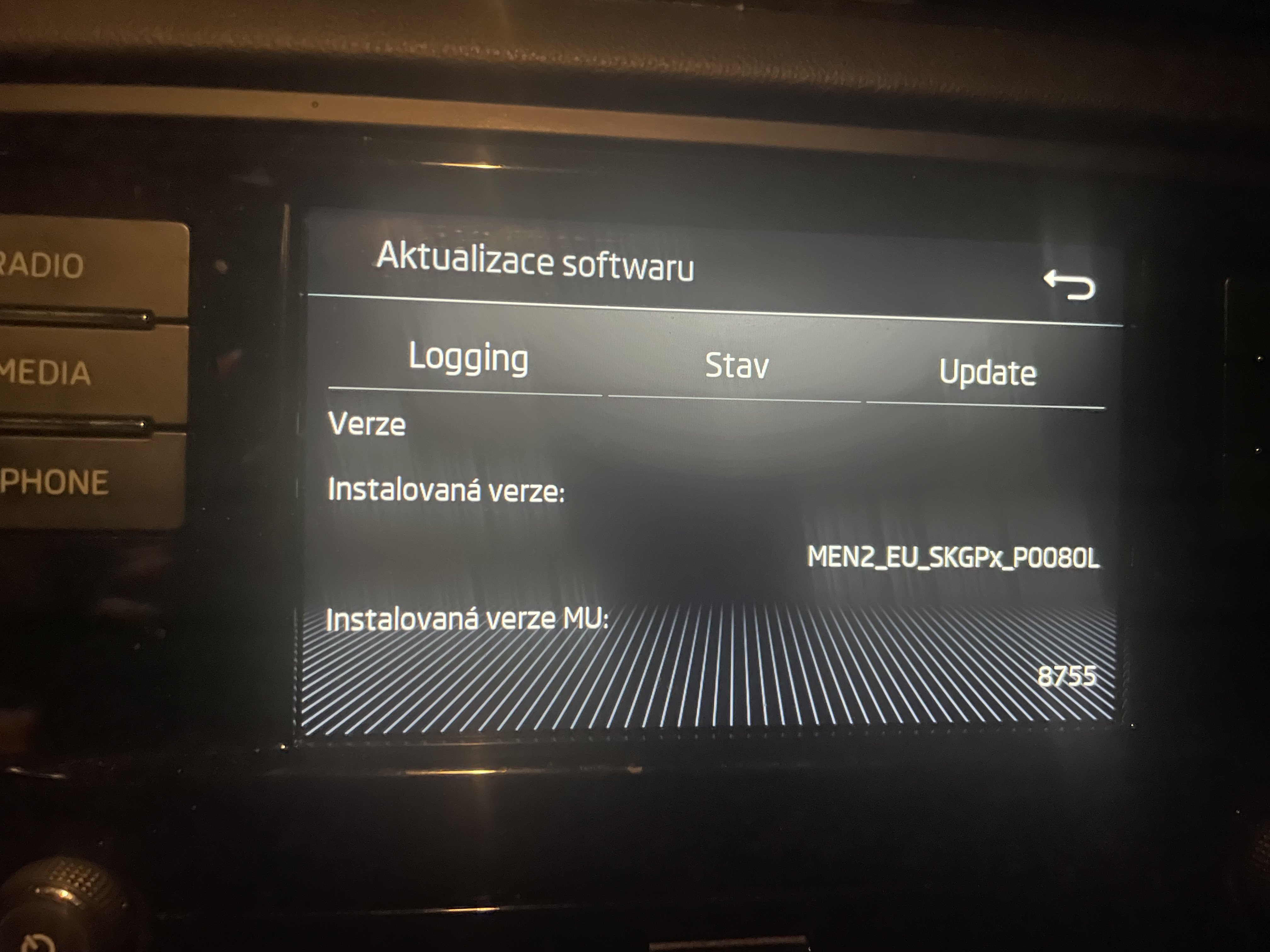
  6. Hello, I updated the software on 8755, but it was not and carplay, does anyone have software that allows carplay?
  7. Hello, I updated the software on 8755, but it was not and carplay, does anyone have software that allows carlplay?
  8. hello, I updated the software on 8755, but it was not and carplay, does anyone have software that allows carlplay?

Important Information

Welcome to BRISKODA. Please note the following important links Terms of Use. We have a comprehensive Privacy Policy. We have placed cookies on your device to help make this website better. You can adjust your cookie settings, otherwise we'll assume you're okay to continue.

Account

Navigation

Configure browser push notifications

Chrome (Android)
  1. Tap the lock icon next to the address bar.
  2. Tap Permissions → Notifications.
  3. Adjust your preference.
Chrome (Desktop)
  1. Click the padlock icon in the address bar.
  2. Select Site settings.
  3. Find Notifications and adjust your preference.