Yetisti
Finding my way
-
Joined
-
Last visited
Everything posted by Yetisti
-
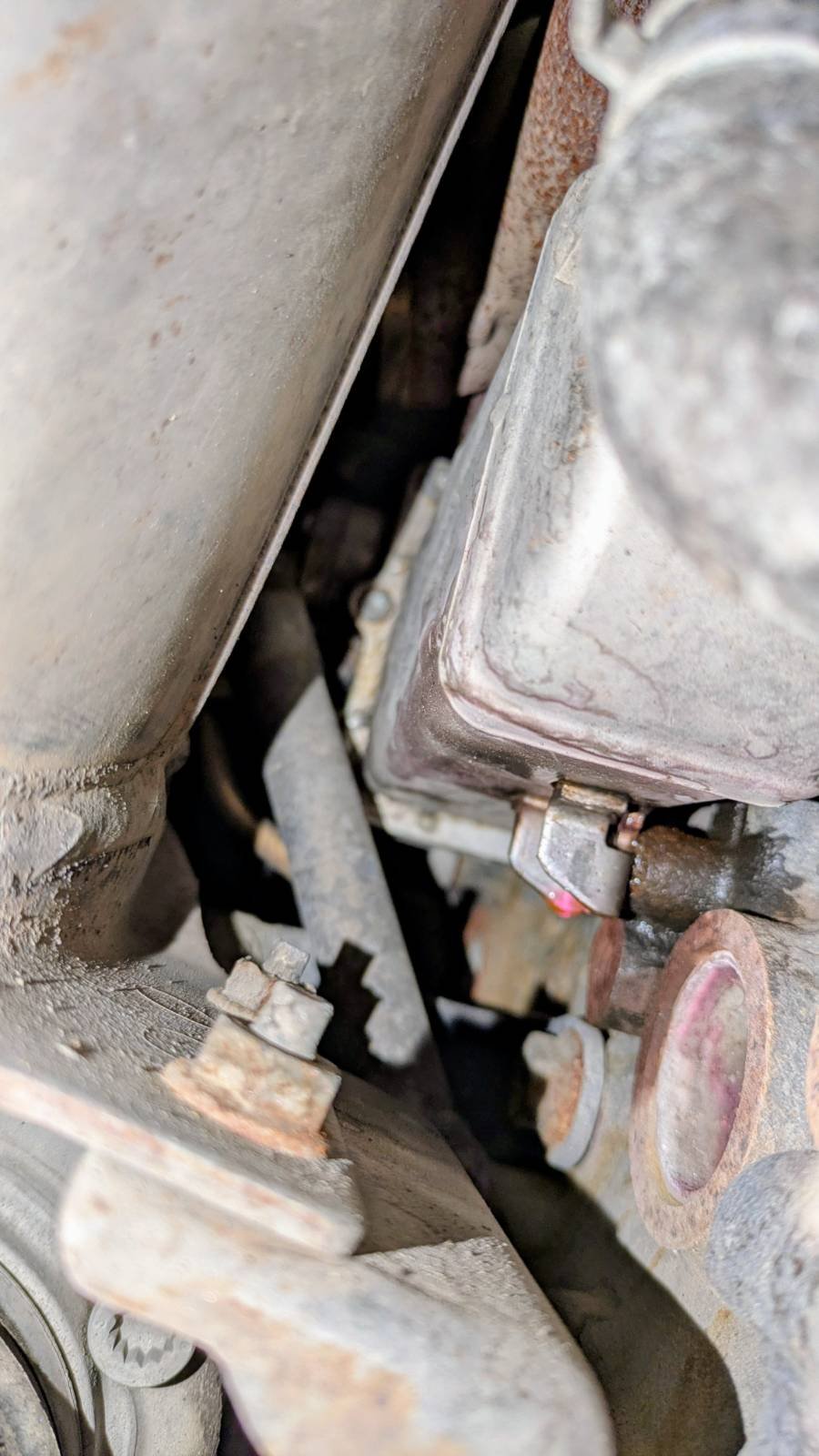
Hi, I have a 2010 Skoda Yeti 2.0 TDI 140 hp 4x4 with 380,000 km. Recently I noticed that the coolant level is slowly dropping. When I inspected the engine, I found coolant drops near the lower mounting screw of the EGR cooler (see photo). It looks like the cooler might be leaking, but could it possibly be something else? The complete EGR valve assembly was replaced about 100,000 km / 9 years ago. The valve itself seems to be working reasonably well because I currently don't have any fault codes. In the summer I sometimes get occasional issues (slight hesitation during acceleration), but the symptoms seem to improve after using turbo cleaner (although I wonder if that might also cause corrosion). Since the valve was already replaced once and the car has quite high mileage, I would prefer not to replace the entire EGR unit again if possible. I was wondering whether it would be possible to replace only the EGR cooler without removing the entire EGR valve assembly. Removing the whole valve looks like a lot of work, especially on the 4x4. My idea was roughly the following: remove one driveshaft for access disconnect the coolant pipe remove the 6 Torx bolts that join the cooler to the valve remove the two mounting bolts holding the cooler From what I can see, most of the six Torx bolts appear to be accessible, although one is close to an oil pipe and another seems to be partly hidden behind the cooler. In the video below the valve and cooler are separated, but in that case the valve has already been removed and is loose, which is not exactly what I am trying to do. My main questions are: Is it actually possible to reach and remove all six Torx bolts while the valve is still installed? After removing the bolts, is there enough space to get the cooler out this way? Has anyone done this on a Yeti 4x4? Thanks!
-
Cleaning MAF is easy. Just remove air filter, cable, one clamp and one other hose.
-
It seems that the MAF sensor was the root cause. I cleaned it with CRC MAF cleaner and I don't feel this jerking anymore. It is dry and warm weather, so remains to be seen if it works other conditions as well.
-
I did test drive with unplugged MAF sensor. Jerking seems to go away, but I'm not sure if the engine is operating correctly in this mode. Hopefully, it is something MAF sensor related. It could be wiring issue as well, since cables are done from spaghetti.
-
I changed haldex oil and filter. I also looked the pump and there was some dirt, but not too much. It didn't change hesitation / jerking issue. Problem occurs around 1500-2000rpm and light acceleration/load. The car sounds a bit like steam locomotive when this happens.
-
I noticed that it has been some time once Haldex has been serviced (more than 5 years). Is it possible to test if it is the root cause by removing fuse or something?
-
Hi all, I’m having an issue with my 2010 Skoda Yeti 2.0 TDI 4x4 (engine code DFHC, manual gearbox). The car has a noticeable jerking or hesitation when accelerating slowly, especially in the lower gears and when going lightly uphill. The problem does not occur when accelerating hard (full throttle), so it seems related to partial load conditions. Here are some details: The jerking is most noticeable in moist or rainy weather. Idle is smooth, and there are no fault codes currently stored. I have occasionally seen P040300 – Exhaust Gas Recirculation Circuit, Intermittent, but it disappears after using EGR cleaner. I replaced the EGR valve about 5 years ago. I'm wondering if this could still be an EGR issue, or perhaps something related to the turbo, injectors, or even the Haldex system? The engine feels otherwise healthy, and fuel economy hasn’t changed significantly. Has anyone experienced something similar, or does anyone have ideas where I should start investigating? Any suggestions or guidance would be greatly appreciated! Thanks in advance!