Eezyrider
New here
-
Joined
-
Last visited
-
Thanks. I've checked the glove box and there aren't any SD Card slots. Someone I spoke to at a garage says that this model doesn't come with Sat Nav apparently.
-
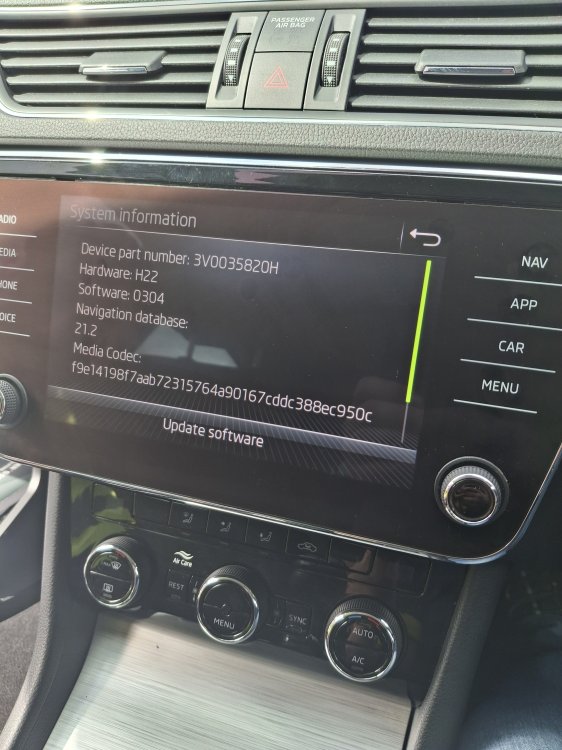
I believe it's an MIB3. When checking for updates non are available. Thanks
-
That's what I thought - I had a car about 10 years ago that would give a similar error if the SD card was removed. I have checked and there's no SD card slot - and in my current car there is no SD card either and the sat nav works fine. You would have thought that in a 3 year old car if it has a Sat Nav button then there must be Sat Nav.
-
I was hoping to be enable the Sat Nav that appears to be on the car anyway. Thanks Though.
-
I have seen a Skoda Superb I'd like to buy but the car was not bought with Sat Nav. The car does have the Nav button on the control panel and when this is pressed it displays Function Not Available. Is this something that can be easily enabled/ installed? Details - Skoda Superb Estate, SE TSI 1.5 Petrol. Thanks