




beskid
New here
-
Joined
-
Last visited
-
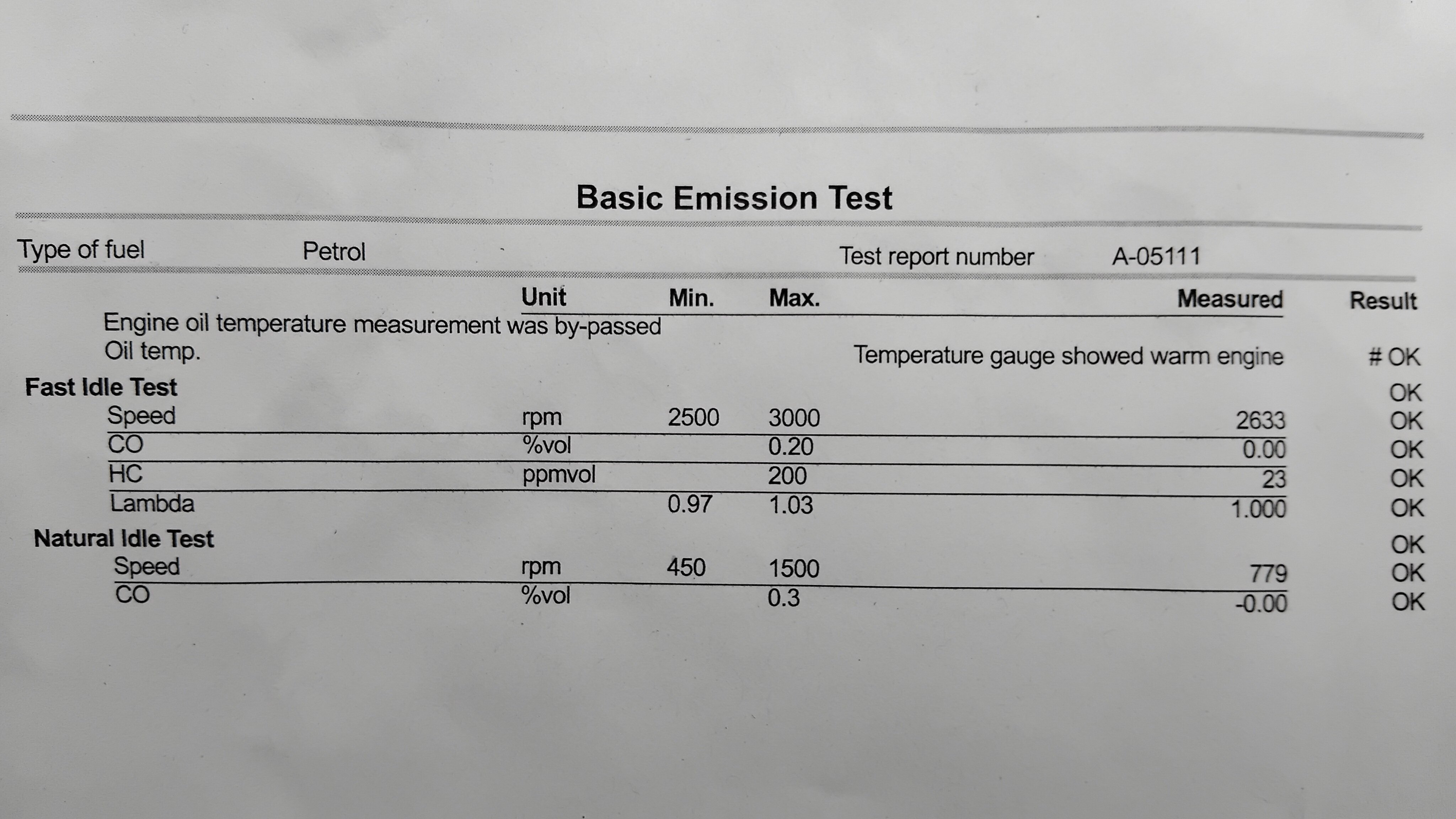
Hi there, Although no obvious corncerns have been identified I did as follows: Upon inspection the PVC valve located on top of engine allowed some air to pass in both directions(when blowed into the hose) £14 new valve Engine oil level was approx 0.5l above top of dipstick max notch, (believe oil could splash by contact with piston causing higher hc emissions ) 1 l of oil has been drained to be on safe side, now dipstick shows half level Some cataclean added to 1/4 tank Precat oxygen sensor replaced to be on safe side, £25 for non original As the car doesnt come with engine temp gauge I wasnt sure the tester performed the test on warm engine...prior to retest I drove the car for few miles on low gears to ensure everything is warm As a result the emissions have passed with perfect results as shown, hope that helps anyone in same situation
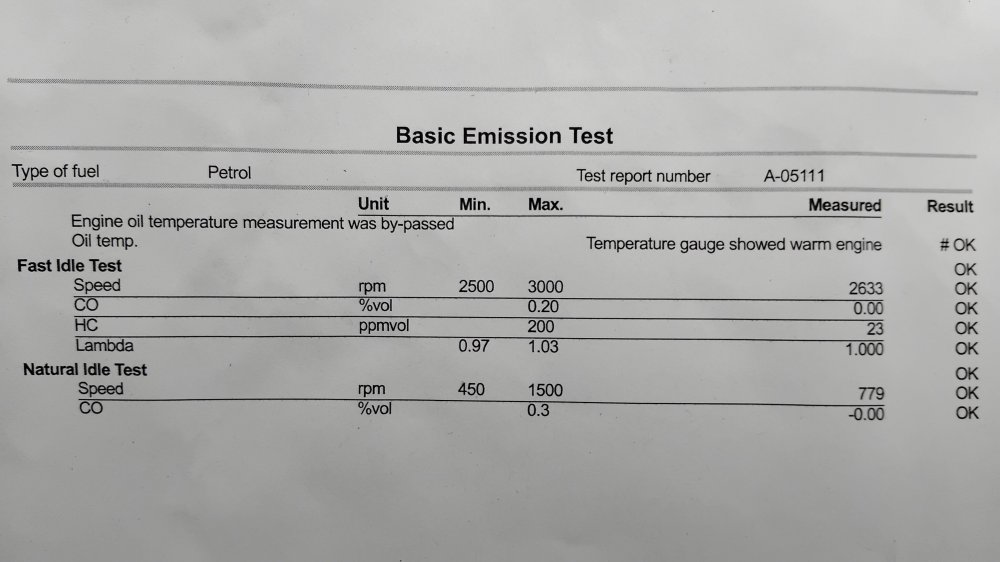
-
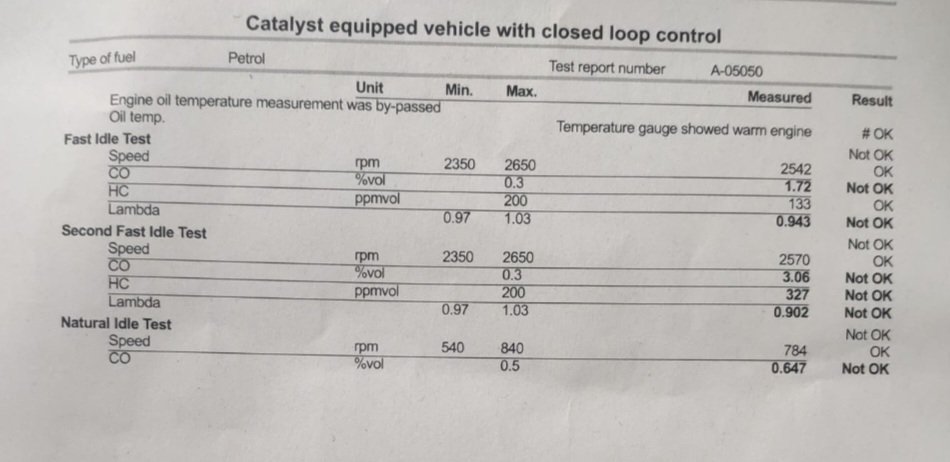
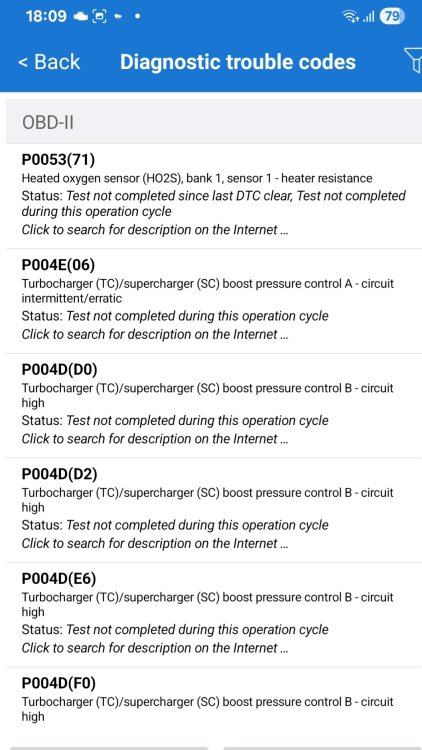
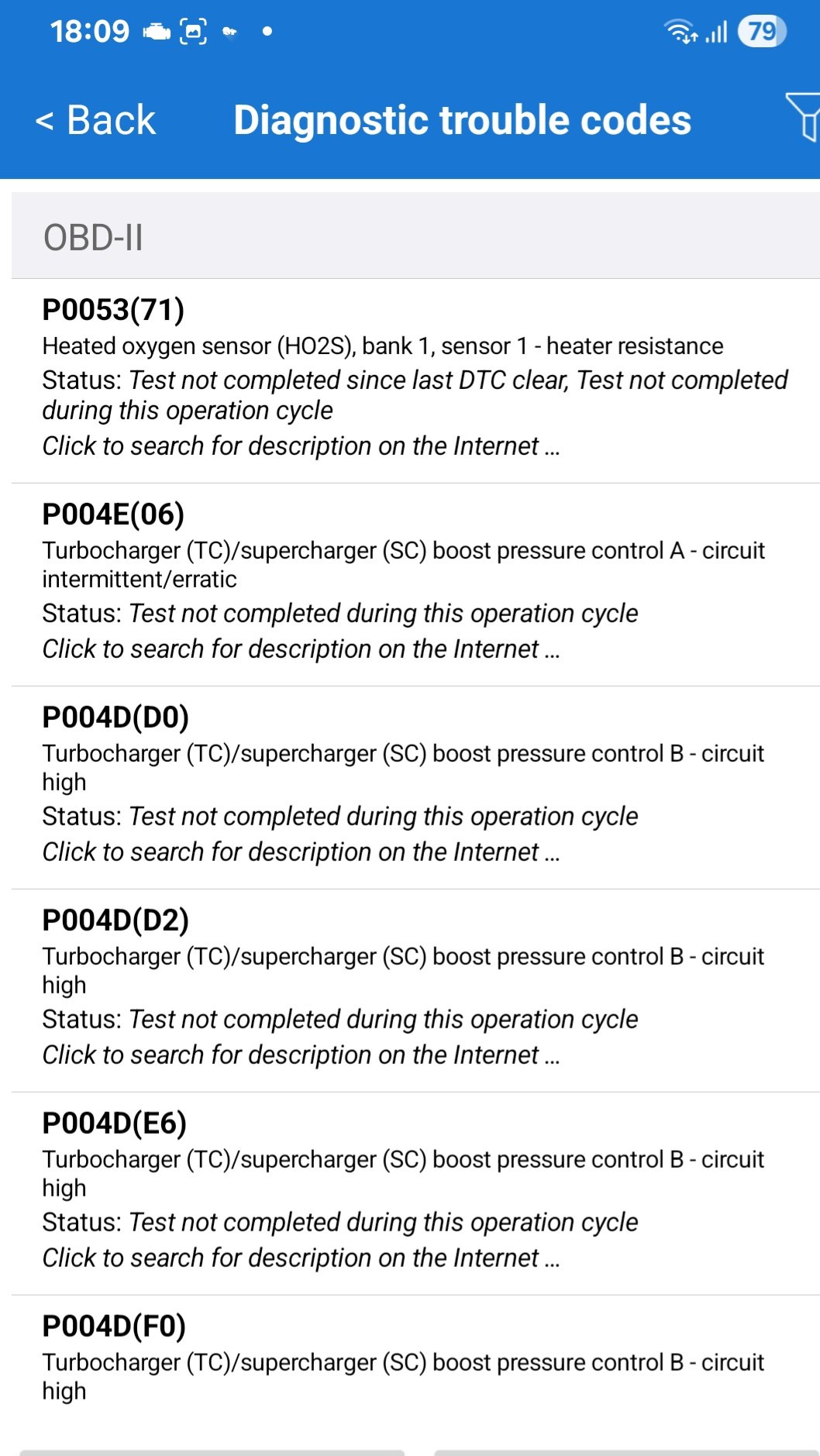
Hi, attached the emissions report and screen grab from car scanner app, based on the code P0053 I have ordered precat lambda. No idea why the P004 pops up as the car is not fitted with turbo. (60ps model...). Vvt actuator seems to be working and not seized. As precaution I checked pvc, map and inspected throttle body and all these seem ok. Will advise once new lambda fited later in the week
-
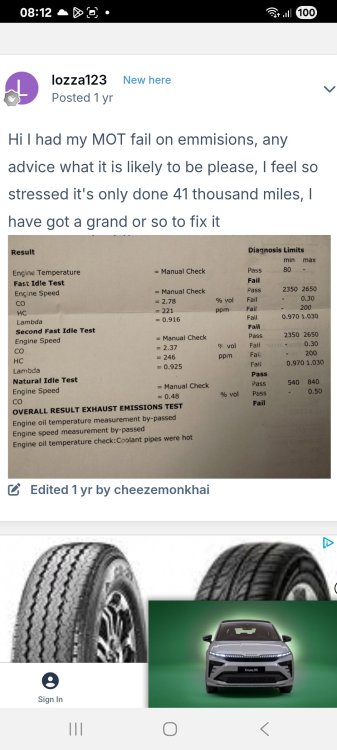
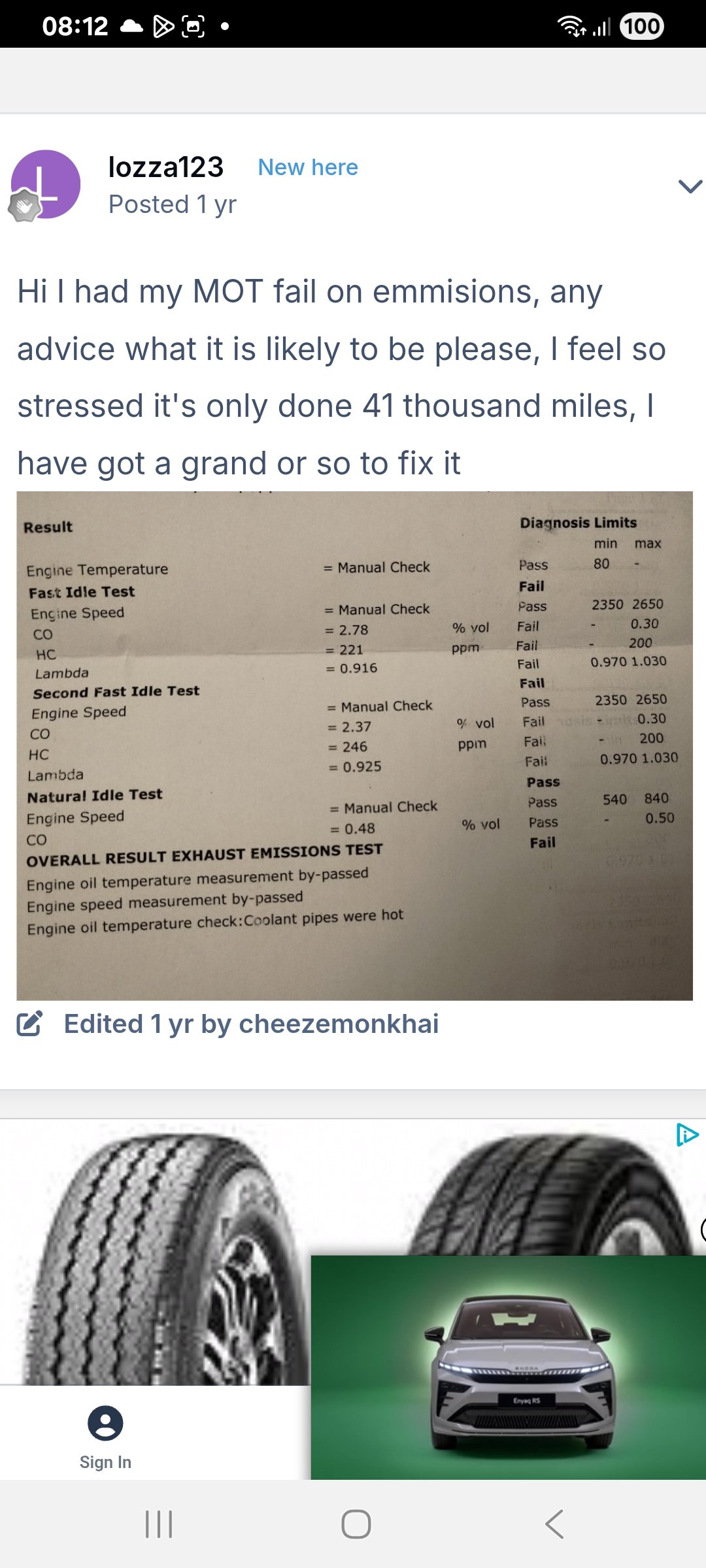
Hi there, similar emissions as in original post caused mot failure. Plugs, filters 1 year old, 40k miles citigo 2015. Drives, starts like new, no faults logged, no warning lamps on the dash, no smoke from exhaust, no holes in the exhaust system.... I see there was no resolution posted. Appreciate throwing ideas what could be causing the high results on emissions


Important Information
Welcome to BRISKODA. Please note the following important links Terms of Use. We have a comprehensive Privacy Policy. We have placed cookies on your device to help make this website better. You can adjust your cookie settings, otherwise we'll assume you're okay to continue.