




Tapsa30
New here
-
Joined
-
Last visited
Everything posted by Tapsa30
-
So I was able to update succesfully 069->741+742. My phone still fails to connect to android auto. I read in the thread that the problem is only fixed in update 1800. But if the last official fw for my hardware is 742, would updating more be a risk? What are my options if I want to get android auto to work? Buy a new car? Or would an AAwireless adaptor work if the phone doesn't connect to the car even with a wire?
-
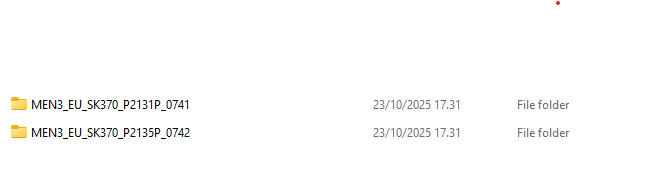
Ahh, you mean these versions? I will test later.
-
What would be the correct update? I thought what I had is the correct as it was recommended by mib-helper. Currently what my MIB has is: SW Train MEN3_EU_SK370_P0113P MU SW 0469
-
Hello, I have a Scala 2020 and my android auto (wired) is not working after getting a new phone (oneplus nord 5). I read that it may be because my bolero system fw is old. I checked with mib-helper. My version is Firmware version: P0113P According to MiB helper Latest official firmware update is: MEN3_EU_SK370_P1185L I have the files for P1185L on a FAT32 usb stick. When i try to do the update nothing happens. The car finds the files on the usb but when i press on it nothing just happens (see video). Can anybody help? What am i doing wrong? WhatsApp Video 2025-10-12 at 16.12.02_047041a7.mp4