




AviWrx
Finding my way
-
Joined
-
Last visited
Everything posted by AviWrx
-
-
-
-
😊
-
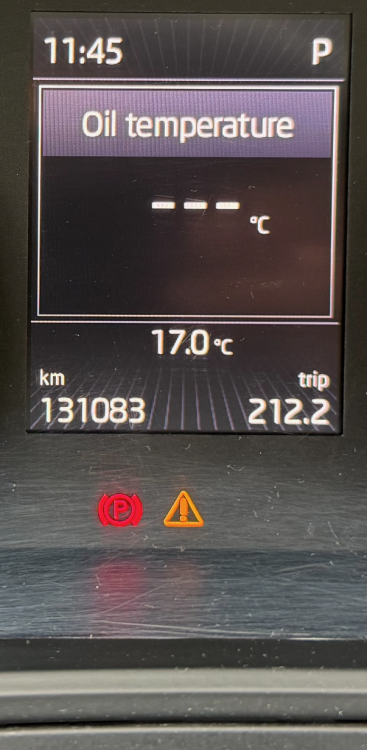
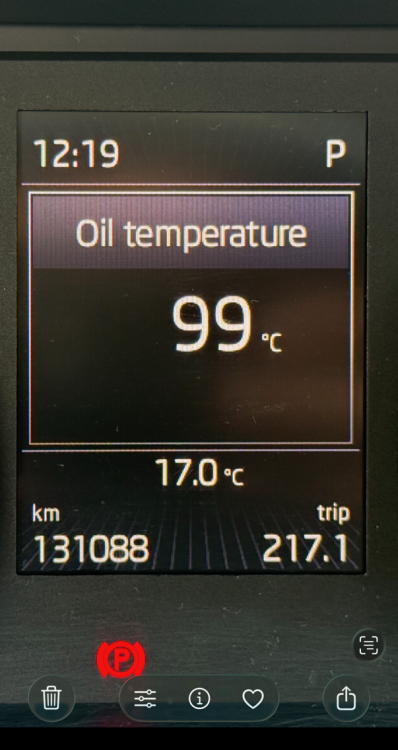
Hi everyone, I'm struggling with a persistent but intermittent issue on my 2018 Skoda Superb (1.8 TSI). I would appreciate some expert insight before I spend more money on unnecessary parts. The Symptom: Randomly, I get the orange "Oil Sensor: Service Vehicle" warning with a beep. What I've observed (The "Smoking Gun"): I’ve been monitoring the Oil Temperature on the Maxi-Dot display. When everything is fine: Oil temperature reads normally (between 96° and 104°). When the warning pops up: The oil temperature immediately disappears and shows three dashes (---). After a while (sometimes minutes, sometimes days), the warning disappears and the temperature reading returns. What has been checked/done: Sensor: The oil level/temp sensor has been replaced twice with a Genuine OEM sensor. Oil Level: Manually checked via dipstick, it is at the MAX line. Hood Latch Sensor: Confirmed working (I get the "Hood Open" notification on the dashboard). Since the oil temperature vanishes exactly when the error occurs, I suspect a wiring harness issue or a loose pin in the connector rather than a faulty sensor. Has anyone encountered this specific behavior? Are there known "rub points" in the wiring loom for the 1.8 TSI engine that could cause such an intermittent communication drop? I am attaching two photos: one showing the normal temp reading and one showing the "---" with the warning light. Thanks in advance!
-
Hahaha no. I just loved this car.
-
I a new user in the forum Owner of 2018 Skoda Superb 1.8 Mk3


