declan0872
New here
-
Joined
-
Last visited
Everything posted by declan0872
-
-
-
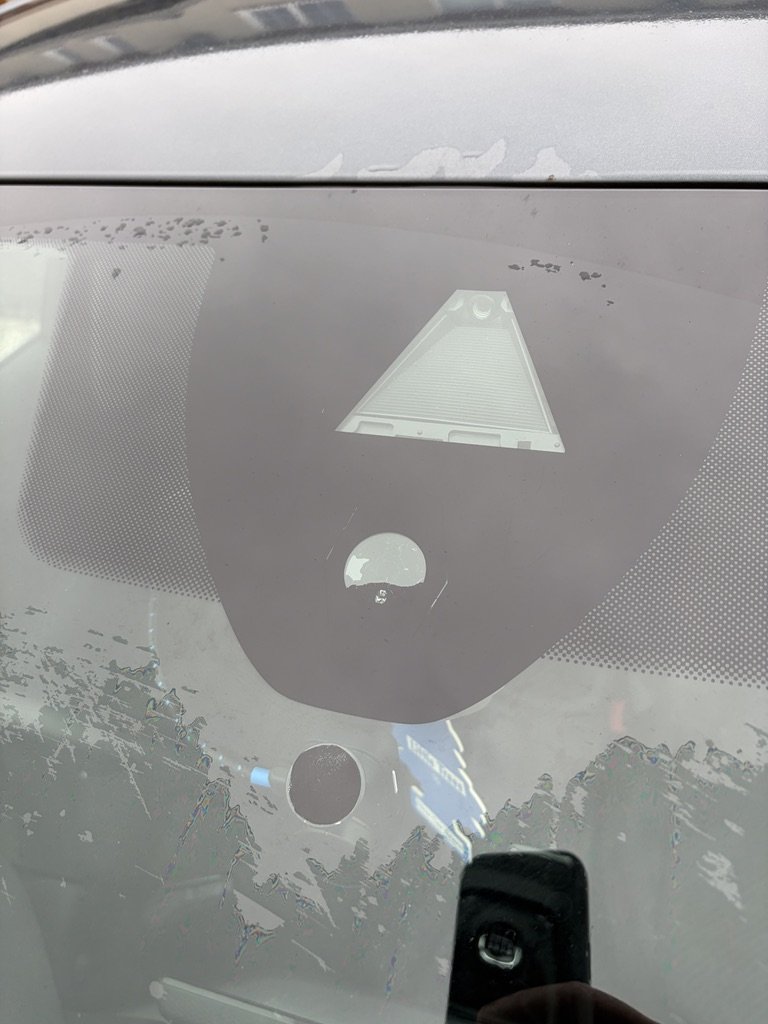
Hello everyone, I have a 2021 Škoda Octavia (Mk4) and I am experiencing an issue with the automatic windscreen wipers. When the wipers are set to automatic mode with the sensitivity at its highest setting, they do not activate when it begins to rain, regardless of whether the rainfall is light or heavy. As a result, when it starts to rain lightly, I have to manually switch the wipers to the “on” position, which is too fast for the level of rain. In addition, manually activating the front wipers also causes the rear wiper to operate too frequently. After one or two wipes, the rear wiper begins to drag across the rear window, which is not ideal. I have attempted to diagnose the issue by pouring water from a bottle onto the rain sensor at the front windscreen. In this scenario, the wipers do activate automatically and clear the water as expected. I am aware that the front windscreen was replaced before I purchased the car, so I am wondering whether the rain sensor may have been damaged or incorrectly fitted during that replacement. Are there any other tests or checks I can perform to better understand what might be causing this issue? Thank you in advance for any advice.