
FalconEye
Finding my way
-
Joined
-
Last visited
Everything posted by FalconEye
-
Skoda Octavia 2019 MK 3.5
-
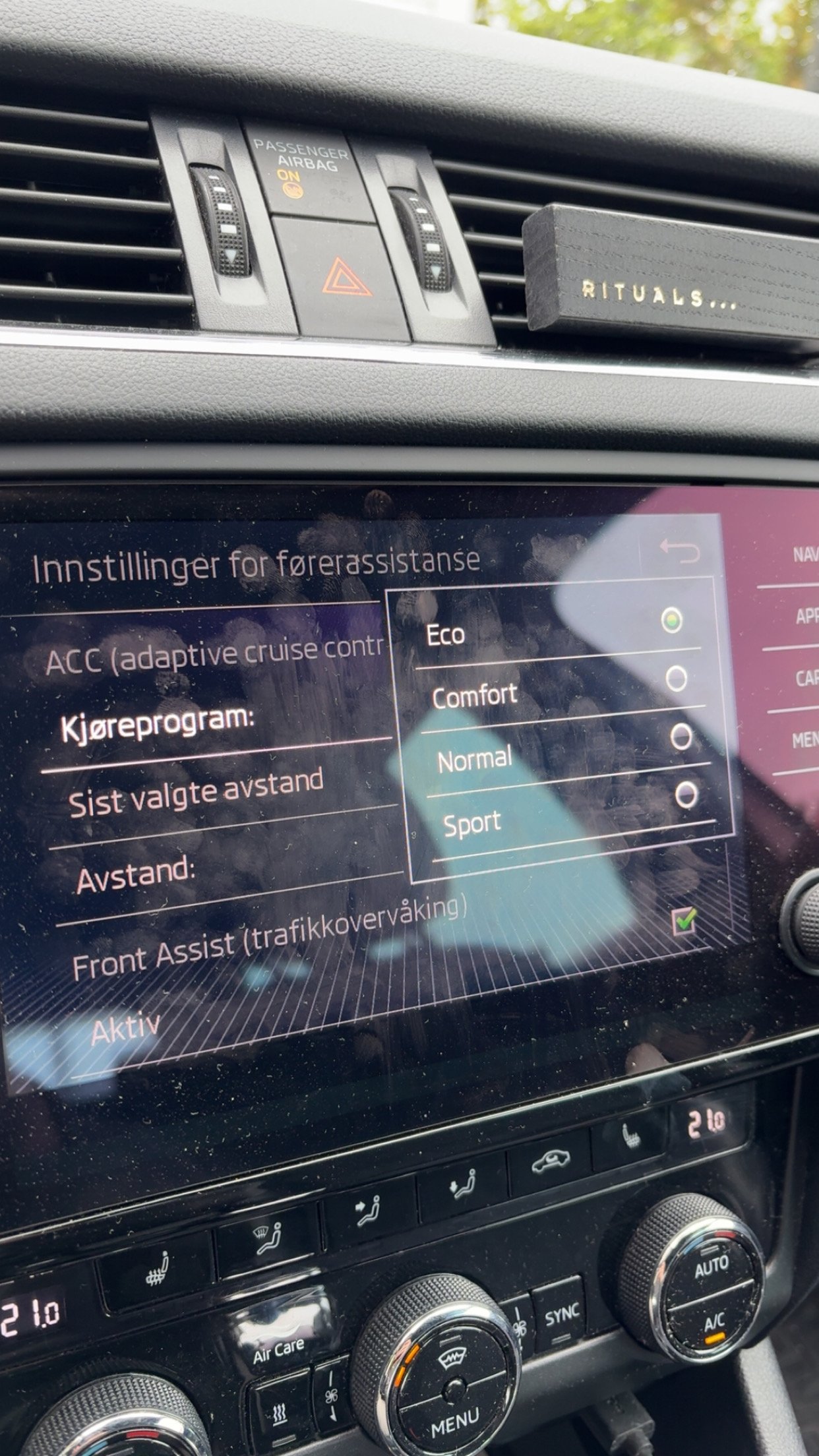
No, it turn out what I thought was drive mode selection was the different modes of the adaptive cruise control.
-
Could you send me a private message? I can’t send messages yet. Ive seen your name mention a lot and you seem to have a lot of knowledge about these cars, so I wanted to ask you a few things about the car 😊
-
Thanks so much for a good explanation 🙏
-
I am sorry but could you explain the difference to me?
-
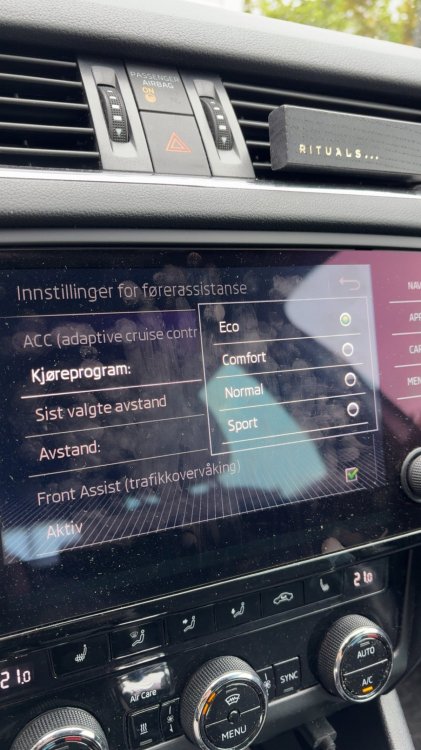
Thought there was a difference because I got asked which one I had. But anyway, here is a picture
-
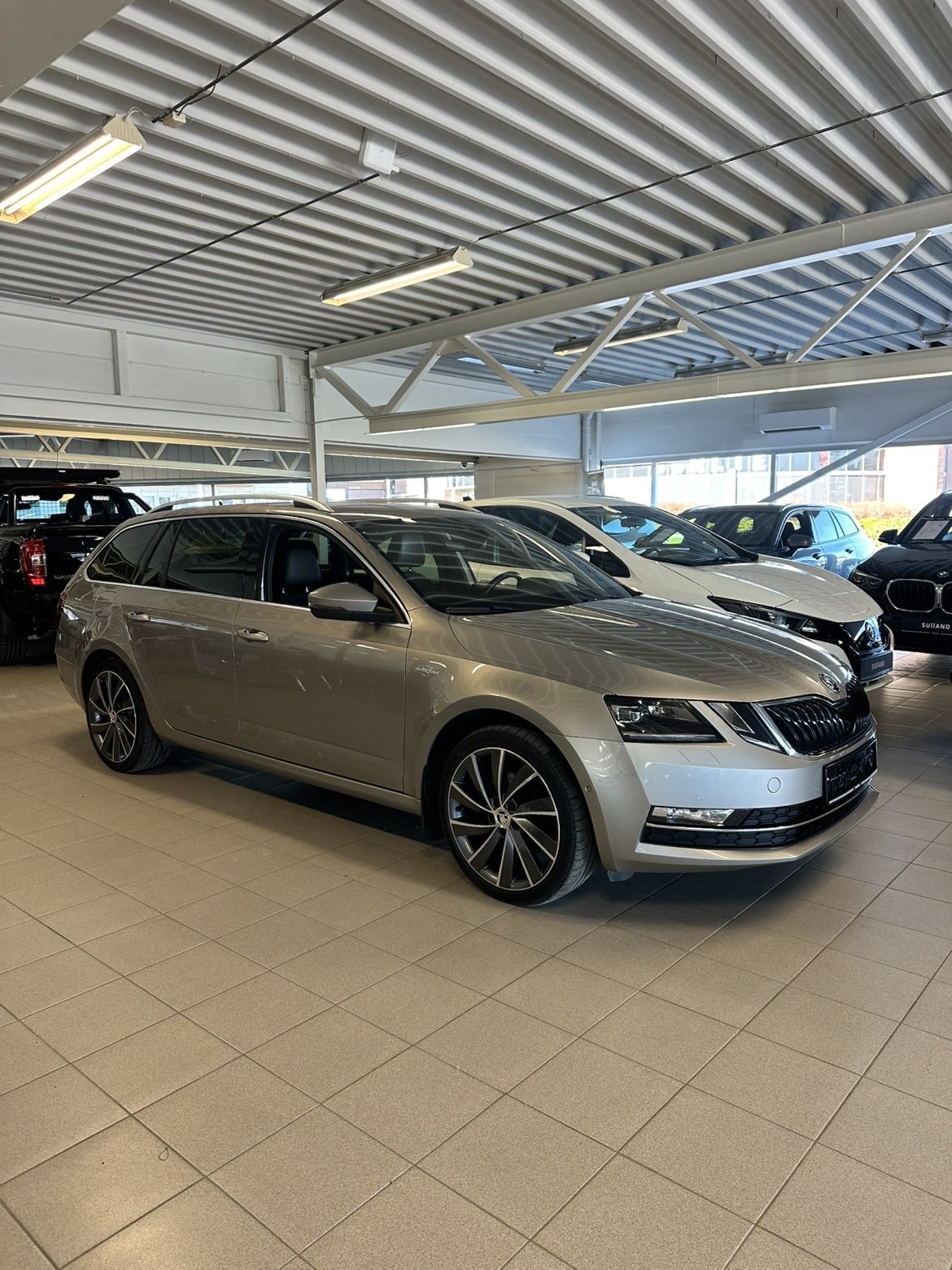
I don’t have Octavia 3, I have 3.5
-
I have the 2019 model, Octavia 3.5
-
Yes, I can choose between eco, comfort, normal and sport
-
I control them from settings in the infotainment system
-
Can you contact me in messages? I cant send you message.
-
Is there any guide or instructions to this? Or do you know of someone here who has done this before who I can talk to?
-
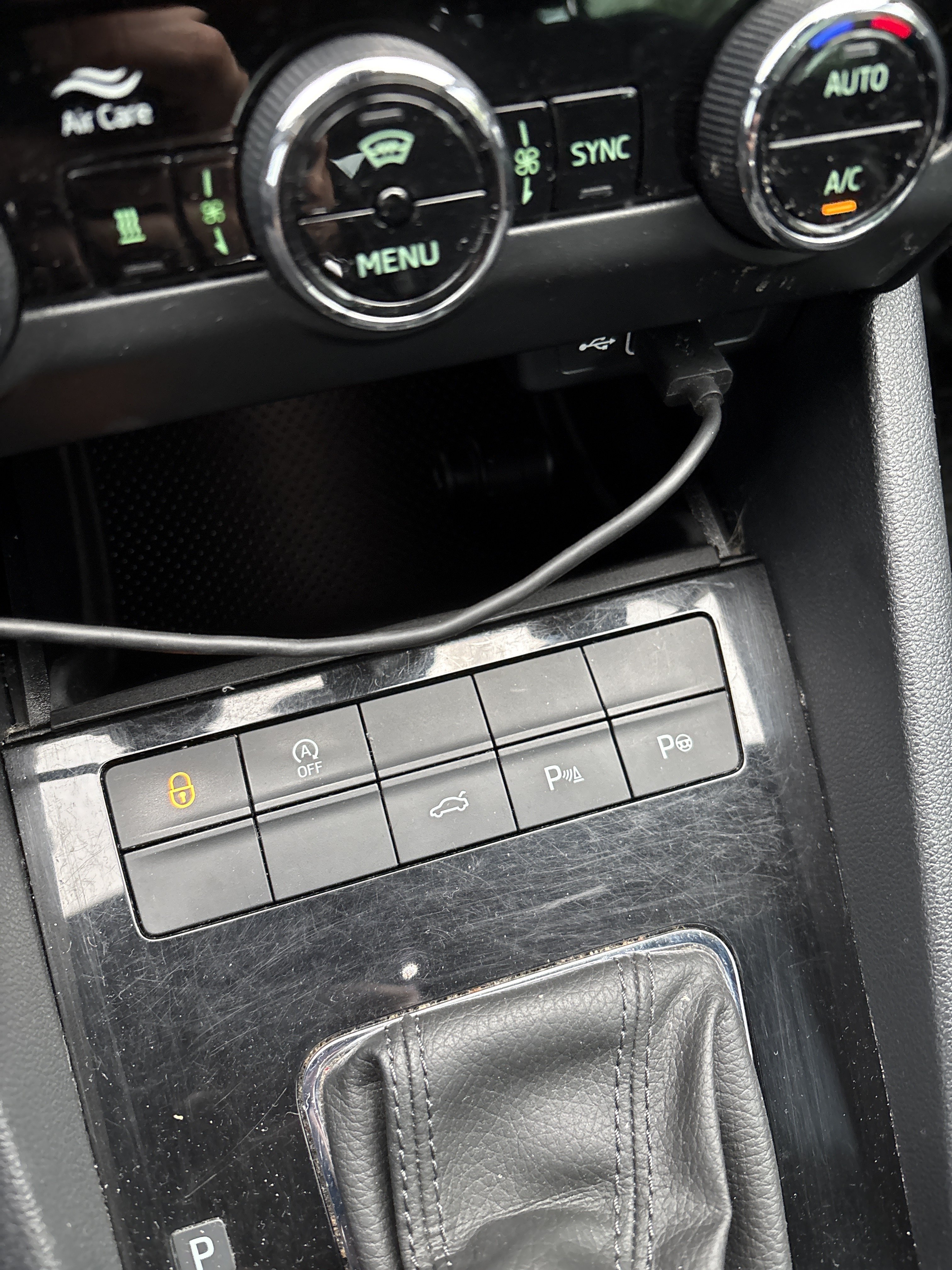
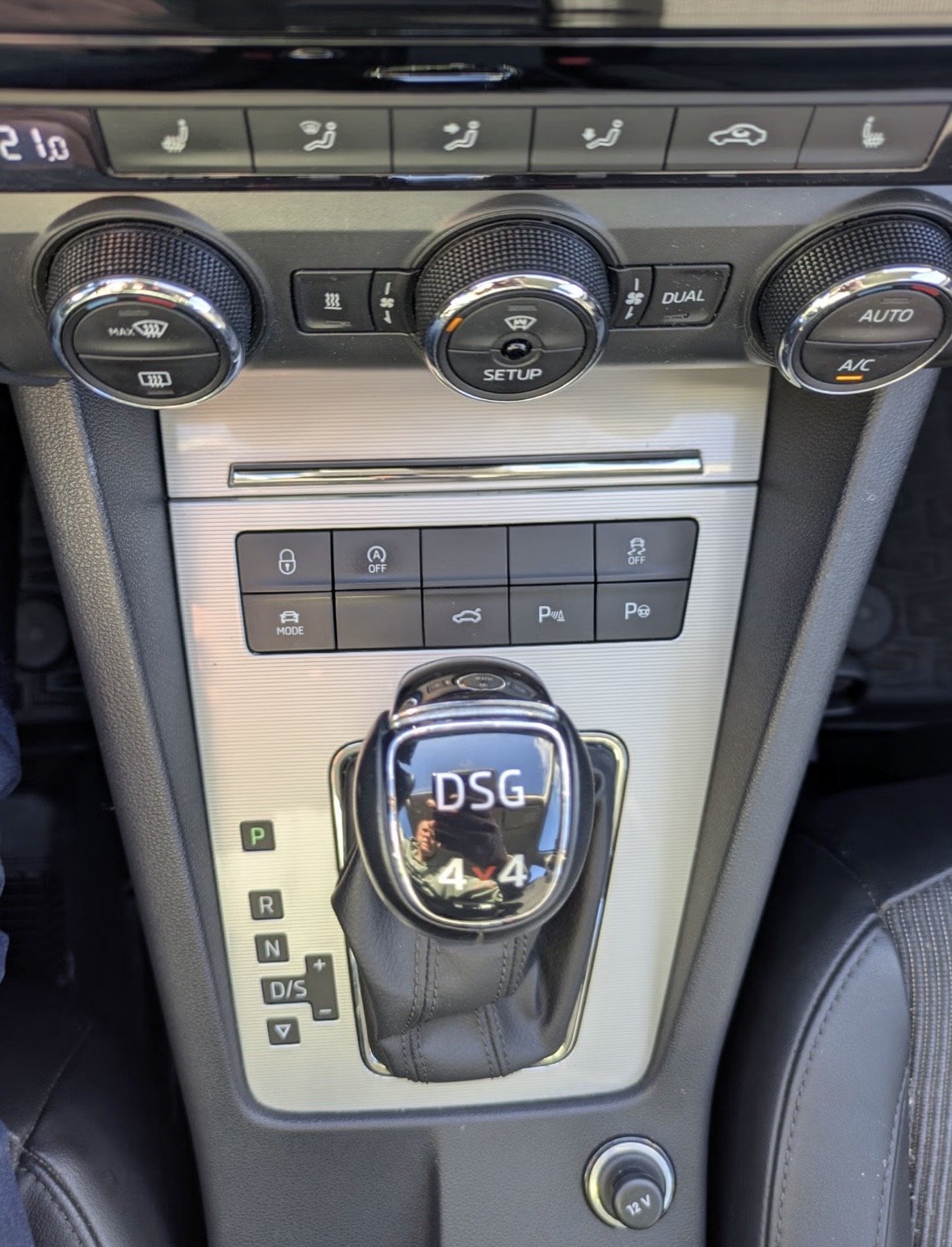
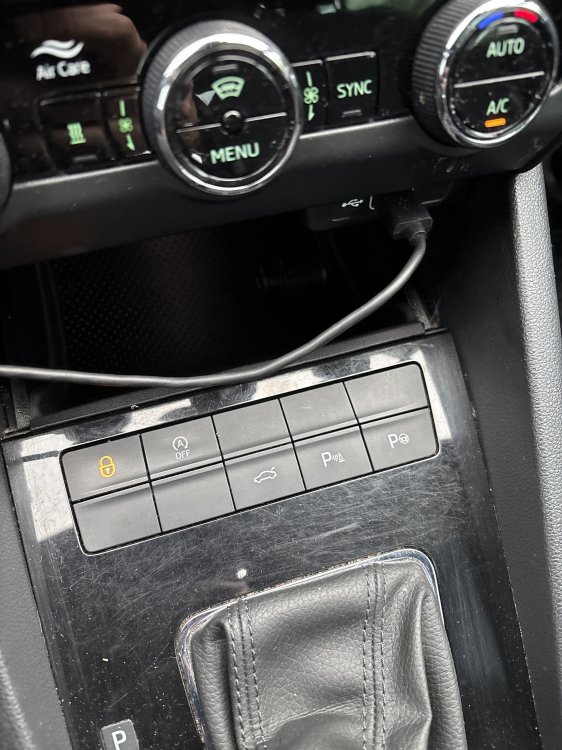
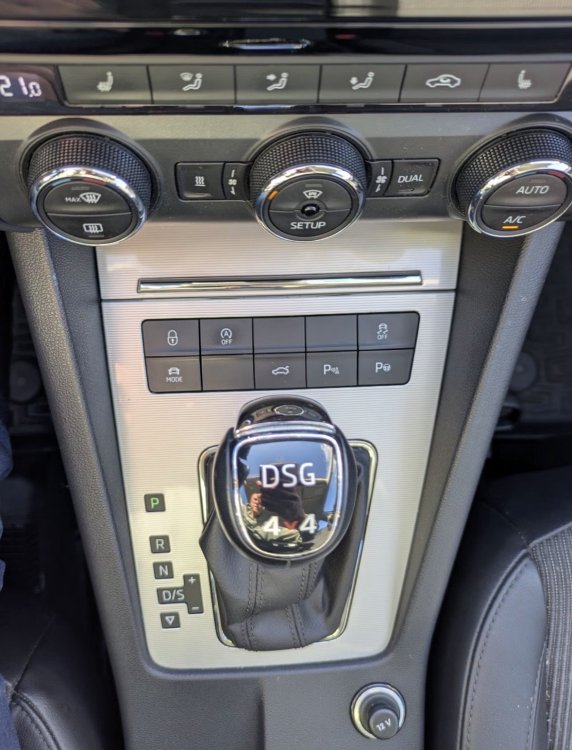
Hi! I want to add functions to my button panel. It has some blank spots where I would like to have features like driving mode and traction control. I was thinking of buying the button panel from skoda-parts, these ones: https://www.skoda-parts.com/spare-part/5e1927132hwhs-top-button-panel-skoda-46323.html https://www.skoda-parts.com/spare-part/5e1927238gwhs-button-panel-lower-skoda-40164.html My question is, will it work if I buy it and plug it in? Does it need coding? Or is it more difficult than that? Here are some pictures. First is of my cars button panel, and the second picture is how I want my button panel to look like.
-
Sorry, I am just so new to this… I think I will order the one you sent me link to. Thank you so much!
-
Then what should I get? I just want the quality to be good and the camera to work with the parking lines
-
Could you please provide me the oem number of the parts I need? The right camera for my car, the wires, etc etc. I am trying to find the right parts online but I am getting overwhelmed by all the different parts and numbers 😩 Thanks so much for the info btw! 😊
-
I am very new to this, so I didnt understand much of that, could you please explain it to me as if I dont understand anyting? hahah Also, I can give you every single detail you need in order to find what parts I need to get for my car, as long as its the original parts. Sorry if I am asking stupid or obvious questions, but I am so new to this and know so little.
-
Thanks for the info! I’ve heard that this forum is the best when it comes to questions about skoda, so I hope someone who has knowledge about this will reply and give me the info I need.
-
No worries, thanks for replying! The quality isnt what worries me that most, because some of the aftermarket ones do offer good quality it seems like. What worries me the most is that it seems that these might not be properly calibrated with the parkinglines you see on the screen, making this misleading if you rely too much on them.
-
Thanks, but what I am looking for is how to connect the original one. This guide is for the aftermarket plug and play ones. They seem to have and adapter which you connect between the camera and the cars system, the original one doesn’t have that.
-
Oh okay! Do you know if it was an original camera, or an aftermarket plug and play camera?
-
Hi! I recently bought a Skoda Octavia 2019 and I really want it to have a reversing camera. I’ve seen that it’s possible to install and that there are a few options. I am afraid if I buy an aftermarket camera it won’t be calibrated and properly lined up with the backing lines the car show on screen. Also it seems that the quality of the aftermarket ones is not that good. And also, I just want it to be the original one. So for these reasons I am thinking of finding an original camera from another Skoda Octavia or a new one, depending on price. Ive been trying to do some research on this, but I find it very difficult to do. The aftermarket ones seem to be plug and play, while the original one has to be programmed or coded. This doesnt make any sense for me. Is there anyway I can buy the original camera and "plug and play" it? Any tips or ideas on how I can connect it or what I should do?