viper42
Finding my way
-
Joined
-
Last visited
Everything posted by viper42
-
-
@joek666 If you scroll up just a few messages, the version you're refering to is already out, posted and tested since June.
- 24 replies
-
-

- 2
-
-
- amudsen
- discover media
- mib2
- maps
-
Tagged with:
-
It could very well be a mix of things. I'm not sure if you have logged your DPF activity, but this could be very telling about the issue. A DPF regen on a healthy engine with no oil consumption will look something like this: You have a measured soot value and a calculated soot value. The regen of the DPF starts somewhere around 25g measured OR calculated. However, usually the calculated soot value raises faster and ultimately triggers the regen. This is dependant on the driving porfile, but you could say a normal regen interval is somewhere between 155 miles - 450 miles. Yes, the range is actually this wide. As an example, the measured value might still be at -0.3g (yes, actually in the minus. After a regen, this value often times is aroung -12g) while the calculated value is at 25g which triggers the regen. I've experienced this myself on my Golf 7 GTD Variant with the same CUNA engine. Oil consumption is high, regen interval is around 30 miles and the measured value always shot up and triggered the regen. We ended up replacing the DPF as it was clogged prematurely from the oil consumption. After the replacement, the interval increased to normal levels and the calculated value triggered the regen again. But not for long, as the calculated value started to raise faster and faster, as the oil consumption got worse and worse. So the DPF got clogged quite fast again, even after the replacement. Ultimately this is to be expected. Also noteworthy, after replacing the DPF, the oil consumption worsened. This is likely hinting towards a broken turbo due to the change of exhaust backpressure after the DPF replacement. Since my GTD had around 210k miles on it already and I've poured quite a lot of money into it already, I decided to sell it and not tackle the search for the oil consumption. At this point it really depends on your budget, how much you love the car and if you're able to get it diagnosed and perhaps sorted for a good price. I really don't want to paint the devil to the wall, but out of all the common things wrong with the CUNA, you could be looking at needing to replace the piston rings, turbo, DPF and worst case, if the cylinder walls are damaged, even a replacement engine. Other factors that would be cheaper to attempt and daignose first that could also lead to an increased oil consumption would be the valve cover, which houses the crankcase ventilation module. If the crankcase ventilation breaks, it can lead to increased oil consumption as well.
-
Usual suspects on the CUNA are the piston rings, specifically the oil rings that like to clog form long-life oil services. They coke up with oil coal and get clogged. That way the oil that would otherwise just be "wiped" away now gets burnt. Most of the time you can't chemically clean them anymore, so you actually need to pull the pistons and replace the rings. Then hope that the cylinder walls still look alright. The other mentioned suspect would be the turbo, depending on the mileage and how its been driven. However the piston rings are a common thing on the CUNA. The CUNA specifically really is a horribly designed engine when it comes to that. Poor thermals and pistons oil rings that have holes that are too small and like to clog easily. Mix that with the poor thermals and long-life services and you get this as a result. Its basically the entire 1st gen EA888 1.8 TFSI story all over again.
-
I've taken a look at the content.pkg for the ROW maps. For this instance I just looked the the AUS and ASIA files for the ROW maps. But it should be the same for every other continent/country of those ROW maps. The following FECs/FSCs are contained in the AUS and ASIA files: 023D003E (Audi), 083D0002 (Skoda), 063D003E (Porsche), 033D003E (Bentley). So no VW or Seat FSCs/FECs contained. This means the system will need to be patched by writing the Audi, Skoda, Porsche or Bentley ROW FECs in order to make them work on VW or Seat. For those curious in the future: You'll find the FECs/FSCs "needed" within the following path: Mib2 -> NavDB -> common_EU (as an example) -> 0 -> default -> content.pkg . You can open this file using Notepad, Notepad++ or any other software that lets you look at any file's text. For the ROW maps there are several common_xxx folders. Like common_aus, common_asia ... and so on. The rest is just looking at the contained FSCs and comparing them to the Map region list for MHI2 Map FECs you can find widely available online. They won't match 1:1, but if an FSC starts with 083xxxxx, then you know those are for Skoda.
-
Those are MHI2 maps. They’re the same for every MHI2 system, no matter the brand. The file name of the archive or the ending .zip or .7z has nothing to do with the contents or the actual structure of the maps. They will work on your car regardless. They work on VW, Seat, Skoda, Audi, Bentley, Porsche and whichever other brand uses MHI2 systems.
-
-
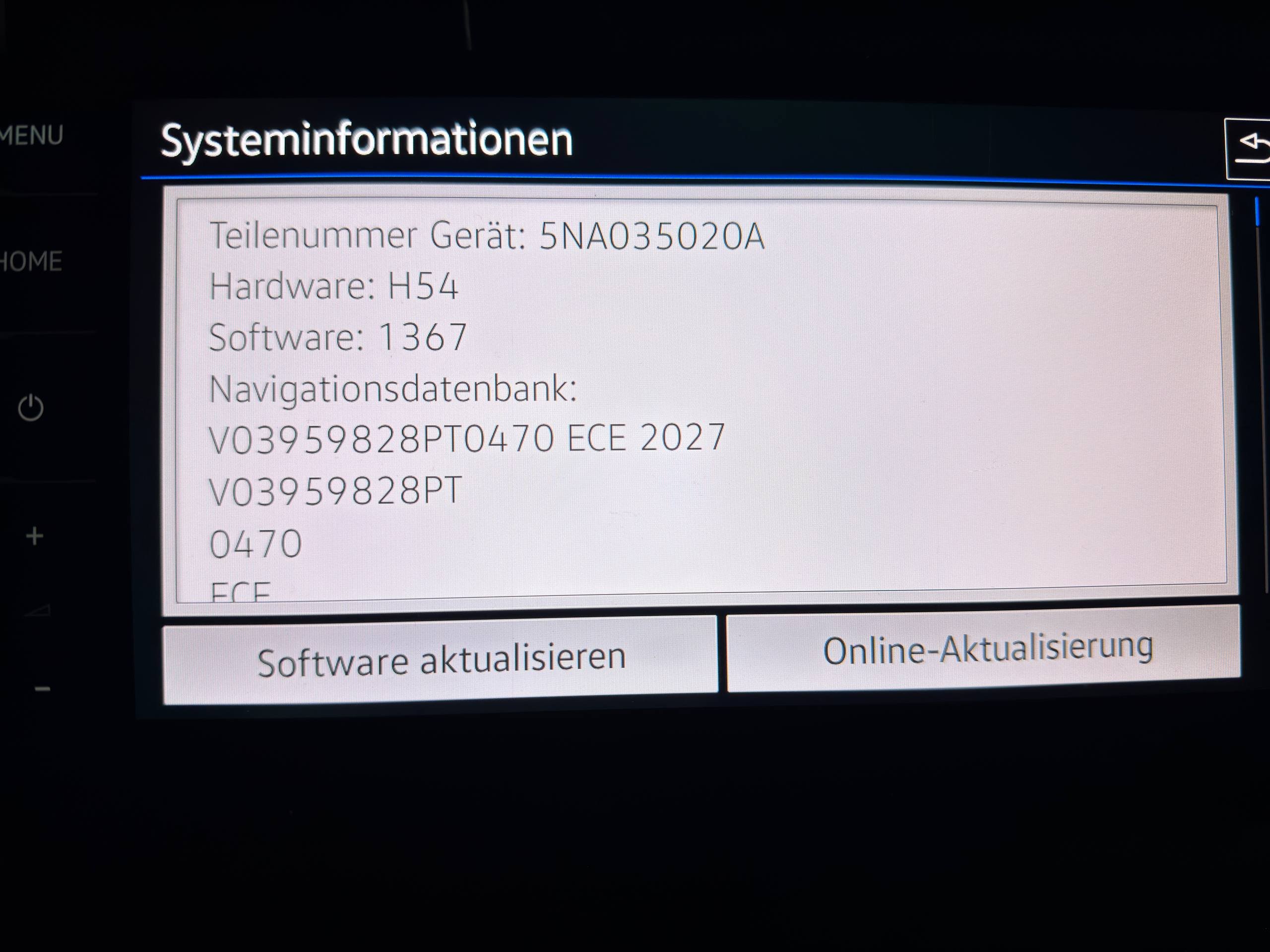
New MHI2 P470 (2027) maps were released by VW. The content.pkg contains the following FECs/FSCs: 02300040 (Audi), 09300002 (VW), 08300002 (Skoda), 07300040 (Seat), 06300040 (Porsche), 03300040 (Bentley). This also means they'll run on Skoda no problem, as per usual. Link to the maps on the VW servers: https://navigation-maps.volkswagen.com/vw-maps/Update_25_26/P470_N60S5MIBH3_EU.7z
-
Just sharing the options there are. Obviously the overall.nds method works well for this case. But like I said, just sharing what's possible. That's all. 🙂
- 24 replies
-
-
- 1
-
-
- amudsen
- discover media
- mib2
- maps
-
Tagged with:
-
The CID OFF can also be done without the Toolbox. That way it doesn't need messing with developer mode and the structure of the toolbox it self. A simple pre-made patch can do it, while also activating SmartLink/FullLink/AppConnect as well as Voice Commands (even though they're quite useless). But I'm sure you're aware of that already. 😅
- 24 replies
-
- amudsen
- discover media
- mib2
- maps
-
Tagged with:
-
@Tell overall.nds ? If so, that has been a thing for a few years already, depending on the age of the car. CID_OFF can also be done to get around that.
- 24 replies
-
- amudsen
- discover media
- mib2
- maps
-
Tagged with:
-
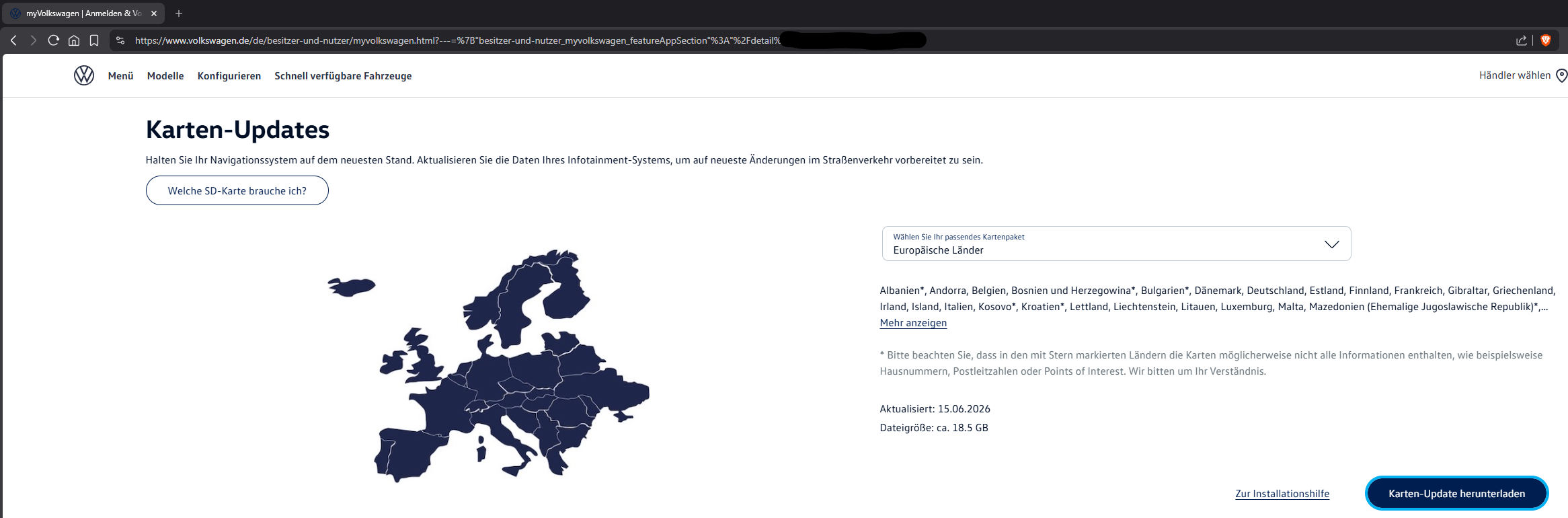
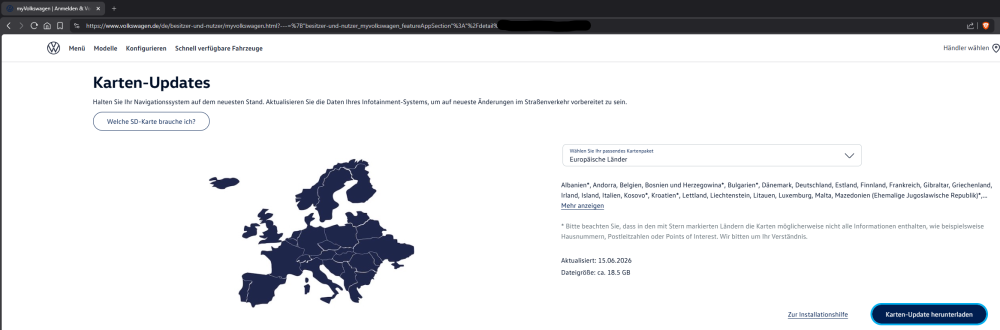
@MartiniB Its listed under MyVolkswagen. At least on the German version it is. It requires you to register, it requires a VIN of a VW that's equipped with an MST2 system and then you can download it. Those links I have posted are from MyVolkswagen. It sounds like you have doubts about the links I have posted, lol. But here's a screenshot from the MyVolkswagen page that lists the download. I just censored my VIN in the URL.
- 24 replies
-
-
- 1
-
-
- amudsen
- discover media
- mib2
- maps
-
Tagged with:
-
vRS has the 184hp CUNA engine, right? If so, how's your oil consumption? These engines LOVE to drink and burn oil. This can result in the DPF clogging prematurely. If you have excessive oil consumption (more than 1L per 1000km), then it could be your turbo as well. However, if its the 184hp engine and you do have notable oil consumption, I suspect your DPF is just full and needs physical cleaning or even replacing.
-
Haha, appreciate it! All self taught. Too bad I suck at learning other languages. Tried a few times but never got very far.
-
Hello, I’m Viper from Germany, a few people with more technical infotainment background might know me already from other forums and platforms. I’ve seen a few familiar names already. I myself don’t own a Skoda, but I’m home at VAG in general. However we do have a Skoda within the family. It’s a 2019 Skoda Karoq with the 150hp 2.0 TDI as 4x4. I own a 2019 VW Passat Variant R-Line with the BiTDI engine. My better half drives a 2016 Seat Leon 5F 1.6 TDI. We also share a 2013 VW Up! I’m especially interested in VAG infotainment systems and retrofits, as well as vehicle diagnostics. Most knowledge I have around MIB2 systems. Especially MST2 TechniSat/Preh, but also some MST2 Delphi und MHI2 Knowledge. I’ve also patched a few MEN2 units before. MIB3 stuff I’m still learning. Here I’ve made my start just before my introduction by sharing the latest MST2 map updates, which have just hit the Volkswagen servers. I also have quite a few vehicle diagnostic tools, from VCDS (genuine), VCP (genuine), VC-Tool, ODIS, to OBDEleven and other non-VAG specific diagnostic tools. That should be it for now. Looking forward to (hopefully) be a helpful part of this community. Cheers!
-
-
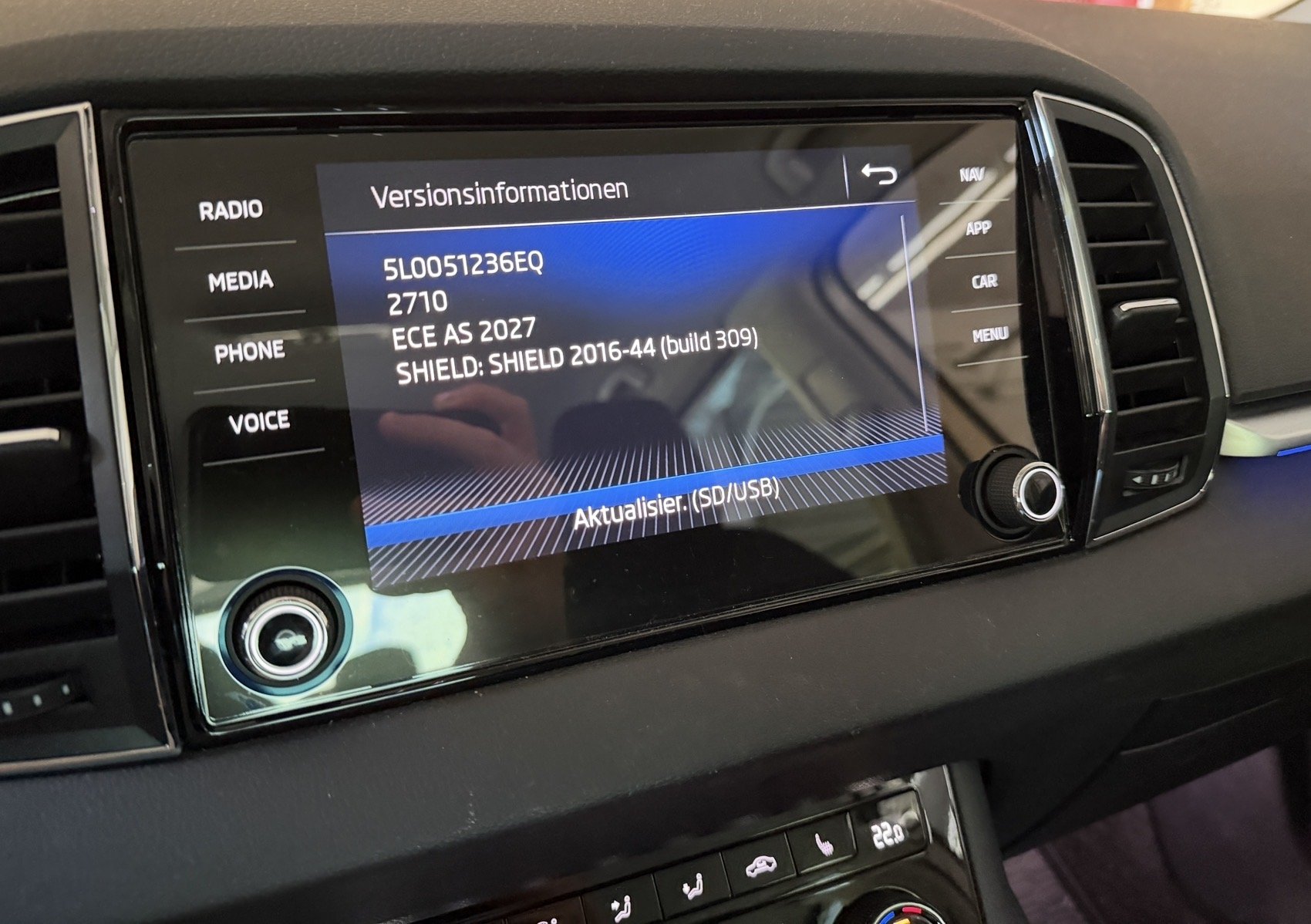
New MST2 maps, 2027, 2710, V24: EU V1: https://navigation-maps.volkswagen.com/vw-maps/Update_25_26/DiscoverMedia2_EU1_2710_V24.7z EU V2: https://navigation-maps.volkswagen.com/vw-maps/Update_25_26/DiscoverMedia2_EU2_2710_V24.7z EU V3: https://navigation-maps.volkswagen.com/vw-maps/Update_25_26/DiscoverMedia2_EU3_2710_V24.7z EU V4: https://navigation-maps.volkswagen.com/vw-maps/Update_25_26/DiscoverMedia2_EU-DL1_2710_V24.7z EU V5: https://navigation-maps.volkswagen.com/vw-maps/Update_25_26/DiscoverMedia2_EU-DL2_2710_V24.7z EU V6: https://navigation-maps.volkswagen.com/vw-maps/Update_25_26/DiscoverMedia2_EU-DL3_2710_V24.7z EU V7: https://navigation-maps.volkswagen.com/vw-maps/Update_25_26/DiscoverMedia2_EU-DL4_2710_V24.7z EU Complete: https://navigation-maps.volkswagen.com/vw-maps/Update_25_26/DiscoverMedia2_EU-AS_2710_V24.7z This time on the VW Servers.
- 24 replies
-
-

- 2
-
-
- amudsen
- discover media
- mib2
- maps
-
Tagged with: