marstr1860
New here
-
Joined
-
Last visited
Everything posted by marstr1860
-
Thanks - seems that the centers in Glasgow where I am are only driving test centers...
-
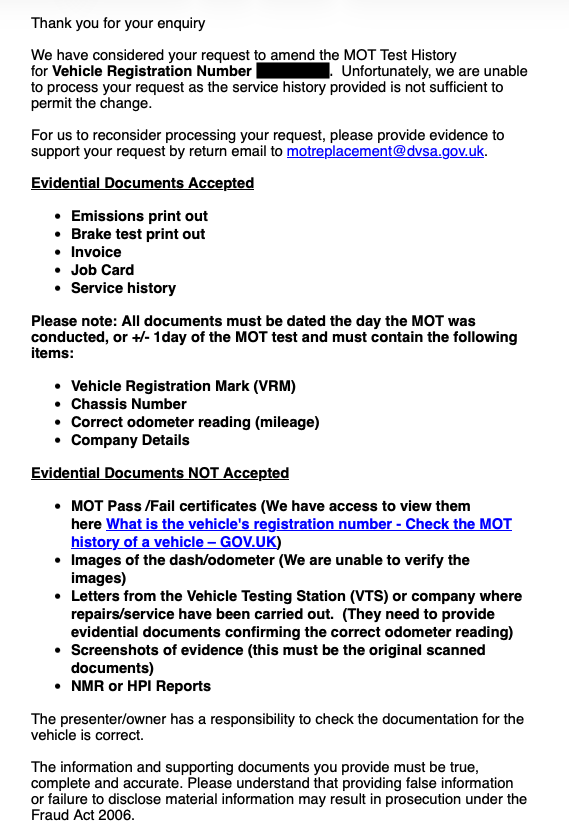
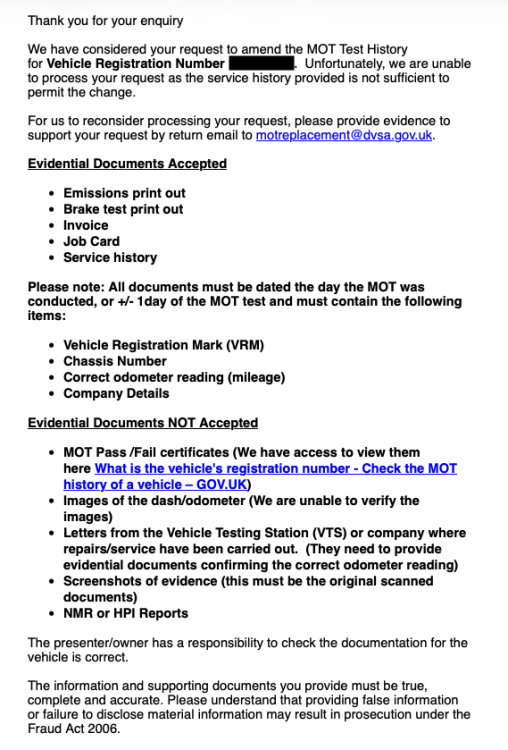
Thanks. VOSA has been replaced by the DVSA. Have initially phoned them when I was told they would not make changes (without actually having seen any evidence etc.. !!) and then submitted the evidence I had at the time which was rejected. See screenshot for their reply. I can not provide the evidence they want because I only noticed the error two months after the MOT entry / upload to the DVSA...
-
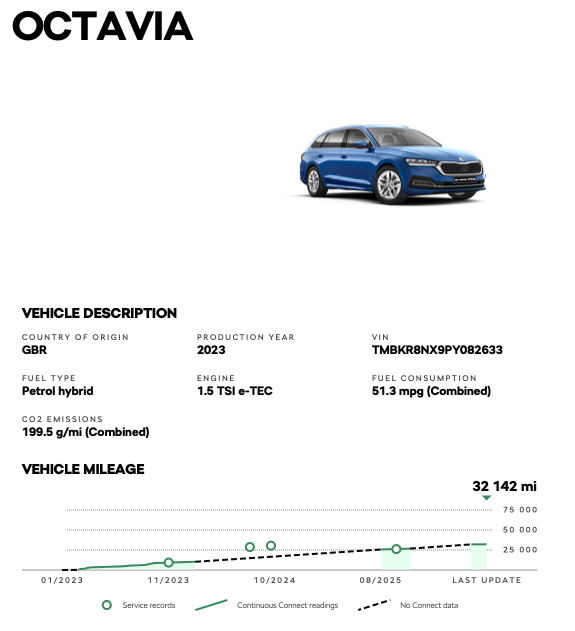
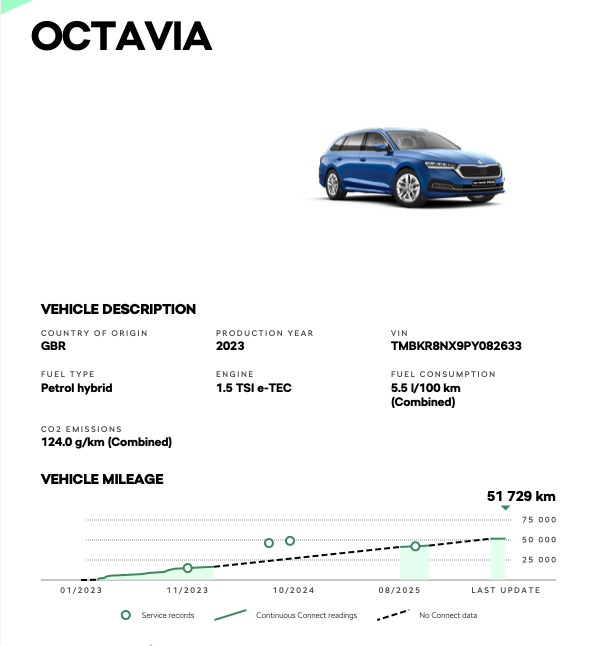
Hi I couldn't find any relevant previous threads other than this not helpful one for my situation https://www.briskoda.net/forums/topic/536808-odometer-mileage-has-gone-down-since-last-year/ Unfortunately the garage that did the first MOT for my 2023 Skoda Octavia 1.5 TSI e-TEC in February did not appreciate the distance on the odometer was km rather than miles (I have been taking the car a few times to Europe and had changed the distance display to metric and never thought of changing it back to imperial). I only realised the error in April (long after the official DVSA grace period to easily correct distance / "mileage" errors) and I have been trying to get the DVSA (prev VOSA) to correct their MOT entry uploaded by the garage that did the MOT, but this was declined. Interestingly, the Skoda garage that did the all 4 so far due and (contacted services) including also misread the distances on the clock and took distances in km for distances in miles as per Skoda connect ("outliers" above dotted line); it seems Skoda connect was offline / deactivated between the first and third and after the third service and I ended up buying and re-installing it when I had found out of the wrong DVSA mileage entry. See uploads (in miles and km). Has anyone experienced a similar nightmare situation and / or does anyone have any idea how this is best dealt with as I desperately need to sell my Octavia for personal reasons? Many thanks in advance to all.