




Mattridd
New here
-
Joined
-
Last visited
Everything posted by Mattridd
-
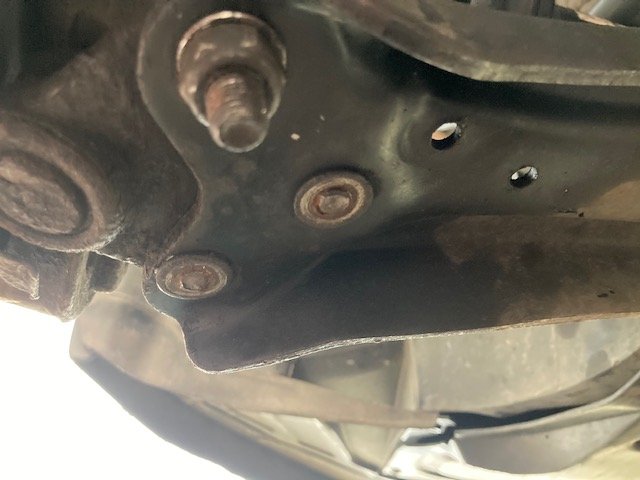
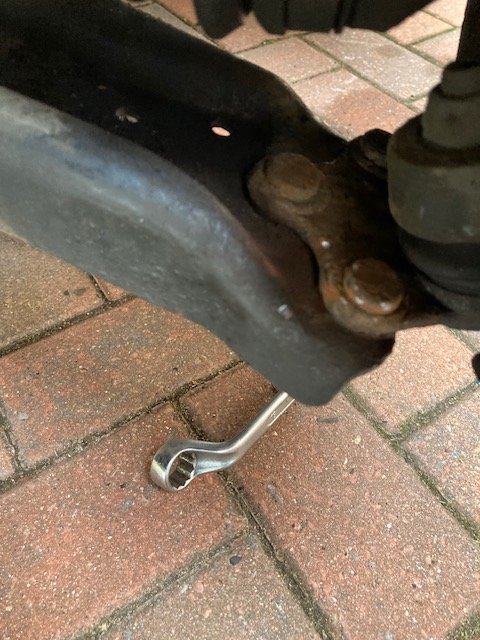
Hello, I am in the middle of replacing the front suspension on my Fabia mk2 Greenline. I have got most of the bits off that I need to, just got to the front left wishbone bolts. They were really tight to get off. 2 of them have sheared completely & the third one just spins. I can feel the bolt is not spinning, but the nut turns & never moves. I have given them a good clean, incase there was some rust stopping it. I then tried to the drivers side & all 3 of these just spin too, not really tight. I am guessing that I am going to need to cut them off, or is there some trick to this? Any help would be gratefully accepted. Thanks, Matt
-
-
Hello, I have a Fabia Mk2 Greenline estate (1.4 tdi 80hp) & need to replace my front suspension. But I am struggling to find out what springs I need to buy (will replace them while I am in there). My local GSF asked if my car was lowered, no was my obvious answer, but she said it was to a degree, being the Greenline. I have brought some Monroe shocks (16451) & top mount (with bearing), but am having issues with finding a replacement spring. I have been told that the OE part number is 6Q0 411 105 AE. The existing spring has 3 red & 1 green colour markings on it. This is my first time doing any work on my car (did change the drum shoes & cylinders last week) & have never had a need to look for any car parts before. Is anybody able to help me or point me in the right direction of the new springs to buy. Thanks, Matt