BlueDun
Finding my way
-
Joined
-
Last visited
Everything posted by BlueDun
-
Update:- all holding good and drying out slowly. It's surprising how much moisture the felt-type mats hold. Also, a big problem is the very dense foam moulding that fits from the end of the felt mat, under the pedals and part way up the bulkhead. Does anyone know where such a moulding can be purchased, as I think its going to be virtually impossible to dry it?
-
thanks for all the replies.
-
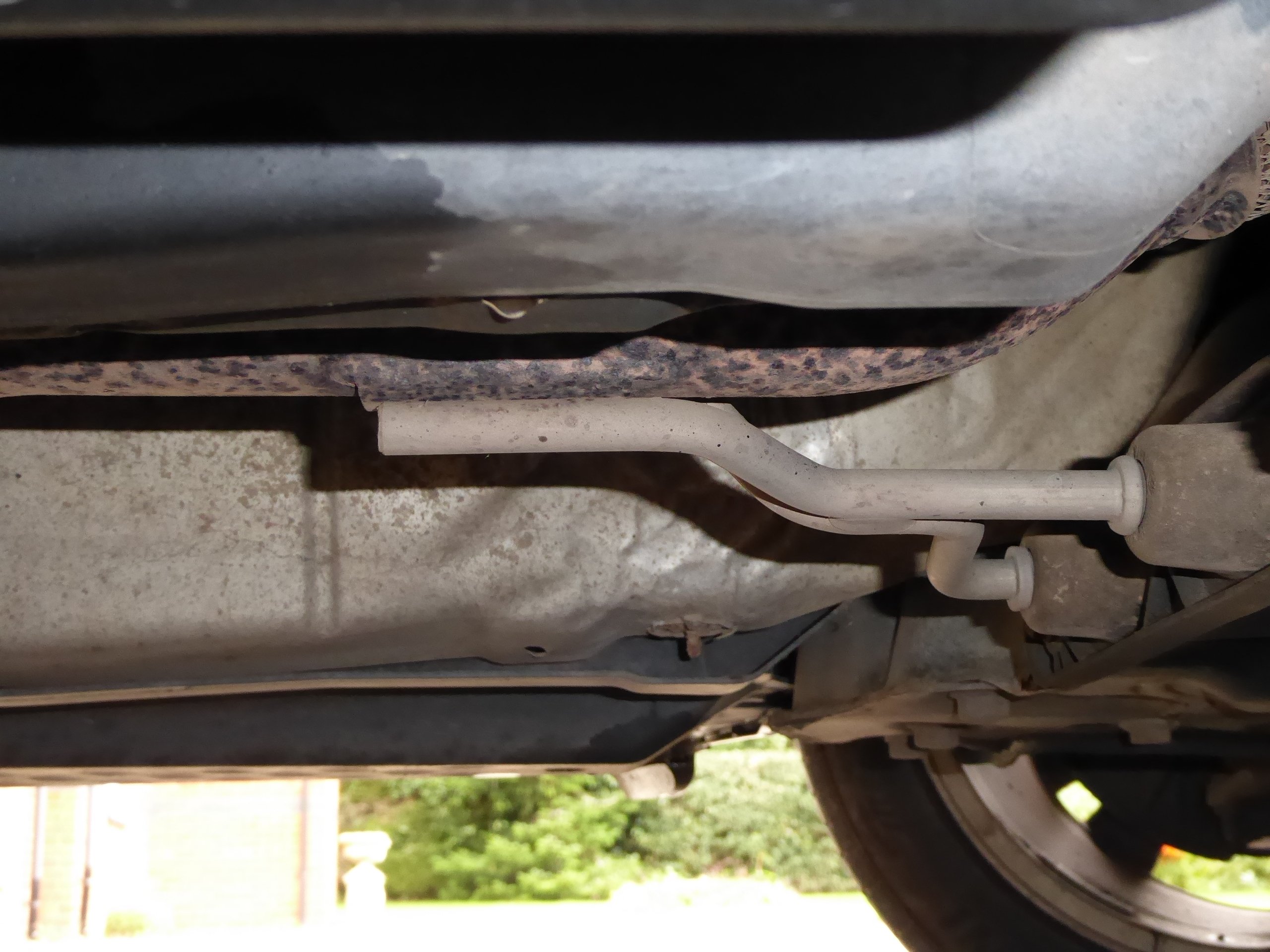
I have spent a lot of time on this and made some progress. Firstly, for those who don't know (including my garage) the aircon drain tube exits into the transmission tunnel inside the drivers footwell, underneath the footrest ( same as Octavia (Screenshot_2019-05-22-21-35-34.jpg.9c10c83445932916cf97ab10ce1b31a2.jpg (1440×2560) Even though I had checked that water was draining from the scuttle under the windscreen, I took it all apart and found quite a bit! There was a build-up of debris (dense, like wet soil!) in front of the drain on the O/S, acting like a small dam. Just above there is a hole through the bulkhead, which should be sealed with a grommet - mine was missing. When I poured water onto the windscreen, which ran into the scuttle, it pooled in front of the 'dam' and whilst a lot went down the drain, quite a bit went through the hole into the drivers footwell just behind the accelerator pedal. I plugged the hole with a large amount of Bluetack, cover the whole area with Gaffer tapeand formed a really good seal - result no more leaking into car. I then removedthe mudflaps and prised the inner wheelarch covers away, to find a mass of 'compost' and dry leaves, mostly on O/S. Why this isn't part of the service schedule, say every 50k miles, I don't know. It would take a mechanic 10-15 minutes to do this and prevent a lot of problems. Having done all this andchecked the drain tube (shown in photo) was clear, I ran the car with aircon engaged and the drain tube end put in a bowl - water dripped in, so all seemed to be working, so reseated the tube end into the chassis hole and it then dripped out underneath the car. For the moment, I'm hoping it's all sorted. Placing towels etc. underneath the felt-type soundproofing under the carpets, to try to dry everything out. I'm now going for a beer and a lie down!!
-
2014 Elegance 4wd, DCG, 2.0 diesel 170BHP - does this photo help?
-
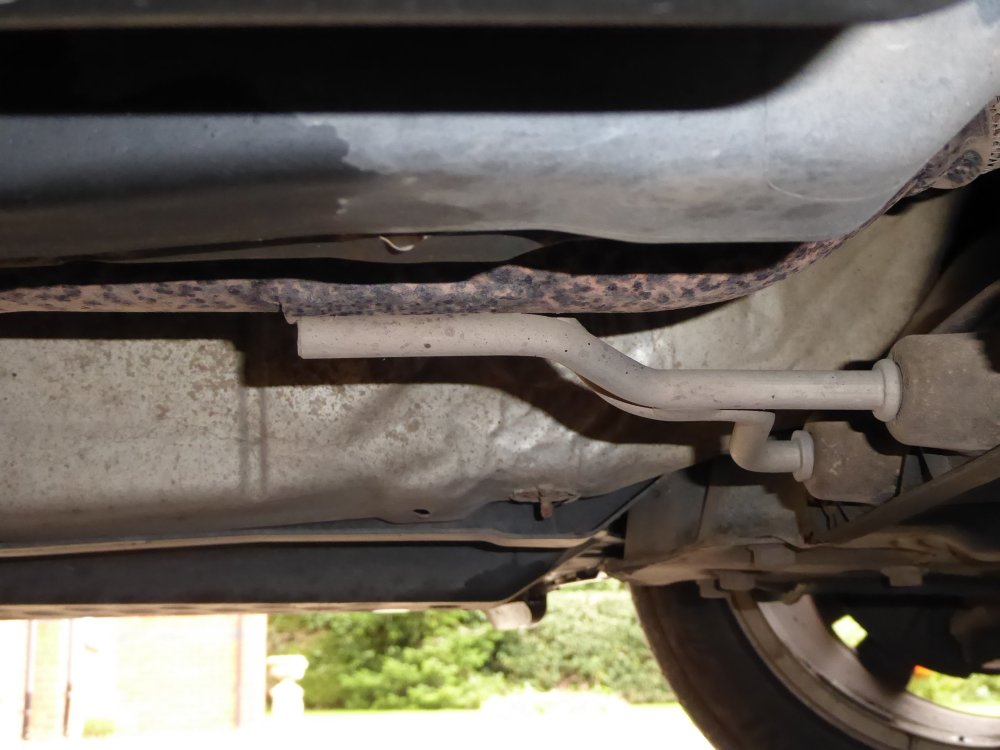
Can anyone tell me what the two short metal pipes (with S bends in) coming out from the rear of the engine tray are please?
-
thanks for the suggestions. Pollen filter totally dry, no sign of any damp on passenger (N/S) of car. As the carpets are dry above floor level, it would seem the water is entering very low down. I have checked the scuttle drains and they're flowing fine. One thing that puzzles me (above the rest of this!) is how the rear passenger footwell has got so wet. Assuming the water (which is clean and odour-free) is entering the driver footwell, I cannot work out how it reached the rear, as there appears to be cross member under the driver seat and the carpet in front/on top/ immediately behind it, is all dry.
-
Thanks for the response. The car doesn't have a sunroof, so we can rule that out. Need to try to lift/remove carpets to get the underlay out, which holds water like a sponge apparently. Haven't worked out how to do that yet.
-
Hi, new here. Skoda Yeti 2014 2.0 diesel (170bhp) 4wd. In the last few days I have noticed small amounts of water on top of the rubber floor mats, front and rear O/S. It was noticed first in the rear footwell but yesterday it was very evident in the drivers footwell. Warm fine day, so used the air con and noticed the water amount had increased. When we got home I removed the rubber mats and the carpets were extremely wet. We had to place old towels on the floor, stand on them (water rising visibly under pressure), wring out towels (soaking wet) and repeat many times until too tired to continue - will resume today. Thoughts were, blocked drainage under windscreen (will check) but more likely air con drainage issue, particularly as using the air con made the problem noticeably worse. I drove the car into the garage and turned the air con on for 3 or 4 minutes - no sign of any water dripping onto the floor. Recent events that may be relevant:- had an air con check at Kwik Fit several weeks ago and we noticed the mechanic jump, exclaim, accompanied by loud hiss of escaping gas. they said the pressure was OK and we left but immediately noticed the air con was noisy. Returned and they reluctantly agreed all wasn't right and re-gassed free of charge. Could the drain tube have been damaged? Also, a couple of weeks ago the Garage removed the engine tray to fix a leaking oil filter, could they have kinked/trapped the air con drain tube? Sorry it's a long post, will appreciate any advice.